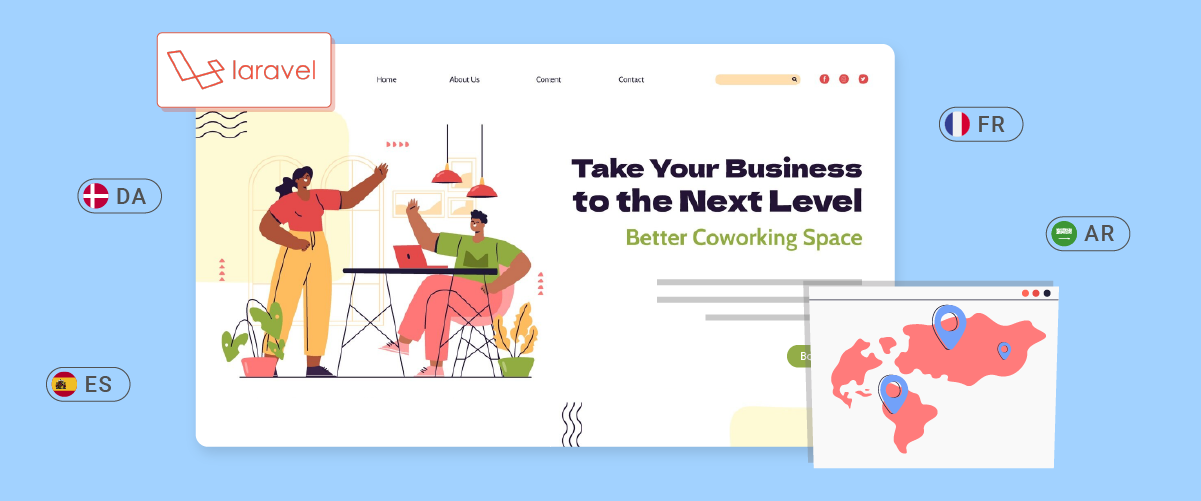
Laravelローカリゼーションは、開発者が多言語ウェブサイトを作成できるようにする強力なツールです。LaravelにウェブローカリゼーションをLaravel、異なる言語的背景を持つ訪問者にパーソナライズされたユーザーエクスペリエンスを提供でき、最終的にはリーチを拡大し、ユーザーエンゲージメントを向上させることができます。
Laravel アプリケーションでローカリゼーションを実装する手順を説明し、ローカリゼーションの作業を簡素化および強化できるツールを紹介します。
Laravel ウェブサイトをローカライズする必要があるのはなぜですか?
Laravel ウェブサイトをローカライズする必要がある重要な理由をいくつか紹介します。.
- 世界中のユーザーにリーチ: Laravelローカライズすることで、アプリのリーチを国際的なユーザーにまで広げることができます。これにより、様々な国や言語背景を持つユーザーがコンテンツを理解し、利用できるようになります。
- ユーザーエクスペリエンスの向上:ローカリゼーションにより、ユーザーは母国語でアプリを操作できるようになり、ユーザーエクスペリエンスが大幅に向上します。これにより、エンゲージメント率の向上、直帰率の低減、コンバージョン率の向上が期待できます。
- 競争優位性:競争の激しいグローバル市場において、アプリを複数言語で提供することは、競合他社に対して大きな優位性をもたらす可能性があります。これは、国際市場へのコミットメントを示すとともに、新規市場へのより効果的な参入にもつながります。
- SEOの向上:適切にローカライズされたウェブサイトは、特定の言語での検索において検索エンジンのランキングが高くなる傾向があります。ブログのトラフィックと様々な市場でのオンラインプレゼンスの向上が期待できます。
多言語 Laravel ローカリゼーションの要件

Laravelで多言語ローカリゼーションを実装する際には、考慮すべき要件と手順がいくつかあります。.
- 最新のローカリゼーション機能を利用するには、 Laravel の最新バージョン (バージョン 10.x など) を使用していることを確認してください。.
- PHP と Laravel フレームワークの基本的な理解は、実装プロセスに役立ちます。.
- Web サーバーやデータベースなど、 Laravelをサポートするローカル開発環境またはサーバーをセットアップします。.
- アプリケーションがサポートする言語を最初から決定します。.
シンプルな Laravel 翻訳
Laravel アプリケーションまたは Web を翻訳する前に満たす必要がある要件を理解した後、 Laravel 簡単に翻訳するための手順をいくつか示します。.
これを行うには、ローカライズするビューファイル(例:resources/views/welcome.blade.php)を開きます。次に、bodyタグを以下のコードに置き換えます。.
					<body class="antialiased">
    <div class="relative flex items-top justify-center min-h-screen bg-gray-100 sm:items-center py-4 sm:pt-0">
        <div class="max-w-6xl mx-auto sm:px-6 lg:px-8">
            <div class="flex justify-center pt-8 sm:justify-start sm:pt-0">
                Welcome to Linguise website!
            </div>
        </div>
    </div> <script data-no-optimize="1">window.lazyLoadOptions=Object.assign({},{threshold:300},window.lazyLoadOptions||{});!function(t,e){"object"==typeof exports&&"undefined"!=typeof module?module.exports=e():"function"==typeof define&&define.amd?define(e):(t="undefined"!=typeof globalThis?globalThis:t||self).LazyLoad=e()}(this,function(){"use strict";function e(){return(e=Object.assign||function(t){for(var e=1;e<arguments.length;e++){var n,a=arguments[e];for(n in a)Object.prototype.hasOwnProperty.call(a,n)&&(t[n]=a[n])}return t}).apply(this,arguments)}function o(t){return e({},at,t)}function l(t,e){return t.getAttribute(gt+e)}function c(t){return l(t,vt)}function s(t,e){return function(t,e,n){e=gt+e;null!==n?t.setAttribute(e,n):t.removeAttribute(e)}(t,vt,e)}function i(t){return s(t,null),0}function r(t){return null===c(t)}function u(t){return c(t)===_t}function d(t,e,n,a){t&&(void 0===a?void 0===n?t(e):t(e,n):t(e,n,a))}function f(t,e){et?t.classList.add(e):t.className+=(t.className?" ":"")+e}function _(t,e){et?t.classList.remove(e):t.className=t.className.replace(new RegExp("(^|\\s+)"+e+"(\\s+|$)")," ").replace(/^\s+/,"").replace(/\s+$/,"")}function g(t){return t.llTempImage}function v(t,e){!e||(e=e._observer)&&e.unobserve(t)}function b(t,e){t&&(t.loadingCount+=e)}function p(t,e){t&&(t.toLoadCount=e)}function n(t){for(var e,n=[],a=0;e=t.children[a];a+=1)"SOURCE"===e.tagName&&n.push(e);return n}function h(t,e){(t=t.parentNode)&&"PICTURE"===t.tagName&&n(t).forEach(e)}function a(t,e){n(t).forEach(e)}function m(t){return!!t[lt]}function E(t){return t[lt]}function I(t){return delete t[lt]}function y(e,t){var n;m(e)||(n={},t.forEach(function(t){n[t]=e.getAttribute(t)}),e[lt]=n)}function L(a,t){var o;m(a)&&(o=E(a),t.forEach(function(t){var e,n;e=a,(t=o[n=t])?e.setAttribute(n,t):e.removeAttribute(n)}))}function k(t,e,n){f(t,e.class_loading),s(t,st),n&&(b(n,1),d(e.callback_loading,t,n))}function A(t,e,n){n&&t.setAttribute(e,n)}function O(t,e){A(t,rt,l(t,e.data_sizes)),A(t,it,l(t,e.data_srcset)),A(t,ot,l(t,e.data_src))}function w(t,e,n){var a=l(t,e.data_bg_multi),o=l(t,e.data_bg_multi_hidpi);(a=nt&&o?o:a)&&(t.style.backgroundImage=a,n=n,f(t=t,(e=e).class_applied),s(t,dt),n&&(e.unobserve_completed&&v(t,e),d(e.callback_applied,t,n)))}function x(t,e){!e||0<e.loadingCount||0<e.toLoadCount||d(t.callback_finish,e)}function M(t,e,n){t.addEventListener(e,n),t.llEvLisnrs[e]=n}function N(t){return!!t.llEvLisnrs}function z(t){if(N(t)){var e,n,a=t.llEvLisnrs;for(e in a){var o=a[e];n=e,o=o,t.removeEventListener(n,o)}delete t.llEvLisnrs}}function C(t,e,n){var a;delete t.llTempImage,b(n,-1),(a=n)&&--a.toLoadCount,_(t,e.class_loading),e.unobserve_completed&&v(t,n)}function R(i,r,c){var l=g(i)||i;N(l)||function(t,e,n){N(t)||(t.llEvLisnrs={});var a="VIDEO"===t.tagName?"loadeddata":"load";M(t,a,e),M(t,"error",n)}(l,function(t){var e,n,a,o;n=r,a=c,o=u(e=i),C(e,n,a),f(e,n.class_loaded),s(e,ut),d(n.callback_loaded,e,a),o||x(n,a),z(l)},function(t){var e,n,a,o;n=r,a=c,o=u(e=i),C(e,n,a),f(e,n.class_error),s(e,ft),d(n.callback_error,e,a),o||x(n,a),z(l)})}function T(t,e,n){var a,o,i,r,c;t.llTempImage=document.createElement("IMG"),R(t,e,n),m(c=t)||(c[lt]={backgroundImage:c.style.backgroundImage}),i=n,r=l(a=t,(o=e).data_bg),c=l(a,o.data_bg_hidpi),(r=nt&&c?c:r)&&(a.style.backgroundImage='url("'.concat(r,'")'),g(a).setAttribute(ot,r),k(a,o,i)),w(t,e,n)}function G(t,e,n){var a;R(t,e,n),a=e,e=n,(t=Et[(n=t).tagName])&&(t(n,a),k(n,a,e))}function D(t,e,n){var a;a=t,(-1<It.indexOf(a.tagName)?G:T)(t,e,n)}function S(t,e,n){var a;t.setAttribute("loading","lazy"),R(t,e,n),a=e,(e=Et[(n=t).tagName])&&e(n,a),s(t,_t)}function V(t){t.removeAttribute(ot),t.removeAttribute(it),t.removeAttribute(rt)}function j(t){h(t,function(t){L(t,mt)}),L(t,mt)}function F(t){var e;(e=yt[t.tagName])?e(t):m(e=t)&&(t=E(e),e.style.backgroundImage=t.backgroundImage)}function P(t,e){var n;F(t),n=e,r(e=t)||u(e)||(_(e,n.class_entered),_(e,n.class_exited),_(e,n.class_applied),_(e,n.class_loading),_(e,n.class_loaded),_(e,n.class_error)),i(t),I(t)}function U(t,e,n,a){var o;n.cancel_on_exit&&(c(t)!==st||"IMG"===t.tagName&&(z(t),h(o=t,function(t){V(t)}),V(o),j(t),_(t,n.class_loading),b(a,-1),i(t),d(n.callback_cancel,t,e,a)))}function $(t,e,n,a){var o,i,r=(i=t,0<=bt.indexOf(c(i)));s(t,"entered"),f(t,n.class_entered),_(t,n.class_exited),o=t,i=a,n.unobserve_entered&&v(o,i),d(n.callback_enter,t,e,a),r||D(t,n,a)}function q(t){return t.use_native&&"loading"in HTMLImageElement.prototype}function H(t,o,i){t.forEach(function(t){return(a=t).isIntersecting||0<a.intersectionRatio?$(t.target,t,o,i):(e=t.target,n=t,a=o,t=i,void(r(e)||(f(e,a.class_exited),U(e,n,a,t),d(a.callback_exit,e,n,t))));var e,n,a})}function B(e,n){var t;tt&&!q(e)&&(n._observer=new IntersectionObserver(function(t){H(t,e,n)},{root:(t=e).container===document?null:t.container,rootMargin:t.thresholds||t.threshold+"px"}))}function J(t){return Array.prototype.slice.call(t)}function K(t){return t.container.querySelectorAll(t.elements_selector)}function Q(t){return c(t)===ft}function W(t,e){return e=t||K(e),J(e).filter(r)}function X(e,t){var n;(n=K(e),J(n).filter(Q)).forEach(function(t){_(t,e.class_error),i(t)}),t.update()}function t(t,e){var n,a,t=o(t);this._settings=t,this.loadingCount=0,B(t,this),n=t,a=this,Y&&window.addEventListener("online",function(){X(n,a)}),this.update(e)}var Y="undefined"!=typeof window,Z=Y&&!("onscroll"in window)||"undefined"!=typeof navigator&&/(gle|ing|ro)bot|crawl|spider/i.test(navigator.userAgent),tt=Y&&"IntersectionObserver"in window,et=Y&&"classList"in document.createElement("p"),nt=Y&&1<window.devicePixelRatio,at={elements_selector:".lazy",container:Z||Y?document:null,threshold:300,thresholds:null,data_src:"src",data_srcset:"srcset",data_sizes:"sizes",data_bg:"bg",data_bg_hidpi:"bg-hidpi",data_bg_multi:"bg-multi",data_bg_multi_hidpi:"bg-multi-hidpi",data_poster:"poster",class_applied:"applied",class_loading:"litespeed-loading",class_loaded:"litespeed-loaded",class_error:"error",class_entered:"entered",class_exited:"exited",unobserve_completed:!0,unobserve_entered:!1,cancel_on_exit:!0,callback_enter:null,callback_exit:null,callback_applied:null,callback_loading:null,callback_loaded:null,callback_error:null,callback_finish:null,callback_cancel:null,use_native:!1},ot="src",it="srcset",rt="sizes",ct="poster",lt="llOriginalAttrs",st="loading",ut="loaded",dt="applied",ft="error",_t="native",gt="data-",vt="ll-status",bt=[st,ut,dt,ft],pt=[ot],ht=[ot,ct],mt=[ot,it,rt],Et={IMG:function(t,e){h(t,function(t){y(t,mt),O(t,e)}),y(t,mt),O(t,e)},IFRAME:function(t,e){y(t,pt),A(t,ot,l(t,e.data_src))},VIDEO:function(t,e){a(t,function(t){y(t,pt),A(t,ot,l(t,e.data_src))}),y(t,ht),A(t,ct,l(t,e.data_poster)),A(t,ot,l(t,e.data_src)),t.load()}},It=["IMG","IFRAME","VIDEO"],yt={IMG:j,IFRAME:function(t){L(t,pt)},VIDEO:function(t){a(t,function(t){L(t,pt)}),L(t,ht),t.load()}},Lt=["IMG","IFRAME","VIDEO"];return t.prototype={update:function(t){var e,n,a,o=this._settings,i=W(t,o);{if(p(this,i.length),!Z&&tt)return q(o)?(e=o,n=this,i.forEach(function(t){-1!==Lt.indexOf(t.tagName)&&S(t,e,n)}),void p(n,0)):(t=this._observer,o=i,t.disconnect(),a=t,void o.forEach(function(t){a.observe(t)}));this.loadAll(i)}},destroy:function(){this._observer&&this._observer.disconnect(),K(this._settings).forEach(function(t){I(t)}),delete this._observer,delete this._settings,delete this.loadingCount,delete this.toLoadCount},loadAll:function(t){var e=this,n=this._settings;W(t,n).forEach(function(t){v(t,e),D(t,n,e)})},restoreAll:function(){var e=this._settings;K(e).forEach(function(t){P(t,e)})}},t.load=function(t,e){e=o(e);D(t,e)},t.resetStatus=function(t){i(t)},t}),function(t,e){"use strict";function n(){e.body.classList.add("litespeed_lazyloaded")}function a(){console.log("[LiteSpeed] Start Lazy Load"),o=new LazyLoad(Object.assign({},t.lazyLoadOptions||{},{elements_selector:"[data-lazyloaded]",callback_finish:n})),i=function(){o.update()},t.MutationObserver&&new MutationObserver(i).observe(e.documentElement,{childList:!0,subtree:!0,attributes:!0})}var o,i;t.addEventListener?t.addEventListener("load",a,!1):t.attachEvent("onload",a)}(window,document);</script><script data-no-optimize="1">window.litespeed_ui_events=window.litespeed_ui_events||["mouseover","click","keydown","wheel","touchmove","touchstart"];var urlCreator=window.URL||window.webkitURL;function litespeed_load_delayed_js_force(){console.log("[LiteSpeed] Start Load JS Delayed"),litespeed_ui_events.forEach(e=>{window.removeEventListener(e,litespeed_load_delayed_js_force,{passive:!0})}),document.querySelectorAll("iframe[data-litespeed-src]").forEach(e=>{e.setAttribute("src",e.getAttribute("data-litespeed-src"))}),"loading"==document.readyState?window.addEventListener("DOMContentLoaded",litespeed_load_delayed_js):litespeed_load_delayed_js()}litespeed_ui_events.forEach(e=>{window.addEventListener(e,litespeed_load_delayed_js_force,{passive:!0})});async function litespeed_load_delayed_js(){let t=[];for(var d in document.querySelectorAll('script[type="litespeed/javascript"]').forEach(e=>{t.push(e)}),t)await new Promise(e=>litespeed_load_one(t[d],e));document.dispatchEvent(new Event("DOMContentLiteSpeedLoaded")),window.dispatchEvent(new Event("DOMContentLiteSpeedLoaded"))}function litespeed_load_one(t,e){console.log("[LiteSpeed] Load ",t);var d=document.createElement("script");d.addEventListener("load",e),d.addEventListener("error",e),t.getAttributeNames().forEach(e=>{"type"!=e&&d.setAttribute("data-src"==e?"src":e,t.getAttribute(e))});let a=!(d.type="text/javascript");!d.src&&t.textContent&&(d.src=litespeed_inline2src(t.textContent),a=!0),t.after(d),t.remove(),a&&e()}function litespeed_inline2src(t){try{var d=urlCreator.createObjectURL(new Blob([t.replace(/^(?:<!--)?(.*?)(?:-->)?$/gm,"$1")],{type:"text/javascript"}))}catch(e){d="data:text/javascript;base64,"+btoa(t.replace(/^(?:<!--)?(.*?)(?:-->)?$/gm,"$1"))}return d}</script><script data-no-optimize="1">var litespeed_vary=document.cookie.replace(/(?:(?:^|.*;\s*)_lscache_vary\s*\=\s*([^;]*).*$)|^.*$/,"");litespeed_vary||(sessionStorage.getItem("litespeed_reloaded")?console.log("LiteSpeed: skipping guest vary reload (already reloaded this session)"):fetch("/wp-content/plugins/litespeed-cache/guest.vary.php",{method:"POST",cache:"no-cache",redirect:"follow"}).then(e=>e.json()).then(e=>{console.log(e),e.hasOwnProperty("reload")&&"yes"==e.reload&&(sessionStorage.setItem("litespeed_docref",document.referrer),sessionStorage.setItem("litespeed_reloaded","1"),window.location.reload(!0))}));</script><script data-optimized="1" type="litespeed/javascript" data-src="https://www.linguise.com/wp-content/litespeed/js/b01b37982e16e44050bc8ec6d4e277d9.js?ver=f1695"></script></body>
ご覧のとおり、上記のテキストは現在コード内に直接記述されています。これは効率が悪く、ウェブサイトを異なる言語に翻訳(国際化)することが困難になります。
上記のテキストをより柔軟にし、様々な言語に簡単に適応できるようにします。Laravel Laravel は、このために非常に便利な機能であるローカリゼーションシステムが用意されています。まず、既存のテキストを以下のコードに置き換えてください。.
{{ __('Welcome to Linguise website!') }}
Laravel デフォルトで上記のテキストを表示し、ユーザーが英語以外の言語を選択した場合は翻訳を検索します。この場合、アプリケーションのデフォルト言語として英語が使用されます。.
Laravel 多言語Webでのロケールの設定
しかし、 Laravel どのようにして現在の言語を判別し、アプリケーションで利用可能な言語を把握するのでしょうか?config/app.phpファイルのロケール設定を確認します。このファイルを開き、次の2つのキーを探してください。.
					/*
|--------------------------------------------------------------------------
| Application Locale Configuration
|--------------------------------------------------------------------------
|
| The application locale determines the default locale that will be used
| by the translation service provider. You are free to set this value
| to any of the locales which will be supported by the application.
|
*/

'locale' => 'en',

/*
|--------------------------------------------------------------------------
| Application Fallback Locale
|--------------------------------------------------------------------------
|
| The fallback locale determines the locale to use when the current one
| is not available. You may change the value to correspond to any of
| the language folders that are provided through your application.
|
*/

'fallback_locale' => 'en',
キーの上にある説明は明確でしょう。要約すると、locale キーはアプリケーションのデフォルトロケールを保持します(コード内で他のロケールが指定されていない場合)。fallback_locale は、アプリケーションで存在しないロケールが要求された場合に有効になります。.
ここで、このファイルに新しいキーを追加して、サポートされているすべてのロケールのリストを提供しましょう。.
					/*
|--------------------------------------------------------------------------
| Available locales
|--------------------------------------------------------------------------
|
| List all locales that your application works with
|
*/

'available_locales' => [
  'English' => 'en',
  'Italian' => 'it',
  'French' => 'fr',
],
現時点では、 Laravel Web で英語、イタリア語、フランス語の 3 つの言語をサポートすることを試しています。.
Laravel 翻訳ファイルの概要
Laravelでは、他の多くのフレームワークと同様に、異なる言語の翻訳は別々のファイルに保存されます。これらの翻訳ファイルを整理するために、2つの方法が使用されています。.
従来の方法では、ファイルはresources/lang/{en,fr,it}/{myfile.php}という構造で保存されます。新しい方法では、resources/lang/{fr.json, it.json}のようなJSONファイルを使用します。この記事では新しい方法に焦点を当てますが、翻訳キーの命名方法とアクセス方法の違いを除けば、基本的な考え方は従来の方法とほぼ同じです。.
地域によって異なる言語の場合は、ISO 15897規格に従って言語ディレクトリまたはファイルに名前を付ける必要があります。例えば、イギリス英語の場合はen-gbではなくen_GBという名前になります。.
一般情報
Laravelでは、多くのフレームワークと同様に、異なる言語の翻訳は別々のファイルに保存されます。Laravel Laravel 翻訳ファイルを整理する方法は主に2つあります。.
- 従来のアプローチでは、ファイルを resources/lang/{en,fr,it}/{myfile.php} というパスの下に保存します。.
- 最新のアプローチでは、resources/lang/{fr.json, it.json} ファイルが使用されます。.
この記事では 2 番目の方法に重点を置きますが、その原則はどちらにも適用できます (翻訳キーの命名方法とアクセス方法が異なります)。.
地域によって異なる言語の場合は、ISO 15897規格に従って言語ディレクトリ/ファイルに名前を付けることをお勧めします。例えば、イギリス英語はen-gbではなくen_GBと表記されます。.
Laravel 翻訳ファイルの作成
アプリケーションのロケールを設定したら、デフォルトのウェルカム メッセージの翻訳に進むことができます。.
まず、resources/langディレクトリ内にJSON形式の新しいローカリゼーションファイルを作成しましょう。まず、resources/lang/it.jsonファイルを作成し、適切な翻訳を入力します。.
					{
  "Welcome to Linguise website!": "Benvenuti nel sito web di Linguise!"
}
次に、resources/lang/fr.json ファイルを追加します。.
					{
 "Welcome to Linguise website!": "Bienvenue sur le site de Linguise"
}
ご覧のとおり、welcome.blade.php ファイルのデフォルトメッセージ ({{ __('Welcome to Linguise website!') }}) を常に参照しています。Laravel Laravel デフォルトメッセージが英語であることを自動的に認識するため、en.json ファイルを作成する必要はありません。.
Laravel 多言語アプリで言語スイッチャーを設定する
さらに、 Laravel まだローカル言語をオーバーライドするように設定されていないため、今のところはルート内で直接翻訳を処理します。routes/web.phpファイル内のデフォルトの welcome ルートを次のように変更します。.
					Route::get('/{locale?}', function ($locale = null) {
    if (isset($locale) && in_array($locale, config('app.available_locales'))) {
        app()->setLocale($locale);
    }

    return view('welcome');
});
この場合、オプションのロケール GET パラメータをキャプチャし、それに基づいて現在のロケールを設定します (要求されたロケールがサポートされている場合)。.
これで、ウェブサイトにアクセスし、URLの最初のセグメントにサポートされている言語のいずれかを含めることができます。例えば、localhost/it または localhost/fr にアクセスすると、ローカライズされたコンテンツが表示されます。ロケールを指定しなかった場合、またはサポートされていないロケールを選択した場合、 Laravel デフォルトで英語 (en) を使用します。.
Laravelのローカリゼーションミドルウェア
すべてのURLにロケール情報を含めるのは理想的ではなく、サイトの見た目を損なう可能性があります。これに対処するため、言語スイッチャーを設定し、ユーザーセッションを利用して翻訳されたコンテンツを表示します。app/Http/Middleware/Localization.php ファイルに新しいミドルウェアを作成するか、 artisan make:middleware Localization コマンドを実行して生成できます。.
次に、次のコードを内部に追加します。.
					<?php

namespace App\Http\Middleware;

use Closure;
use Illuminate\Http\Request;
use Illuminate\Support\Facades\App;
use Illuminate\Support\Facades\Session;

class Localization
{
    /**
    * Handle an incoming request.
    *
    * @param  \Illuminate\Http\Request  $request
    * @param  \Closure  $next
    * @return mixed
    */
    public function handle(Request $request, Closure $next)
    {
        if (Session::has('locale')) {
            App::setLocale(Session::get('locale'));
        }
        return $next($request);
    }
}
このミドルウェアは、このオプションがセッション内に存在する場合、ユーザーが選択した場所を使用するように Laravel に指示します。.
すべてのリクエストで操作を実行する必要があるため、Web ミドルウェア グループの app/Http/Kernel.php のデフォルトのミドルウェア スタックに追加します。.
					/**
* The application's route middleware groups.
*
* @var array<string, array<int, class-string|string>>
*/
protected $middlewareGroups = [
  'web' => [
    \App\Http\Middleware\EncryptCookies::class,
    \Illuminate\Cookie\Middleware\AddQueuedCookiesToResponse::class,
    \Illuminate\Session\Middleware\StartSession::class,
    \Illuminate\View\Middleware\ShareErrorsFromSession::class,
    \App\Http\Middleware\VerifyCsrfToken::class,
    \Illuminate\Routing\Middleware\SubstituteBindings::class,
    \App\Http\Middleware\Localization::class, // <--- add this
],
ルートの変更
次に、routes/web.php ファイルでロケールを変更するためのルートを定義します。ここではクロージャルートを使用していますが、必要に応じて同じコードをコントローラー内に配置することもできます。.
					Route::get('language/{locale}', function ($locale) {
   app()->setLocale($locale);
   session()->put('locale', $locale);
   return redirect()->back();
});
さらに、デフォルトのウェルカムルートに以前追加したロケール切り替えを削除します。ルートルートは次のようになります。.
					Route::get('/', function () {
   return view('welcome');
});
これが完了すると、ユーザーはlocalhost/language/{locale}にアクセスすることでのみアクティブな言語を切り替えることができます。選択されたロケールはセッションに保存され、ユーザーは(ローカリゼーションミドルウェアによって処理され)前のページにリダイレクトされます。.
テストするには、localhost/language/it にアクセスしてください(ブラウザでセッションCookieが有効になっていることを前提としています)。翻訳されたコンテンツが表示されるはずです。サイト内を移動したり、ページを更新したりしても、選択した言語はそのまま有効です。.
言語スイッチャーの実装
					<div class="flex justify-center pt-8 sm:justify-start sm:pt-0">
    @foreach($available_locales as $locale_name => $available_locale)
        @if($available_locale === $current_locale)
            <span class="ml-2 mr-2 text-gray-700">{{ $locale_name }}</span>
        @else
            <a class="ml-1 underline ml-2 mr-2" href="language/{{ $available_locale }}">
                <span>{{ $locale_name }}</span>
            </a>
        @endif
    @endforeach
</div>
新しく作成した言語スイッチャーを「welcome」ビューに含めるには、スイッチャーを表示する welcome.blade.php ファイルに次の行を追加するだけです。.
					<body class="antialiased">
    <div class="relative flex items-top justify-center min-h-screen bg-gray-100 sm:items-center py-4 sm:pt-0">
        <div class="max-w-6xl mx-auto sm:px-6 lg:px-8">
            @include('partials/language_switcher')

            <div class="flex justify-center pt-8 sm:justify-start sm:pt-0">
                {{ __('Welcome to our website!') }}
            </div>
        </div>
    </div> <script data-no-optimize="1">window.lazyLoadOptions=Object.assign({},{threshold:300},window.lazyLoadOptions||{});!function(t,e){"object"==typeof exports&&"undefined"!=typeof module?module.exports=e():"function"==typeof define&&define.amd?define(e):(t="undefined"!=typeof globalThis?globalThis:t||self).LazyLoad=e()}(this,function(){"use strict";function e(){return(e=Object.assign||function(t){for(var e=1;e<arguments.length;e++){var n,a=arguments[e];for(n in a)Object.prototype.hasOwnProperty.call(a,n)&&(t[n]=a[n])}return t}).apply(this,arguments)}function o(t){return e({},at,t)}function l(t,e){return t.getAttribute(gt+e)}function c(t){return l(t,vt)}function s(t,e){return function(t,e,n){e=gt+e;null!==n?t.setAttribute(e,n):t.removeAttribute(e)}(t,vt,e)}function i(t){return s(t,null),0}function r(t){return null===c(t)}function u(t){return c(t)===_t}function d(t,e,n,a){t&&(void 0===a?void 0===n?t(e):t(e,n):t(e,n,a))}function f(t,e){et?t.classList.add(e):t.className+=(t.className?" ":"")+e}function _(t,e){et?t.classList.remove(e):t.className=t.className.replace(new RegExp("(^|\\s+)"+e+"(\\s+|$)")," ").replace(/^\s+/,"").replace(/\s+$/,"")}function g(t){return t.llTempImage}function v(t,e){!e||(e=e._observer)&&e.unobserve(t)}function b(t,e){t&&(t.loadingCount+=e)}function p(t,e){t&&(t.toLoadCount=e)}function n(t){for(var e,n=[],a=0;e=t.children[a];a+=1)"SOURCE"===e.tagName&&n.push(e);return n}function h(t,e){(t=t.parentNode)&&"PICTURE"===t.tagName&&n(t).forEach(e)}function a(t,e){n(t).forEach(e)}function m(t){return!!t[lt]}function E(t){return t[lt]}function I(t){return delete t[lt]}function y(e,t){var n;m(e)||(n={},t.forEach(function(t){n[t]=e.getAttribute(t)}),e[lt]=n)}function L(a,t){var o;m(a)&&(o=E(a),t.forEach(function(t){var e,n;e=a,(t=o[n=t])?e.setAttribute(n,t):e.removeAttribute(n)}))}function k(t,e,n){f(t,e.class_loading),s(t,st),n&&(b(n,1),d(e.callback_loading,t,n))}function A(t,e,n){n&&t.setAttribute(e,n)}function O(t,e){A(t,rt,l(t,e.data_sizes)),A(t,it,l(t,e.data_srcset)),A(t,ot,l(t,e.data_src))}function w(t,e,n){var a=l(t,e.data_bg_multi),o=l(t,e.data_bg_multi_hidpi);(a=nt&&o?o:a)&&(t.style.backgroundImage=a,n=n,f(t=t,(e=e).class_applied),s(t,dt),n&&(e.unobserve_completed&&v(t,e),d(e.callback_applied,t,n)))}function x(t,e){!e||0<e.loadingCount||0<e.toLoadCount||d(t.callback_finish,e)}function M(t,e,n){t.addEventListener(e,n),t.llEvLisnrs[e]=n}function N(t){return!!t.llEvLisnrs}function z(t){if(N(t)){var e,n,a=t.llEvLisnrs;for(e in a){var o=a[e];n=e,o=o,t.removeEventListener(n,o)}delete t.llEvLisnrs}}function C(t,e,n){var a;delete t.llTempImage,b(n,-1),(a=n)&&--a.toLoadCount,_(t,e.class_loading),e.unobserve_completed&&v(t,n)}function R(i,r,c){var l=g(i)||i;N(l)||function(t,e,n){N(t)||(t.llEvLisnrs={});var a="VIDEO"===t.tagName?"loadeddata":"load";M(t,a,e),M(t,"error",n)}(l,function(t){var e,n,a,o;n=r,a=c,o=u(e=i),C(e,n,a),f(e,n.class_loaded),s(e,ut),d(n.callback_loaded,e,a),o||x(n,a),z(l)},function(t){var e,n,a,o;n=r,a=c,o=u(e=i),C(e,n,a),f(e,n.class_error),s(e,ft),d(n.callback_error,e,a),o||x(n,a),z(l)})}function T(t,e,n){var a,o,i,r,c;t.llTempImage=document.createElement("IMG"),R(t,e,n),m(c=t)||(c[lt]={backgroundImage:c.style.backgroundImage}),i=n,r=l(a=t,(o=e).data_bg),c=l(a,o.data_bg_hidpi),(r=nt&&c?c:r)&&(a.style.backgroundImage='url("'.concat(r,'")'),g(a).setAttribute(ot,r),k(a,o,i)),w(t,e,n)}function G(t,e,n){var a;R(t,e,n),a=e,e=n,(t=Et[(n=t).tagName])&&(t(n,a),k(n,a,e))}function D(t,e,n){var a;a=t,(-1<It.indexOf(a.tagName)?G:T)(t,e,n)}function S(t,e,n){var a;t.setAttribute("loading","lazy"),R(t,e,n),a=e,(e=Et[(n=t).tagName])&&e(n,a),s(t,_t)}function V(t){t.removeAttribute(ot),t.removeAttribute(it),t.removeAttribute(rt)}function j(t){h(t,function(t){L(t,mt)}),L(t,mt)}function F(t){var e;(e=yt[t.tagName])?e(t):m(e=t)&&(t=E(e),e.style.backgroundImage=t.backgroundImage)}function P(t,e){var n;F(t),n=e,r(e=t)||u(e)||(_(e,n.class_entered),_(e,n.class_exited),_(e,n.class_applied),_(e,n.class_loading),_(e,n.class_loaded),_(e,n.class_error)),i(t),I(t)}function U(t,e,n,a){var o;n.cancel_on_exit&&(c(t)!==st||"IMG"===t.tagName&&(z(t),h(o=t,function(t){V(t)}),V(o),j(t),_(t,n.class_loading),b(a,-1),i(t),d(n.callback_cancel,t,e,a)))}function $(t,e,n,a){var o,i,r=(i=t,0<=bt.indexOf(c(i)));s(t,"entered"),f(t,n.class_entered),_(t,n.class_exited),o=t,i=a,n.unobserve_entered&&v(o,i),d(n.callback_enter,t,e,a),r||D(t,n,a)}function q(t){return t.use_native&&"loading"in HTMLImageElement.prototype}function H(t,o,i){t.forEach(function(t){return(a=t).isIntersecting||0<a.intersectionRatio?$(t.target,t,o,i):(e=t.target,n=t,a=o,t=i,void(r(e)||(f(e,a.class_exited),U(e,n,a,t),d(a.callback_exit,e,n,t))));var e,n,a})}function B(e,n){var t;tt&&!q(e)&&(n._observer=new IntersectionObserver(function(t){H(t,e,n)},{root:(t=e).container===document?null:t.container,rootMargin:t.thresholds||t.threshold+"px"}))}function J(t){return Array.prototype.slice.call(t)}function K(t){return t.container.querySelectorAll(t.elements_selector)}function Q(t){return c(t)===ft}function W(t,e){return e=t||K(e),J(e).filter(r)}function X(e,t){var n;(n=K(e),J(n).filter(Q)).forEach(function(t){_(t,e.class_error),i(t)}),t.update()}function t(t,e){var n,a,t=o(t);this._settings=t,this.loadingCount=0,B(t,this),n=t,a=this,Y&&window.addEventListener("online",function(){X(n,a)}),this.update(e)}var Y="undefined"!=typeof window,Z=Y&&!("onscroll"in window)||"undefined"!=typeof navigator&&/(gle|ing|ro)bot|crawl|spider/i.test(navigator.userAgent),tt=Y&&"IntersectionObserver"in window,et=Y&&"classList"in document.createElement("p"),nt=Y&&1<window.devicePixelRatio,at={elements_selector:".lazy",container:Z||Y?document:null,threshold:300,thresholds:null,data_src:"src",data_srcset:"srcset",data_sizes:"sizes",data_bg:"bg",data_bg_hidpi:"bg-hidpi",data_bg_multi:"bg-multi",data_bg_multi_hidpi:"bg-multi-hidpi",data_poster:"poster",class_applied:"applied",class_loading:"litespeed-loading",class_loaded:"litespeed-loaded",class_error:"error",class_entered:"entered",class_exited:"exited",unobserve_completed:!0,unobserve_entered:!1,cancel_on_exit:!0,callback_enter:null,callback_exit:null,callback_applied:null,callback_loading:null,callback_loaded:null,callback_error:null,callback_finish:null,callback_cancel:null,use_native:!1},ot="src",it="srcset",rt="sizes",ct="poster",lt="llOriginalAttrs",st="loading",ut="loaded",dt="applied",ft="error",_t="native",gt="data-",vt="ll-status",bt=[st,ut,dt,ft],pt=[ot],ht=[ot,ct],mt=[ot,it,rt],Et={IMG:function(t,e){h(t,function(t){y(t,mt),O(t,e)}),y(t,mt),O(t,e)},IFRAME:function(t,e){y(t,pt),A(t,ot,l(t,e.data_src))},VIDEO:function(t,e){a(t,function(t){y(t,pt),A(t,ot,l(t,e.data_src))}),y(t,ht),A(t,ct,l(t,e.data_poster)),A(t,ot,l(t,e.data_src)),t.load()}},It=["IMG","IFRAME","VIDEO"],yt={IMG:j,IFRAME:function(t){L(t,pt)},VIDEO:function(t){a(t,function(t){L(t,pt)}),L(t,ht),t.load()}},Lt=["IMG","IFRAME","VIDEO"];return t.prototype={update:function(t){var e,n,a,o=this._settings,i=W(t,o);{if(p(this,i.length),!Z&&tt)return q(o)?(e=o,n=this,i.forEach(function(t){-1!==Lt.indexOf(t.tagName)&&S(t,e,n)}),void p(n,0)):(t=this._observer,o=i,t.disconnect(),a=t,void o.forEach(function(t){a.observe(t)}));this.loadAll(i)}},destroy:function(){this._observer&&this._observer.disconnect(),K(this._settings).forEach(function(t){I(t)}),delete this._observer,delete this._settings,delete this.loadingCount,delete this.toLoadCount},loadAll:function(t){var e=this,n=this._settings;W(t,n).forEach(function(t){v(t,e),D(t,n,e)})},restoreAll:function(){var e=this._settings;K(e).forEach(function(t){P(t,e)})}},t.load=function(t,e){e=o(e);D(t,e)},t.resetStatus=function(t){i(t)},t}),function(t,e){"use strict";function n(){e.body.classList.add("litespeed_lazyloaded")}function a(){console.log("[LiteSpeed] Start Lazy Load"),o=new LazyLoad(Object.assign({},t.lazyLoadOptions||{},{elements_selector:"[data-lazyloaded]",callback_finish:n})),i=function(){o.update()},t.MutationObserver&&new MutationObserver(i).observe(e.documentElement,{childList:!0,subtree:!0,attributes:!0})}var o,i;t.addEventListener?t.addEventListener("load",a,!1):t.attachEvent("onload",a)}(window,document);</script><script data-no-optimize="1">window.litespeed_ui_events=window.litespeed_ui_events||["mouseover","click","keydown","wheel","touchmove","touchstart"];var urlCreator=window.URL||window.webkitURL;function litespeed_load_delayed_js_force(){console.log("[LiteSpeed] Start Load JS Delayed"),litespeed_ui_events.forEach(e=>{window.removeEventListener(e,litespeed_load_delayed_js_force,{passive:!0})}),document.querySelectorAll("iframe[data-litespeed-src]").forEach(e=>{e.setAttribute("src",e.getAttribute("data-litespeed-src"))}),"loading"==document.readyState?window.addEventListener("DOMContentLoaded",litespeed_load_delayed_js):litespeed_load_delayed_js()}litespeed_ui_events.forEach(e=>{window.addEventListener(e,litespeed_load_delayed_js_force,{passive:!0})});async function litespeed_load_delayed_js(){let t=[];for(var d in document.querySelectorAll('script[type="litespeed/javascript"]').forEach(e=>{t.push(e)}),t)await new Promise(e=>litespeed_load_one(t[d],e));document.dispatchEvent(new Event("DOMContentLiteSpeedLoaded")),window.dispatchEvent(new Event("DOMContentLiteSpeedLoaded"))}function litespeed_load_one(t,e){console.log("[LiteSpeed] Load ",t);var d=document.createElement("script");d.addEventListener("load",e),d.addEventListener("error",e),t.getAttributeNames().forEach(e=>{"type"!=e&&d.setAttribute("data-src"==e?"src":e,t.getAttribute(e))});let a=!(d.type="text/javascript");!d.src&&t.textContent&&(d.src=litespeed_inline2src(t.textContent),a=!0),t.after(d),t.remove(),a&&e()}function litespeed_inline2src(t){try{var d=urlCreator.createObjectURL(new Blob([t.replace(/^(?:<!--)?(.*?)(?:-->)?$/gm,"$1")],{type:"text/javascript"}))}catch(e){d="data:text/javascript;base64,"+btoa(t.replace(/^(?:<!--)?(.*?)(?:-->)?$/gm,"$1"))}return d}</script><script data-optimized="1" type="litespeed/javascript" data-src="https://www.linguise.com/wp-content/litespeed/js/b01b37982e16e44050bc8ec6d4e277d9.js?ver=f1695"></script></body>
app/Providers/AppServiceProvider.php ファイルを開き、boot() メソッドに次のコードを追加して、言語スイッチャーが使用されているときに現在のロケールをすべてのビューと共有します。
					* Bootstrap any application services.
 *
 * @return void
 */
public function boot()
{
    view()->composer('partials.language_switcher', function ($view) {
        $view->with('current_locale', app()->getLocale());
        $view->with('available_locales', config('app.available_locales'));
    });
}
Laravel PHPの高度な翻訳機能
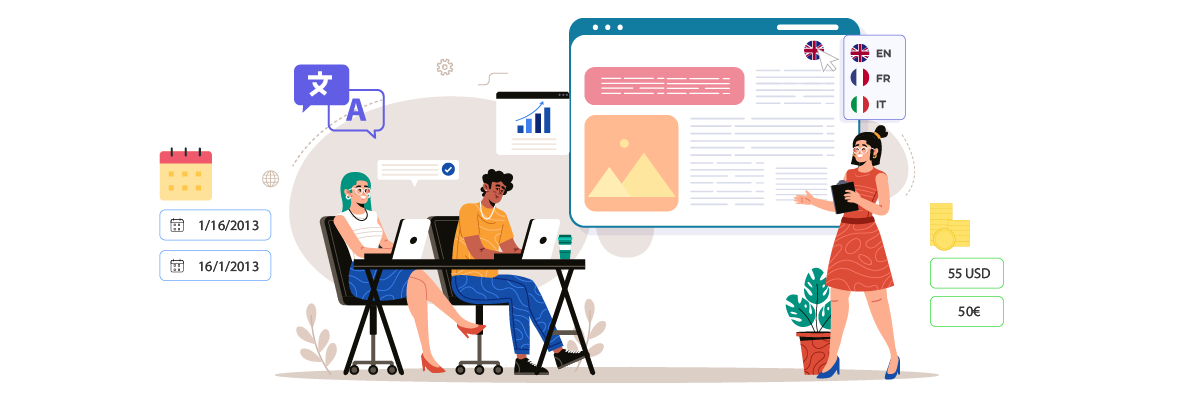
この議論では、日付、数値、通貨といった他のローカリゼーション要素についても扱います。手順は以下のとおりです。.
Laravelでのローカライズされた日付
日付と時刻の扱いはローカライズプロセスにおいて非常に重要です。Laravel Laravel Carbonを使用して日付と時刻を管理します。Carbonを使用してローカライズされた日付を表示する方法は次のとおりです。.
					<?php
Route::get('/', function () {
    $today = \Carbon\Carbon::now()
        ->settings(
            [
                'locale' => app()->getLocale(),
            ]
        );

    // LL is macro placeholder for MMMM D, YYYY (you could write same as dddd, MMMM D, YYYY)
    $dateMessage = $today->isoFormat('dddd, LL');

    return view('welcome', [
        'date_message' => $dateMessage
    ]);
});
このコードは、アプリケーションの現在のロケールに基づいて Carbon ロケールを設定し、それに応じて日付をフォーマットします。.
ビューにローカライズされた日付を表示するには:
					{{ __('Welcome to our website, :Name', ['name' => ‘Johb’]) }}
<br>
{{ trans_choice('{0} There :form :count apples|{1} There :form just :count apple|[2,19] There :form :count apples', 1, ['form' => 'is']) }}
<br>
{{ $date_message }}
数値と通貨の書式設定
国によって数字の書式は異なります。例えば、.
- フランス → 123 123,12
- ドイツ → 123.123,12
- 日本 → 123,123
Laravel アプリケーションでこれらのバリエーションに対応するには、NumberFormatter を使用できます。.
					<?php
$num = NumberFormatter::create('en_US', NumberFormatter::DECIMAL);

$num2 = NumberFormatter::create('fr', NumberFormatter::DECIMAL);
特定の言語で数字を表記することもできます。.
					<?php
$num = NumberFormatter::create('en_US', NumberFormatter::SPELLOUT);

$num2 = NumberFormatter::create('it', NumberFormatter::SPELLOUT);
通貨は次のとおりです。フランス語ロケール(`fr`)では通貨はユーロ(€)で表示され、米国ロケール(`en_US`)では米ドル($)で表示されます。.
					<?php
$currency1 = NumberFormatter::create('it', NumberFormatter::CURRENCY);

$currency2 = NumberFormatter::create('en_US', NumberFormatter::CURRENCY);
Linguiseを使用した Laravel ローカリゼーションの代替ソリューション

記事で説明されている Laravel ローカリゼーションの手順を理解した後、このプロセスには、ユーザーが Laravel プログラム コードを詳細に理解する必要がある多くの手順が含まれます。.
これは、アプリケーションのローカライズを希望する初心者ユーザーにとって確かに困難を伴います。そのため、迅速な翻訳が可能で、ローカライズをサポートし、わずかな手順で簡単に実装できる、より革新的なソリューションが必要です。.
有望なソリューションの一つが Linguiseです。Linguise Linguise Linguise 深いコーディング知識を必要とせずに、 Laravel ローカリゼーションをより簡単で効率的に実現します。Linguiseの主な機能は以下のとおりです。.
- Laravelとの簡単な統合
- コーディングなしで言語スイッチャーをカスタマイズ
- 画像翻訳
- ライブエディターで翻訳をローカルコンテキストに合わせてカスタマイズ
- 動的に生成されたコンテンツの動的翻訳
- 多言語版のSEO最適化
LaravelウェブサイトにLinguiseをインストールする手順も簡単です。以下に簡単に説明します。
- Linguise アカウントを作成する(30日間の無料トライアルを無料でご利用いただけます)
- Laravel ウェブドメインを登録し、いくつかの情報を入力してください。APIキーを取得できます。.
- 取得した Laravel フォルダーに Linguise 翻訳スクリプトをアップロードして接続します。.
- htaccess ファイルで言語 URL を設定します。.
- 言語切り替えスクリプトを HTML のヘッダーに挿入します。.
- 必要に応じて言語スイッチャーをカスタマイズする
- Laravel Web に言語スイッチャーが表示され、コンテンツを自動的に翻訳できます。.
どうやって? Linguiseなら、登録してアクティベートするだけで、言語スイッチャーが表示されます。その後は、ライブエディターを使ったローカライズ、メディアや画像の翻訳など、自由に操作できます。.
結論
Laravel ローカリゼーションは、開発者が多言語対応のウェブサイトやアプリケーションを作成できるようにする強力な機能です。これまで見てきたように、 Laravel に組み込まれているローカリゼーションプロセスは複数のステップで構成されており、フレームワークへの深い理解が求められます。初心者や、より迅速な解決策を探している人にとっては、難しいと感じるかもしれません。.
Linguiseのようなツールは、より効率的なアプローチを求める人にとって革新的な選択肢となります。これらのソリューションは、迅速な翻訳機能、容易な統合、そしてカスタマイズ可能な言語スイッチャーや画像翻訳といったユーザーフレンドリーな機能を提供します。今すぐLinguiseアカウントを作成し Laravelのローカライズ機能をご利用ください!