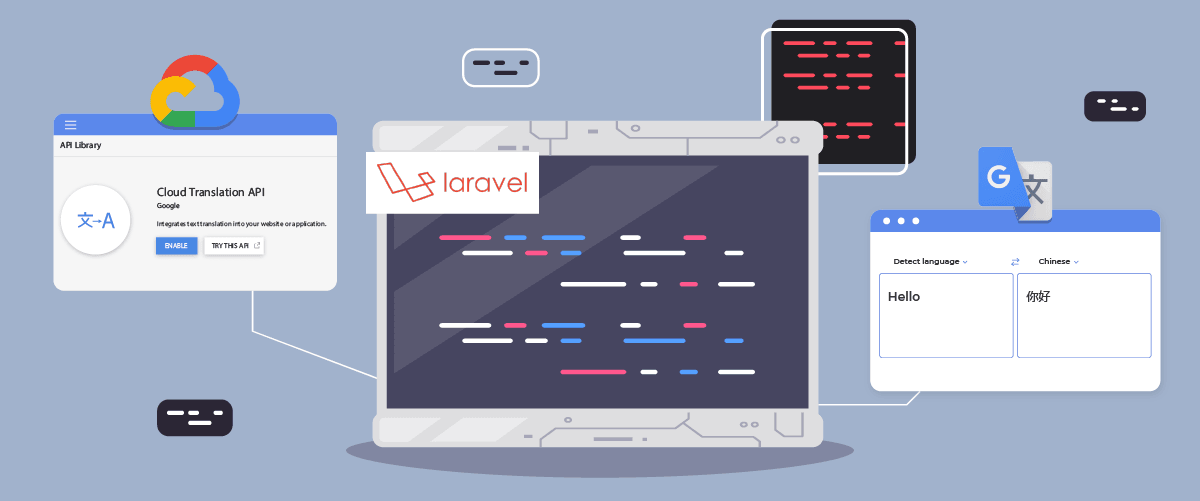
Laravel用户来说翻译网站和提供良好的用户体验至关重要
幸运的是,有多种自动翻译服务可以帮助开发者克服这一挑战,包括 Google Cloud AI API Translation 和 Google Translate。这两种服务都利用机器技术提供翻译功能。.
本文将探讨在Laravel应用Google Cloud AI 翻译和 Google 翻译的Laravel推荐最佳翻译服务。
Google Cloud AI API 翻译和 Google 翻译是什么?
在开始讨论之前,我们将先讨论一下 Google Cloud AI API 和 Google Translate 翻译各自的含义。.
Google Cloud AI API 翻译

Google Cloud AI API Translation 是 Google Cloud Platform 提供的一项高级自动翻译服务。该服务利用最新的人工智能 (AI) 和机器学习技术,可提供准确自然的文本、语音和文档翻译。
Google Cloud AI API 翻译采用基于深度学习的神经翻译模型,能够更好地捕捉语言细微差别和上下文,提供更地道、更符合实际语言用法的翻译。此外,Google Cloud AI 翻译服务提供 50 万个字符以内的免费翻译,超出部分(超过 7.5 万个字符)将按每百万个字符 20 美元收费。.
Google Translate
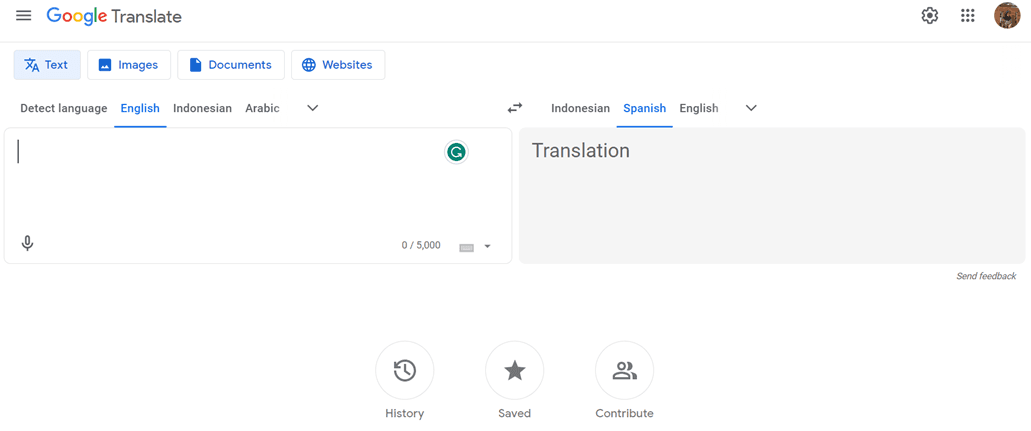
与此同时,谷歌翻译是一款历史悠久且广为人知的自动文本翻译服务。它采用较为传统的统计翻译方法,根据从大型训练数据集中学习到的模式和概率生成翻译结果。.
尽管谷歌翻译在准确性和处理语言细微差别方面不如谷歌云AI API翻译先进,但由于其易用性以及对非商业用途的免费提供,谷歌翻译仍然是一个受欢迎的选择。.
在 Laravel中实现 Google Cloud AI API 翻译
创建 Linguise 帐户
要使用Linguise ,您必须注册一个帐户。您可以免费注册,也可以订阅一个月或一年。您只需提供您的电子邮件地址、用户名和密码等信息。
添加 Laravel 网站信息
之后,添加有关您将使用的网站的信息,输入您的 Linguise 帐户信息和网站 URL,选择 Laravel 平台,并添加默认语言和您想要添加到网站的语言。.
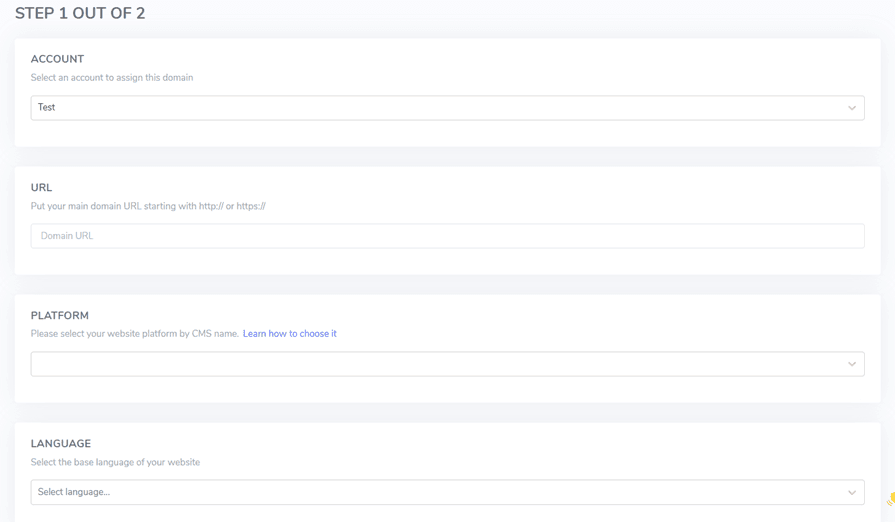
然后通过以下按钮下载 PHP 脚本并将其保存到您的本地计算机上。.
上传并配置 PHP 脚本
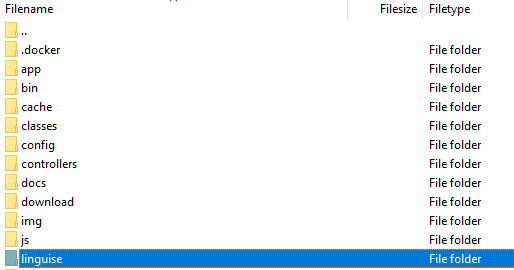
下载脚本后,将其解压缩并上传到 Laravel 的安装根目录。确保它位于 Laravel 安装的根目录(通常是 CMS 文件所在的目录)。确保文件夹名为“linguise”(这是文件夹解压缩后的默认名称)。.
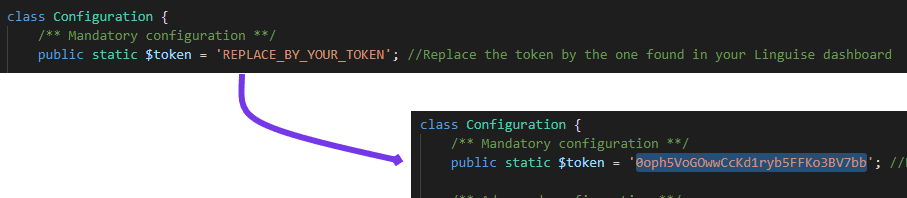
然后,必须将 Linguise API 密钥复制到您上传到服务器的 …/linguise/Configuration.php 文件中。编辑该文件,并将您的 API 密钥粘贴到引号之间,替换文本 REPLACE_BY_YOUR_TOKEN。.
插入语言切换器脚本

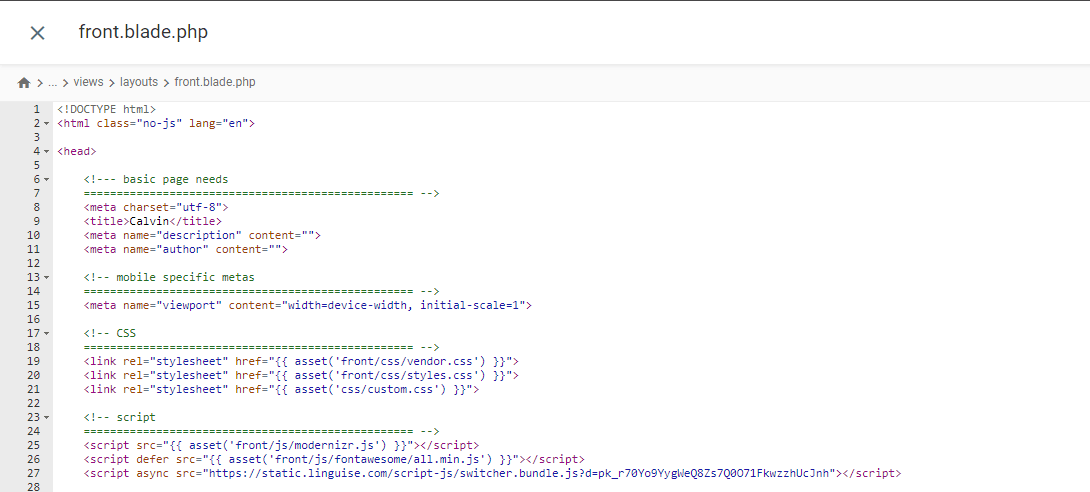
已将脚本插入到 resources/views/layouts/ 目录下的 front.blade.php 文件中。以下是插入脚本的预览。.
配置 .htaccess
最后,需要在 .htaccess 文件中配置基于语言的 URL。如果你的文件包含“RewriteBase /”,只需将以下代码复制粘贴到该行之后即可。.
					<IfModule mod_rewrite.c>
  RewriteEngine On
  RewriteRule ^(af|sq|am|ar|hy|az|eu|be|bn|bs|bg|ca|ceb|ny|zh-cn|zh-tw|co|hr|cs|da|nl|en|eo|et|tl|fi|fr|fy|gl|ka|de|el|gu|ht|ha|haw|iw|hi|hmn|hu|is|ig|id|ga|it|ja|jw|kn|kk|km|ko|ku|ky|lo|la|lv|lt|lb|mk|mg|ms|ml|mt|mi|mr|mn|my|ne|no|ps|fa|pl|pt|pa|ro|ru|sm|gd|sr|st|sn|sd|si|sk|sl|so|es|su|sw|sv|tg|ta|te|th|tr|uk|ur|uz|vi|cy|xh|yi|yo|zu|zz-zz)(?:$|/)(.*)$ linguise/linguise.php?linguise_language=$1&original_url=$2 [L,QSA]
</IfModule>
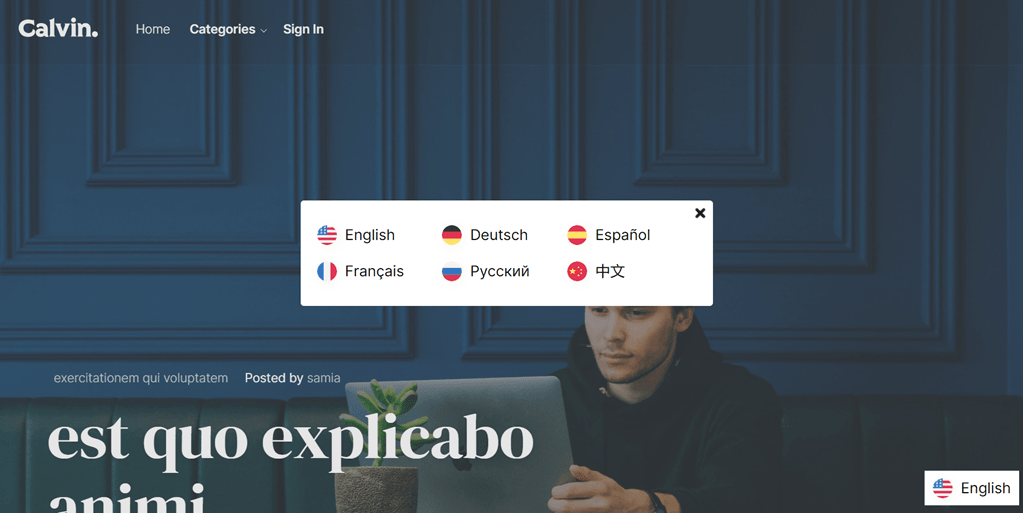
在 Laravel中实现 Google 翻译
安装谷歌翻译软件包
要安装 Google 翻译包,请打开项目提示符并输入以下命令。此包将使您能够使用 google-translator-language 的各项功能。.
composer require stichoza/google-translate-php
Google 翻译包的设置
我们需要在应用程序中设置“谷歌翻译包”。打开 /config 文件夹中的 app.php 文件,找到“aliases”部分,并添加以下代码行。.
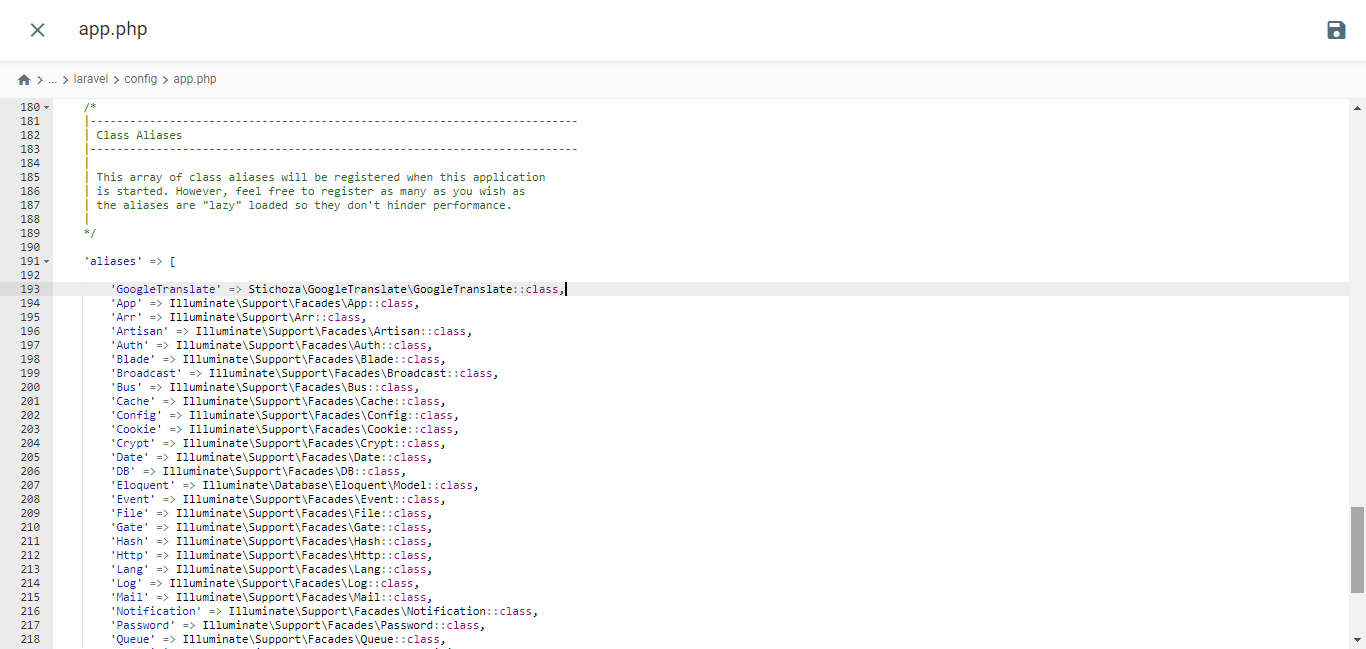
					/*
|--------------------------------------------------------------------------
| Class Aliases
|--------------------------------------------------------------------------
|
| This array of class aliases will be registered when this application
| is started. However, feel free to register as many as you wish as
| the aliases are "lazy" loaded so they don't hinder performance.
|
*/

'aliases' => Facade::defaultAliases()->merge([
    // 'Example' => App\Facades\Example::class,
    'GoogleTranslate' => Stichoza\GoogleTranslate\GoogleTranslate::class,
])->toArray(),
设置语言控制器
您需要创建一个类似如下的语言控制器文件。
php artisan make:controller LangController
它将在 /app/Http/Controllers 文件夹内创建 LangController.php 文件。.
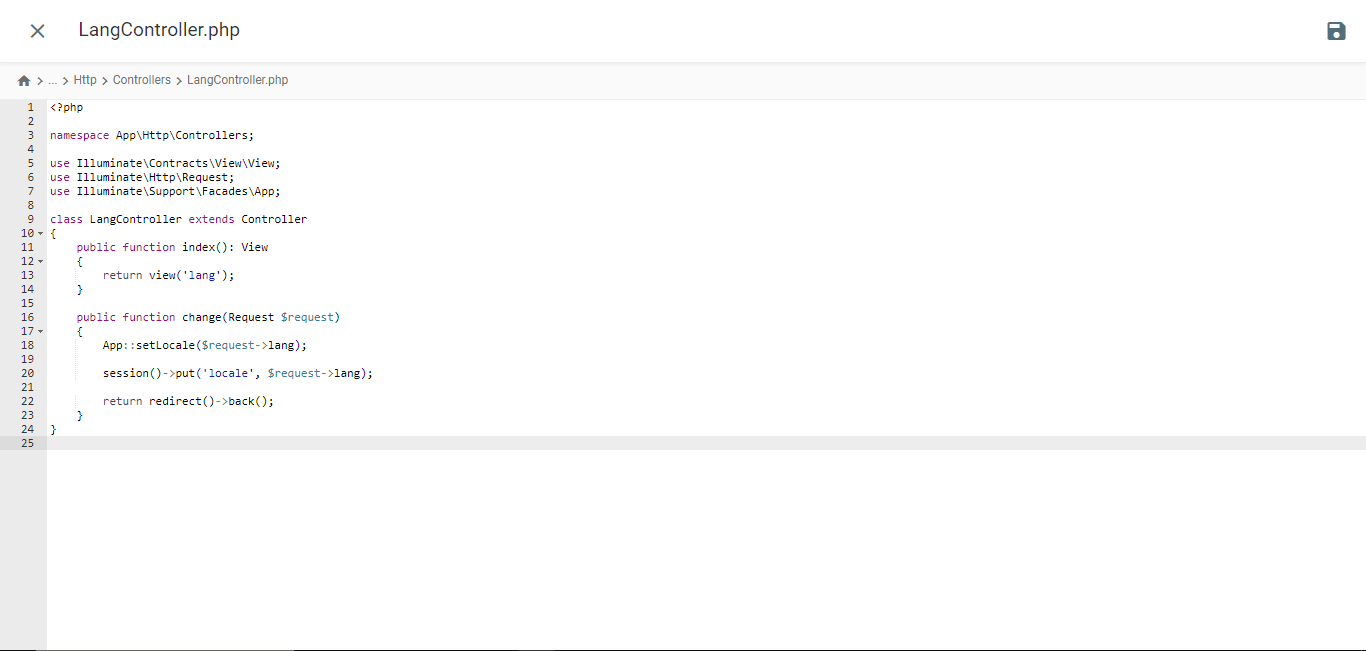
					<?php

namespace App\Http\Controllers;

use Illuminate\Contracts\View\View;
use Illuminate\Http\Request;
use Illuminate\Support\Facades\App;

class LangController extends Controller
{
    public function index(): View
    {
        return view('lang');
    }

    public function change(Request $request)
    {
        App::setLocale($request->lang);

        session()->put('locale', $request->lang);

        return redirect()->back();
    }
}
创建 Blade 模板文件
导航至 /resources/views 文件夹,并创建一个名为 lang.blade.php 的文件。打开该文件并将以下代码插入其中。.
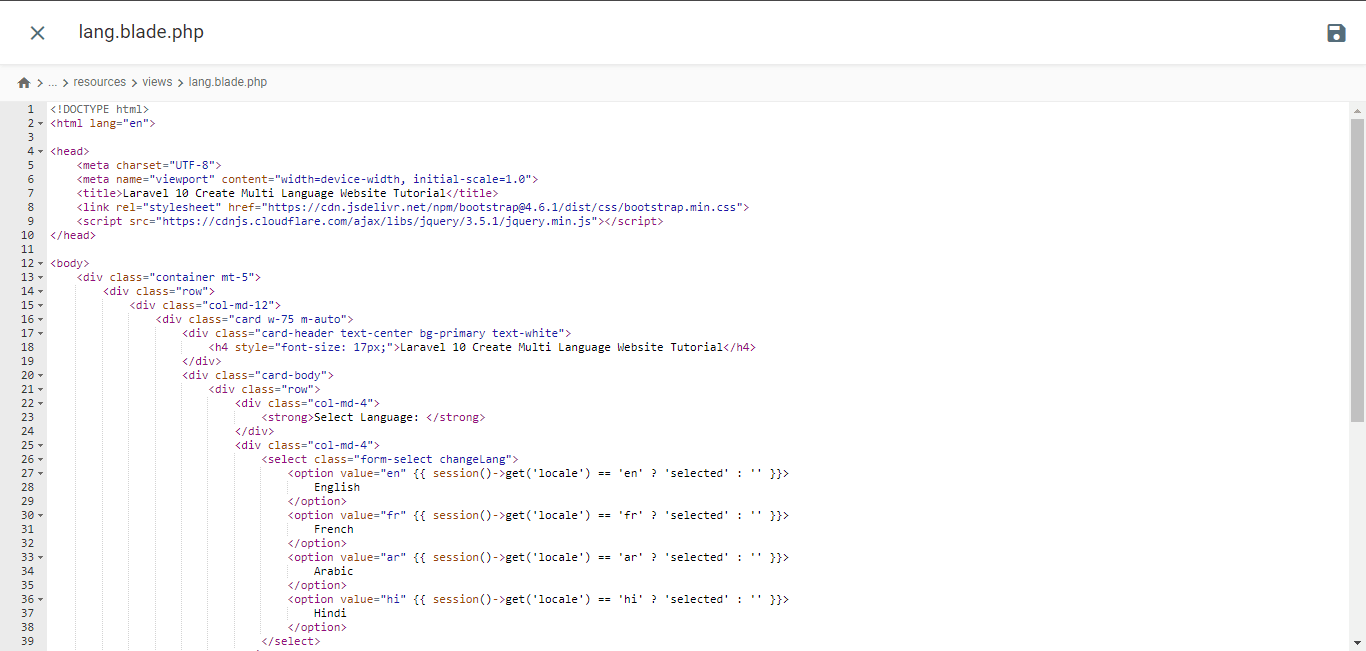
<!DOCTYPE html>
<html lang="en">
<head>
<meta charset="UTF-8">
<meta name="viewport" content="width=device-width, initial-scale=1.0">
<title>Laravel 10 Create Multi Language Website Tutorial</title> <script type="litespeed/javascript" data-src="https://cdnjs.cloudflare.com/ajax/libs/jquery/3.5.1/jquery.min.js"></script> <script type="application/ld+json" class="gnpub-schema-markup-output">{"@context":"https:\/\/schema.org\/","@type":"NewsArticle","@id":"https:\/\/www.linguise.com\/blog\/guide\/implement-google-cloud-ai-api-translation-vs-google-translate-for-laravel\/#newsarticle","url":"https:\/\/www.linguise.com\/blog\/guide\/implement-google-cloud-ai-api-translation-vs-google-translate-for-laravel\/","image":{"@type":"ImageObject","url":"https:\/\/www.linguise.com\/wp-content\/uploads\/2024\/05\/Implement-Google-Cloud-AI-API-translation-vs-Google-Translate-for-Laravel-150x150.png","width":150,"height":150},"headline":"Implement Google Cloud AI API translation vs Google Translate for Laravel","mainEntityOfPage":"https:\/\/www.linguise.com\/blog\/guide\/implement-google-cloud-ai-api-translation-vs-google-translate-for-laravel\/","datePublished":"2024-05-31T07:32:47+00:00","dateModified":"2024-08-26T19:19:15+00:00","description":"For those of you who own Laravel-based websites, providing accurate and natural translation content is very important to translate your website and offer a good","articleSection":"Guide","articleBody":"For those of you who own Laravel-based websites, providing accurate and natural translation content is very important to translate your website and offer a good user experience.\nFortunately, several automatic translation services are available to help developers overcome this challenge, including Google Cloud AI API Translation and Google Translate. Both services offer translation capabilities using machine technology.\nIn this article, we will explore the main differences between implementing Google Cloud AI Translation and Google Translate for Laravel applications and recommend the best translation services for your Laravel website. \t\t\n\t\t\tWhat are Google Cloud AI API translation & Google Translate?\n\t\t\n\t\tBefore entering into the discussion, we will discuss the respective meanings of Google Cloud AI API and Google Translate translations.\t\t\n\t\t\tGoogle Cloud AI API translation\n\t\t\n\t\t\t\t\t\t\t\t\t\t\t\t\t\t\t\t\t\t\t\t\t\t\t\t\t\t\n\t\tGoogle Cloud AI API Translation is an advanced automatic translation service provided by Google Cloud Platform. This service leverages the latest artificial intelligence (AI) and machine learning technologies to deliver accurate and natural translations of text, voice, and documents.Google Cloud AI API Translation uses neural translation models based on deep learning, which allows it to capture language nuances and context better, providing more idiomatic translations that align with actual language usage. Additionally, using Google Cloud AI Translation for up to 500,000 characters is free of charge, while the next 75,000 characters will incur a cost of $20 per million characters.\u00a0\t\t\n\t\t\tGoogle Translate\n\t\t\n\t\t\t\t\t\t\t\t\t\t\t\t\t\t\t\t\t\t\t\t\t\t\t\t\t\t\n\t\tMeanwhile, Google Translate is a long-standing and widely known automatic text translation service. It uses a more traditional statistical translation approach, which generates translations based on patterns and probabilities learned from large training datasets.Although it is not as advanced as Google Cloud AI API Translation in terms of accuracy and handling language nuances, Google Translate remains a popular choice due to its ease of use and free availability for non-commercial use.\t\t\n\t\t\tImplement Google Cloud AI API translation on Laravel\n\t\t\n\t\tSeveral translation services, including Linguise, use AI Translation cloud technology to translate websites.The language translation service uses cloud AI API as one of its translation technologies. The following are the implementation steps on the Laravel website. We assume here that you already have a ready Laravel project website.\t\t\n\t\t\tCreate Linguise account\n\t\t\n\t\tTo use Linguise, you must register an account first. You can do this for free or subscribe for one month or a year. You only need to provide information such as your email, username, and password.\t\t\n\t\t\tAdd Laravel website info\n\t\t\n\t\tAfter that, add information about the website you will use, enter your Linguise account info and web URL, select the Laravel platform, and add the default language and the language you want to add to the website.\u00a0\t\t\n\t\t\t\t\t\t\t\t\t\t\t\t\t\t\t\t\t\t\t\t\t\t\t\t\t\t\n\t\tThen download the PHP script via the following button and save it on your local computer.\t\t\n\t\t\t\n\t\t\t\t\t\t\t\n\t\t\t\t\t\t\t\t\tDOWNLOAD PHP-JS TRANSLATION SCRIPT\n\t\t\t\t\t\n\t\t\tUpload and configure the PHP script\n\t\t\n\t\tAfter downloading the script, unzip it and upload it to the root folder where Laravel is installed. Ensure it is located at the root of your Laravel installation (typically where your CMS files are). Ensure the folder is named \"linguise\" (the default name when the folder is unzipped).\t\t\n\t\t\t\t\t\t\t\t\t\t\t\t\t\t\t\t\t\t\t\t\t\t\t\t\t\t\n\t\tThen, the Linguise API key must be copied into the \u2026\/linguise\/Configuration.php file you uploaded to your server. Edit the file and paste your API key between the quotes, replacing the text REPLACE_BY_YOUR_TOKEN.\t\t\n\t\t\t\t\t\t\t\t\t\t\t\t\t\t\t\t\t\t\t\t\t\t\t\t\t\t\n\t\t\tInsert script of language switcher\t\t\n\t\tNext, insert the language switch script that you got from the Linguise dashboard.\t\t\n\t\t\t\t\t\t\t\t\t\t\t\t\t\t\t\t\t\t\t\t\t\t\t\t\t\t\n\t\tInserted into the front.blade.php file in the resources\/views\/layouts\/ directory. Here is a preview of the inserted script.\t\t\n\t\t\t\t\t\t\t\t\t\t\t\t\t\t\t\t\t\t\t\t\t\t\t\t\t\t\n\t\t\tConfigure .htaccess\n\t\t\n\t\tLastly, language-based URLs need to be configured in the .htaccess file. If your file includes \"RewriteBase \/,\" simply copy and paste the following code after that line.\t\t\n\t\t\t\n\t\t\t\t\n\t\t\t\t\t\n RewriteEngine On\n RewriteRule ^(af|sq|am|ar|hy|az|eu|be|bn|bs|bg|ca|ceb|ny|zh-cn|zh-tw|co|hr|cs|da|nl|en|eo|et|tl|fi|fr|fy|gl|ka|de|el|gu|ht|ha|haw|iw|hi|hmn|hu|is|ig|id|ga|it|ja|jw|kn|kk|km|ko|ku|ky|lo|la|lv|lt|lb|mk|mg|ms|ml|mt|mi|mr|mn|my|ne|no|ps|fa|pl|pt|pa|ro|ru|sm|gd|sr|st|sn|sd|si|sk|sl|so|es|su|sw|sv|tg|ta|te|th|tr|uk|ur|uz|vi|cy|xh|yi|yo|zu|zz-zz)(?:$|\/)(.*)$ linguise\/linguise.php?linguise_language=$1&original_url=$2 [L,QSA]\n\n\t\t\t\t\n\t\t\t\n\t\tDone. At this point, you have successfully implemented cloud AI API Translation on the Linguise service. Now, you can check the Laravel website. A default language switcher will appear, and you can customize the Language switcher for Laravel via the dashboard.\t\t\n\t\t\t\t\t\t\t\t\t\t\t\t\t\t\t\t\t\t\t\t\t\t\t\t\t\t\n\t\t\tImplement Google Translate on Laravel\t\t\n\t\tNow we will try to implement Google Translate in Laravel. Here we assume that you have successfully created a Laravel project and just need to add Google Translate.You can also find the following installation steps on the official Laravel website.\t\t\n\t\t\tInstall Google Translator Package\n\t\t\n\t\tTo install the Google Translator Package, open the project prompt and input the following command. This package will enable you to utilize the working functions of the google-translator-language.\t\t\n\t\t\t\n\t\t\t\t\n\t\t\t\t\tcomposer require stichoza\/google-translate-php\n\t\t\t\t\n\t\t\t\n\t\t\tSetting of Google Translator Package\n\t\t\n\t\tWe must set up the \"google translator package\" within the the application. Open the app.php file in the \/config folder, find the \"aliases\" section, and add the following line of code.\t\t\n\t\t\t\t\t\t\t\t\t\t\t\t\t\t\t\t\t\t\t\t\t\t\t\t\t\t\n\t\t\t\n\t\t\t\t\n\t\t\t\t\t\/*\n|--------------------------------------------------------------------------\n| Class Aliases\n|--------------------------------------------------------------------------\n|\n| This array of class aliases will be registered when this application\n| is started. However, feel free to register as many as you wish as\n| the aliases are \"lazy\" loaded so they don't hinder performance.\n|\n*\/\n'aliases' => Facade::defaultAliases()->merge([\n \/\/ 'Example' => AppFacadesExample::class,\n 'GoogleTranslate' => StichozaGoogleTranslateGoogleTranslate::class,\n])->toArray(),\n\n\t\t\t\t\n\t\t\t\n\t\t\tSetup Language Controller\n\t\t\n\t\tYou need to create a language controller file like the following\t\t\n\t\t\t\n\t\t\t\t\n\t\t\t\t\tphp artisan make:controller LangController\n\t\t\t\t\n\t\t\t\n\t\tIt will create LangController.php file inside \/app\/Http\/Controllers folder.","keywords":"","name":"Implement Google Cloud AI API translation vs Google Translate for Laravel","thumbnailUrl":"https:\/\/www.linguise.com\/wp-content\/uploads\/2024\/05\/Implement-Google-Cloud-AI-API-translation-vs-Google-Translate-for-Laravel-150x150.png","wordCount":809,"timeRequired":"PT3M35S","mainEntity":{"@type":"WebPage","@id":"https:\/\/www.linguise.com\/blog\/guide\/implement-google-cloud-ai-api-translation-vs-google-translate-for-laravel\/"},"author":{"@type":"Person","name":"Tristan","url":"https:\/\/www.linguise.com\/author\/tristan\/","sameAs":[],"image":{"@type":"ImageObject","url":"https:\/\/secure.gravatar.com\/avatar\/50d7238660b192d8d54ebf6367be5e97bb41c24dbd190daae062d931efd351ae?s=96&d=mm&r=g","height":96,"width":96}},"editor":{"@type":"Person","name":"Tristan","url":"https:\/\/www.linguise.com\/author\/tristan\/","sameAs":[],"image":{"@type":"ImageObject","url":"https:\/\/secure.gravatar.com\/avatar\/50d7238660b192d8d54ebf6367be5e97bb41c24dbd190daae062d931efd351ae?s=96&d=mm&r=g","height":96,"width":96}}}</script> </head>
<body>
<div class="container mt-5">
<div class="row">
<div class="col-md-12">
<div class="card w-75 m-auto">
<div class="card-header text-center bg-primary text-white">
<h4 style="font-size: 17px;">Laravel 10 Create Multi Language Website Tutorial</h4>
</div>
<div class="card-body">
<div class="row">
<div class="col-md-4">
<strong>Select Language: </strong>
</div>
<div class="col-md-4">
<select class="form-select changeLang">
<option value="en" {{ session()->get('locale') == 'en' ? 'selected' : '' }}>
English
</option>
<option value="fr" {{ session()->get('locale') == 'fr' ? 'selected' : '' }}>
French
</option>
<option value="ar" {{ session()->get('locale') == 'ar' ? 'selected' : '' }}>
Arabic
</option>
<option value="hi" {{ session()->get('locale') == 'hi' ? 'selected' : '' }}>
Hindi
</option>
</select>
</div>
</div>
<div style="margin-top: 20px;">
<p>{{ GoogleTranslate::trans('Welcome to Online Web Tutor', app()->getLocale()) }}</p>
<p>{{ GoogleTranslate::trans('It is a passionate and innovative Web Development Community dedicated to empowering aspiring web developers with the latest tools and techniques. Our platform offers a comprehensive range of web development courses, including PHP and its frameworks, Node.js, MySQL, Javascript and WordPress.', app()->getLocale()) }}
</p>
</div>
</div>
</div>
</div>
</div>
</div>
<script data-no-optimize="1">window.lazyLoadOptions=Object.assign({},{threshold:300},window.lazyLoadOptions||{});!function(t,e){"object"==typeof exports&&"undefined"!=typeof module?module.exports=e():"function"==typeof define&&define.amd?define(e):(t="undefined"!=typeof globalThis?globalThis:t||self).LazyLoad=e()}(this,function(){"use strict";function e(){return(e=Object.assign||function(t){for(var e=1;e<arguments.length;e++){var n,a=arguments[e];for(n in a)Object.prototype.hasOwnProperty.call(a,n)&&(t[n]=a[n])}return t}).apply(this,arguments)}function o(t){return e({},at,t)}function l(t,e){return t.getAttribute(gt+e)}function c(t){return l(t,vt)}function s(t,e){return function(t,e,n){e=gt+e;null!==n?t.setAttribute(e,n):t.removeAttribute(e)}(t,vt,e)}function i(t){return s(t,null),0}function r(t){return null===c(t)}function u(t){return c(t)===_t}function d(t,e,n,a){t&&(void 0===a?void 0===n?t(e):t(e,n):t(e,n,a))}function f(t,e){et?t.classList.add(e):t.className+=(t.className?" ":"")+e}function _(t,e){et?t.classList.remove(e):t.className=t.className.replace(new RegExp("(^|\\s+)"+e+"(\\s+|$)")," ").replace(/^\s+/,"").replace(/\s+$/,"")}function g(t){return t.llTempImage}function v(t,e){!e||(e=e._observer)&&e.unobserve(t)}function b(t,e){t&&(t.loadingCount+=e)}function p(t,e){t&&(t.toLoadCount=e)}function n(t){for(var e,n=[],a=0;e=t.children[a];a+=1)"SOURCE"===e.tagName&&n.push(e);return n}function h(t,e){(t=t.parentNode)&&"PICTURE"===t.tagName&&n(t).forEach(e)}function a(t,e){n(t).forEach(e)}function m(t){return!!t[lt]}function E(t){return t[lt]}function I(t){return delete t[lt]}function y(e,t){var n;m(e)||(n={},t.forEach(function(t){n[t]=e.getAttribute(t)}),e[lt]=n)}function L(a,t){var o;m(a)&&(o=E(a),t.forEach(function(t){var e,n;e=a,(t=o[n=t])?e.setAttribute(n,t):e.removeAttribute(n)}))}function k(t,e,n){f(t,e.class_loading),s(t,st),n&&(b(n,1),d(e.callback_loading,t,n))}function A(t,e,n){n&&t.setAttribute(e,n)}function O(t,e){A(t,rt,l(t,e.data_sizes)),A(t,it,l(t,e.data_srcset)),A(t,ot,l(t,e.data_src))}function w(t,e,n){var a=l(t,e.data_bg_multi),o=l(t,e.data_bg_multi_hidpi);(a=nt&&o?o:a)&&(t.style.backgroundImage=a,n=n,f(t=t,(e=e).class_applied),s(t,dt),n&&(e.unobserve_completed&&v(t,e),d(e.callback_applied,t,n)))}function x(t,e){!e||0<e.loadingCount||0<e.toLoadCount||d(t.callback_finish,e)}function M(t,e,n){t.addEventListener(e,n),t.llEvLisnrs[e]=n}function N(t){return!!t.llEvLisnrs}function z(t){if(N(t)){var e,n,a=t.llEvLisnrs;for(e in a){var o=a[e];n=e,o=o,t.removeEventListener(n,o)}delete t.llEvLisnrs}}function C(t,e,n){var a;delete t.llTempImage,b(n,-1),(a=n)&&--a.toLoadCount,_(t,e.class_loading),e.unobserve_completed&&v(t,n)}function R(i,r,c){var l=g(i)||i;N(l)||function(t,e,n){N(t)||(t.llEvLisnrs={});var a="VIDEO"===t.tagName?"loadeddata":"load";M(t,a,e),M(t,"error",n)}(l,function(t){var e,n,a,o;n=r,a=c,o=u(e=i),C(e,n,a),f(e,n.class_loaded),s(e,ut),d(n.callback_loaded,e,a),o||x(n,a),z(l)},function(t){var e,n,a,o;n=r,a=c,o=u(e=i),C(e,n,a),f(e,n.class_error),s(e,ft),d(n.callback_error,e,a),o||x(n,a),z(l)})}function T(t,e,n){var a,o,i,r,c;t.llTempImage=document.createElement("IMG"),R(t,e,n),m(c=t)||(c[lt]={backgroundImage:c.style.backgroundImage}),i=n,r=l(a=t,(o=e).data_bg),c=l(a,o.data_bg_hidpi),(r=nt&&c?c:r)&&(a.style.backgroundImage='url("'.concat(r,'")'),g(a).setAttribute(ot,r),k(a,o,i)),w(t,e,n)}function G(t,e,n){var a;R(t,e,n),a=e,e=n,(t=Et[(n=t).tagName])&&(t(n,a),k(n,a,e))}function D(t,e,n){var a;a=t,(-1<It.indexOf(a.tagName)?G:T)(t,e,n)}function S(t,e,n){var a;t.setAttribute("loading","lazy"),R(t,e,n),a=e,(e=Et[(n=t).tagName])&&e(n,a),s(t,_t)}function V(t){t.removeAttribute(ot),t.removeAttribute(it),t.removeAttribute(rt)}function j(t){h(t,function(t){L(t,mt)}),L(t,mt)}function F(t){var e;(e=yt[t.tagName])?e(t):m(e=t)&&(t=E(e),e.style.backgroundImage=t.backgroundImage)}function P(t,e){var n;F(t),n=e,r(e=t)||u(e)||(_(e,n.class_entered),_(e,n.class_exited),_(e,n.class_applied),_(e,n.class_loading),_(e,n.class_loaded),_(e,n.class_error)),i(t),I(t)}function U(t,e,n,a){var o;n.cancel_on_exit&&(c(t)!==st||"IMG"===t.tagName&&(z(t),h(o=t,function(t){V(t)}),V(o),j(t),_(t,n.class_loading),b(a,-1),i(t),d(n.callback_cancel,t,e,a)))}function $(t,e,n,a){var o,i,r=(i=t,0<=bt.indexOf(c(i)));s(t,"entered"),f(t,n.class_entered),_(t,n.class_exited),o=t,i=a,n.unobserve_entered&&v(o,i),d(n.callback_enter,t,e,a),r||D(t,n,a)}function q(t){return t.use_native&&"loading"in HTMLImageElement.prototype}function H(t,o,i){t.forEach(function(t){return(a=t).isIntersecting||0<a.intersectionRatio?$(t.target,t,o,i):(e=t.target,n=t,a=o,t=i,void(r(e)||(f(e,a.class_exited),U(e,n,a,t),d(a.callback_exit,e,n,t))));var e,n,a})}function B(e,n){var t;tt&&!q(e)&&(n._observer=new IntersectionObserver(function(t){H(t,e,n)},{root:(t=e).container===document?null:t.container,rootMargin:t.thresholds||t.threshold+"px"}))}function J(t){return Array.prototype.slice.call(t)}function K(t){return t.container.querySelectorAll(t.elements_selector)}function Q(t){return c(t)===ft}function W(t,e){return e=t||K(e),J(e).filter(r)}function X(e,t){var n;(n=K(e),J(n).filter(Q)).forEach(function(t){_(t,e.class_error),i(t)}),t.update()}function t(t,e){var n,a,t=o(t);this._settings=t,this.loadingCount=0,B(t,this),n=t,a=this,Y&&window.addEventListener("online",function(){X(n,a)}),this.update(e)}var Y="undefined"!=typeof window,Z=Y&&!("onscroll"in window)||"undefined"!=typeof navigator&&/(gle|ing|ro)bot|crawl|spider/i.test(navigator.userAgent),tt=Y&&"IntersectionObserver"in window,et=Y&&"classList"in document.createElement("p"),nt=Y&&1<window.devicePixelRatio,at={elements_selector:".lazy",container:Z||Y?document:null,threshold:300,thresholds:null,data_src:"src",data_srcset:"srcset",data_sizes:"sizes",data_bg:"bg",data_bg_hidpi:"bg-hidpi",data_bg_multi:"bg-multi",data_bg_multi_hidpi:"bg-multi-hidpi",data_poster:"poster",class_applied:"applied",class_loading:"litespeed-loading",class_loaded:"litespeed-loaded",class_error:"error",class_entered:"entered",class_exited:"exited",unobserve_completed:!0,unobserve_entered:!1,cancel_on_exit:!0,callback_enter:null,callback_exit:null,callback_applied:null,callback_loading:null,callback_loaded:null,callback_error:null,callback_finish:null,callback_cancel:null,use_native:!1},ot="src",it="srcset",rt="sizes",ct="poster",lt="llOriginalAttrs",st="loading",ut="loaded",dt="applied",ft="error",_t="native",gt="data-",vt="ll-status",bt=[st,ut,dt,ft],pt=[ot],ht=[ot,ct],mt=[ot,it,rt],Et={IMG:function(t,e){h(t,function(t){y(t,mt),O(t,e)}),y(t,mt),O(t,e)},IFRAME:function(t,e){y(t,pt),A(t,ot,l(t,e.data_src))},VIDEO:function(t,e){a(t,function(t){y(t,pt),A(t,ot,l(t,e.data_src))}),y(t,ht),A(t,ct,l(t,e.data_poster)),A(t,ot,l(t,e.data_src)),t.load()}},It=["IMG","IFRAME","VIDEO"],yt={IMG:j,IFRAME:function(t){L(t,pt)},VIDEO:function(t){a(t,function(t){L(t,pt)}),L(t,ht),t.load()}},Lt=["IMG","IFRAME","VIDEO"];return t.prototype={update:function(t){var e,n,a,o=this._settings,i=W(t,o);{if(p(this,i.length),!Z&&tt)return q(o)?(e=o,n=this,i.forEach(function(t){-1!==Lt.indexOf(t.tagName)&&S(t,e,n)}),void p(n,0)):(t=this._observer,o=i,t.disconnect(),a=t,void o.forEach(function(t){a.observe(t)}));this.loadAll(i)}},destroy:function(){this._observer&&this._observer.disconnect(),K(this._settings).forEach(function(t){I(t)}),delete this._observer,delete this._settings,delete this.loadingCount,delete this.toLoadCount},loadAll:function(t){var e=this,n=this._settings;W(t,n).forEach(function(t){v(t,e),D(t,n,e)})},restoreAll:function(){var e=this._settings;K(e).forEach(function(t){P(t,e)})}},t.load=function(t,e){e=o(e);D(t,e)},t.resetStatus=function(t){i(t)},t}),function(t,e){"use strict";function n(){e.body.classList.add("litespeed_lazyloaded")}function a(){console.log("[LiteSpeed] Start Lazy Load"),o=new LazyLoad(Object.assign({},t.lazyLoadOptions||{},{elements_selector:"[data-lazyloaded]",callback_finish:n})),i=function(){o.update()},t.MutationObserver&&new MutationObserver(i).observe(e.documentElement,{childList:!0,subtree:!0,attributes:!0})}var o,i;t.addEventListener?t.addEventListener("load",a,!1):t.attachEvent("onload",a)}(window,document);</script><script data-no-optimize="1">window.litespeed_ui_events=window.litespeed_ui_events||["mouseover","click","keydown","wheel","touchmove","touchstart"];var urlCreator=window.URL||window.webkitURL;function litespeed_load_delayed_js_force(){console.log("[LiteSpeed] Start Load JS Delayed"),litespeed_ui_events.forEach(e=>{window.removeEventListener(e,litespeed_load_delayed_js_force,{passive:!0})}),document.querySelectorAll("iframe[data-litespeed-src]").forEach(e=>{e.setAttribute("src",e.getAttribute("data-litespeed-src"))}),"loading"==document.readyState?window.addEventListener("DOMContentLoaded",litespeed_load_delayed_js):litespeed_load_delayed_js()}litespeed_ui_events.forEach(e=>{window.addEventListener(e,litespeed_load_delayed_js_force,{passive:!0})});async function litespeed_load_delayed_js(){let t=[];for(var d in document.querySelectorAll('script[type="litespeed/javascript"]').forEach(e=>{t.push(e)}),t)await new Promise(e=>litespeed_load_one(t[d],e));document.dispatchEvent(new Event("DOMContentLiteSpeedLoaded")),window.dispatchEvent(new Event("DOMContentLiteSpeedLoaded"))}function litespeed_load_one(t,e){console.log("[LiteSpeed] Load ",t);var d=document.createElement("script");d.addEventListener("load",e),d.addEventListener("error",e),t.getAttributeNames().forEach(e=>{"type"!=e&&d.setAttribute("data-src"==e?"src":e,t.getAttribute(e))});let a=!(d.type="text/javascript");!d.src&&t.textContent&&(d.src=litespeed_inline2src(t.textContent),a=!0),t.after(d),t.remove(),a&&e()}function litespeed_inline2src(t){try{var d=urlCreator.createObjectURL(new Blob([t.replace(/^(?:<!--)?(.*?)(?:-->)?$/gm,"$1")],{type:"text/javascript"}))}catch(e){d="data:text/javascript;base64,"+btoa(t.replace(/^(?:<!--)?(.*?)(?:-->)?$/gm,"$1"))}return d}</script><script data-no-optimize="1">var litespeed_vary=document.cookie.replace(/(?:(?:^|.*;\s*)_lscache_vary\s*\=\s*([^;]*).*$)|^.*$/,"");litespeed_vary||(sessionStorage.getItem("litespeed_reloaded")?console.log("LiteSpeed: skipping guest vary reload (already reloaded this session)"):fetch("/wp-content/plugins/litespeed-cache/guest.vary.php",{method:"POST",cache:"no-cache",redirect:"follow"}).then(e=>e.json()).then(e=>{console.log(e),e.hasOwnProperty("reload")&&"yes"==e.reload&&(sessionStorage.setItem("litespeed_docref",document.referrer),sessionStorage.setItem("litespeed_reloaded","1"),window.location.reload(!0))}));</script><script data-optimized="1" type="litespeed/javascript" data-src="https://www.linguise.com/wp-content/litespeed/js/78b92ce637228a37645eabd40b2b35f9.js?ver=e7c8e"></script></body>
</html>
语言中间件的设置
打开项目终端并运行以下命令:
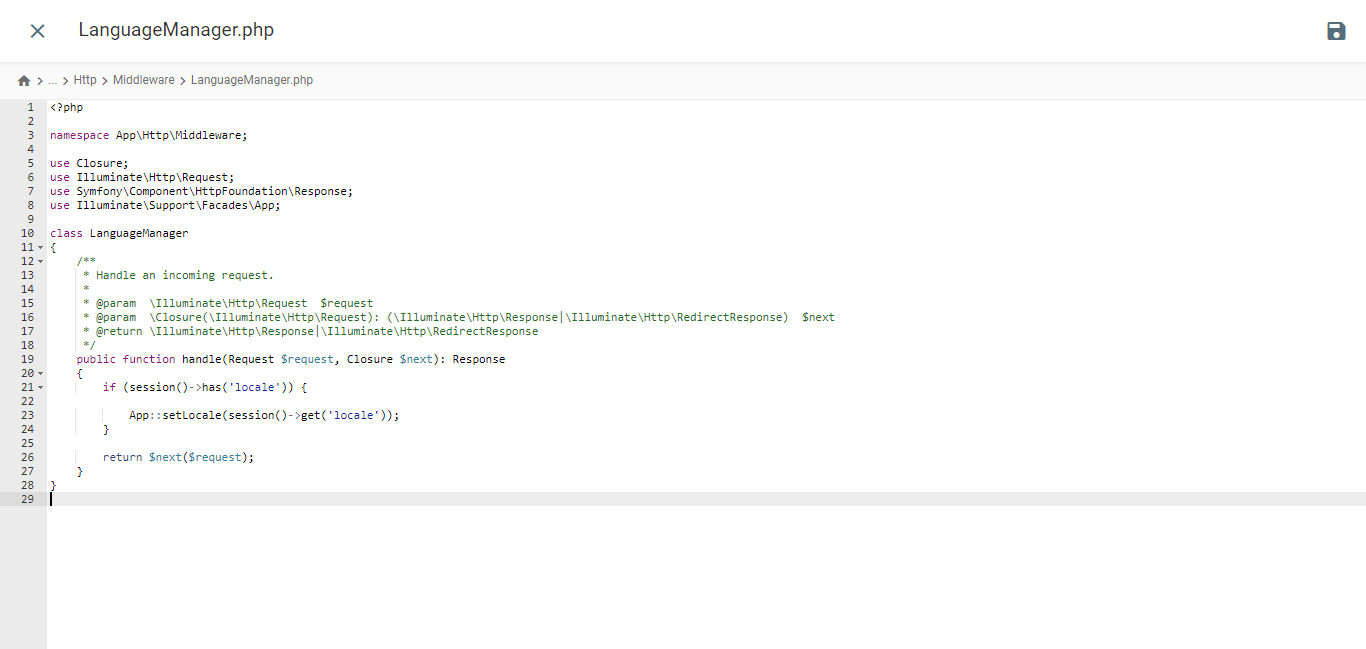
php artisan make:middleware LanguageManager
它会在 /app/Http/Middleware 文件夹下创建一个名为 LanguageManager.php 的文件,并将以下内容粘贴到该文件中。.
					<?php

namespace App\Http\Middleware;

use Closure;
use Illuminate\Http\Request;
use Symfony\Component\HttpFoundation\Response;
use Illuminate\Support\Facades\App;

class LanguageManager
{
    /**
     * Handle an incoming request.
     *
     * @param  \Closure(\Illuminate\Http\Request): (\Symfony\Component\HttpFoundation\Response)  $next
     */
    public function handle(Request $request, Closure $next): Response
    {
        if (session()->has('locale')) {

            App::setLocale(session()->get('locale'));
        }

        return $next($request);
    }
}
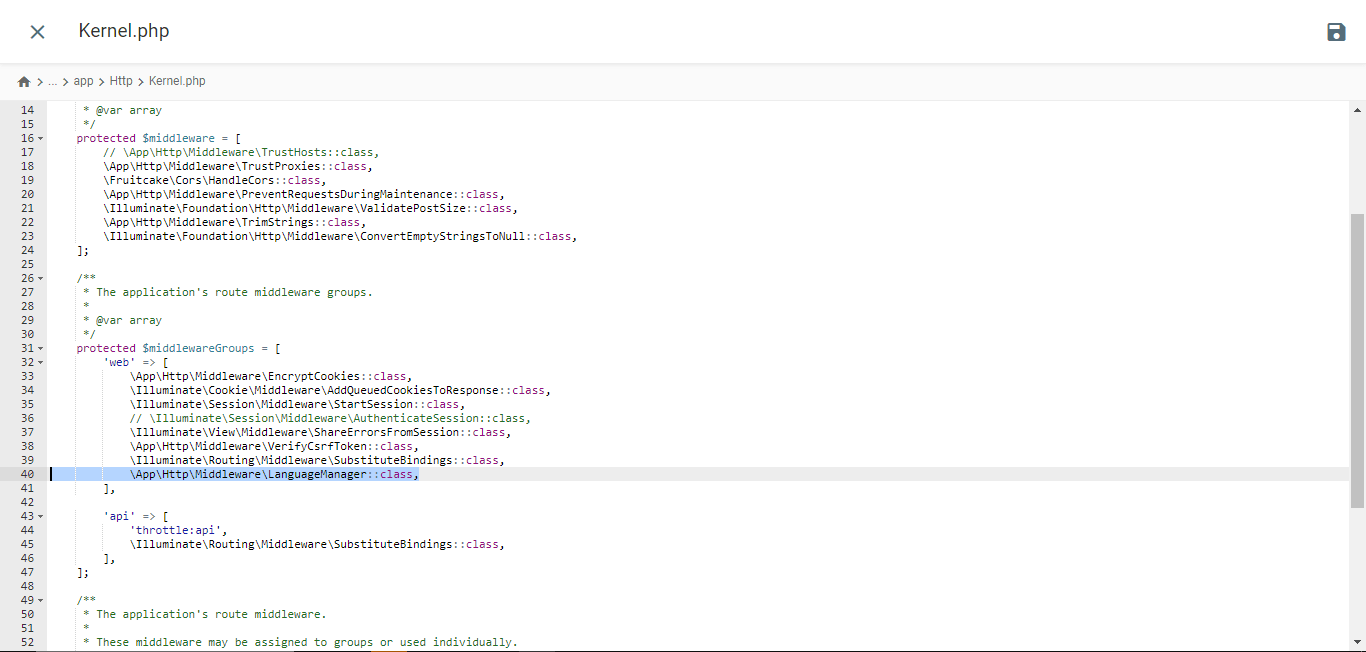
通过 Kernel.php 注册语言中间件
打开位于 /app/Http 目录下的 Kernel.php 文件。找到 $middlewareGroups 数组并导航到 web 部分。.
					/**
 * The application's route middleware groups.
 *
 * @var array<string, array<int, class-string|string>>
 */
protected $middlewareGroups = [
    'web' => [

        //...

        \App\Http\Middleware\LanguageManager::class,
    ],

    'api' => [

        //...
    ],
];
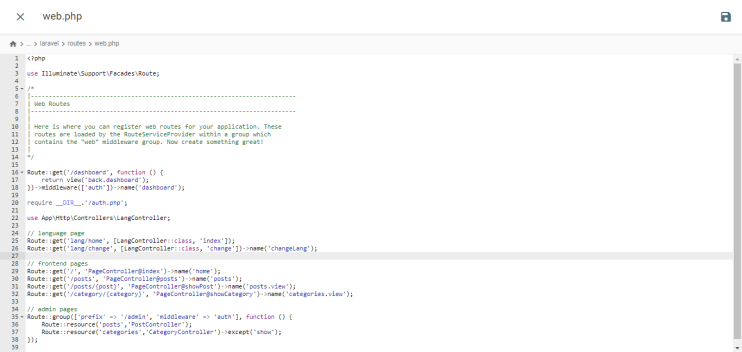
添加路线
打开 /routes 文件夹中的 web.php 文件,并将这些路由添加到其中。.
					//...
use App\Http\Controllers\LangController;

//...

Route::get('lang/home', [LangController::class, 'index']);
Route::get('lang/change', [LangController::class, 'change'])->name('changeLang');
测试网站
在项目终端中执行此命令以启动开发服务器。.
php artisan serve
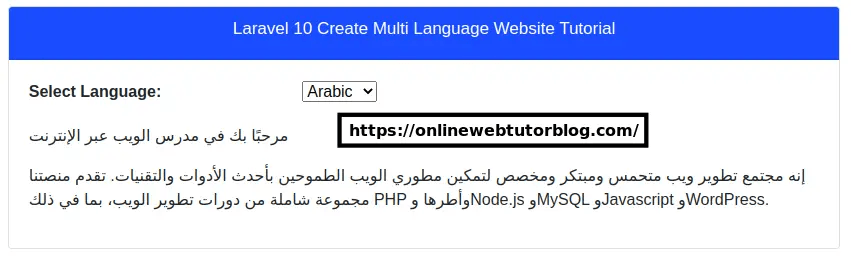
网站onlinewebtutorblog.comLaravel的展示,如下面的展示所示,有一个 Google 翻译下拉菜单。
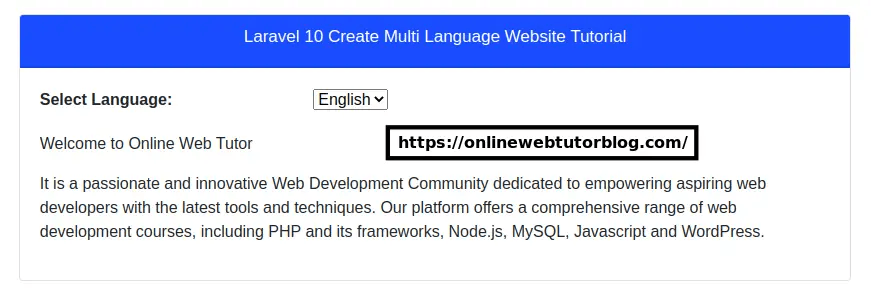
这就是 Laravel 网站翻译成阿拉伯语后的样子。.
在 Laravel中实现 Google Cloud AI 翻译和 Google 翻译有什么区别?
在了解了 Laravel中 Google Cloud AI 和 Google Translate 翻译的每种实现方式之后,我们将讨论它们之间的区别。.
安装和配置过程

- Google Cloud AI API 翻译:安装和配置过程较为复杂,因为您必须在 Google Cloud Platform (GCP) 上创建一个项目,启用 Cloud Translation API,创建服务帐号,生成 API 密钥,并在Laravel应用程序中配置 API 客户端。这涉及多个步骤,并且需要有效的 GCP 帐号。
- Google 翻译:安装和配置非常简单。您只需通过 Composer 安装第三方软件包或库,例如 stichoza/google-translate-php。之后,您可以在Laravel配置文件中配置 Google 翻译 API 密钥。
翻译准确性
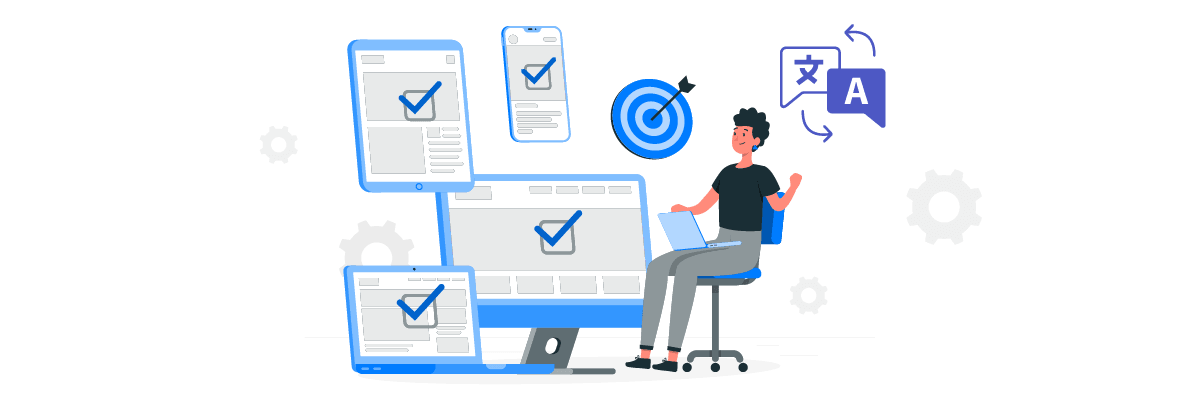
- Google Cloud AI API 翻译:凭借其深度学习功能,这项服务能够更好地捕捉复杂的语言语境和细微差别。这使得习语、比喻和文字游戏等难以直译的表达方式能够得到更准确的翻译。
- 谷歌翻译:通常难以捕捉语言中细微的语境和差别,导致翻译结果听起来生硬或不够自然。由于采用的是统计方法,翻译习语或比喻性短语的准确性往往较低。
响应速度

- Google Cloud AI API 翻译:神经机器翻译,因此通常能更快地响应翻译请求。这可以显著缩短响应时间,尤其是在处理较长文本或大量翻译任务时。
- 谷歌翻译:其翻译响应速度可能稍慢,尤其是在处理较长的文档或文本时。这是因为它采用的是较为传统的统计和神经翻译方法相结合的方式,其效率可能不如谷歌云AI API翻译所使用的神经模型。
定制和控制功能
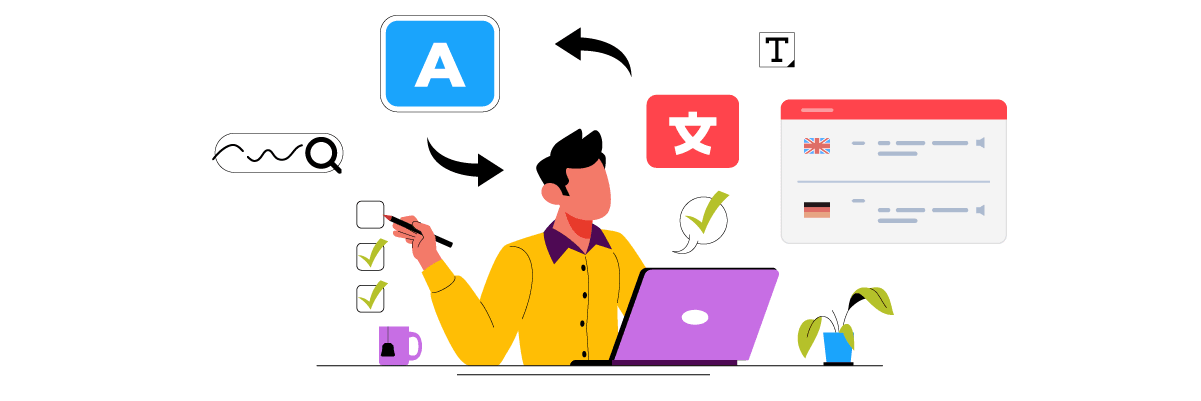
- Google Cloud AI API 翻译:提供更多自定义和控制翻译流程的选项,例如设置翻译偏好、上传自定义词汇表以及访问实时编辑器翻译界面手动编辑翻译结果。这使用户能够根据自身需求提高翻译准确度。
- 谷歌翻译:自定义和控制选项较为有限。用户只能依赖自动翻译结果,几乎无法编辑或直接自定义翻译内容。
高级功能

- Google Cloud AI API 翻译: Google Cloud AI 翻译技术拥有多项高级功能,例如词汇表、模型选择和 AutoML 模型。此外,在与Linguise,它还提供了一些高级功能,例如基于行、页或 URL 排除特定词语(如技术术语、品牌名称等)的翻译
- 谷歌翻译:Laravel中安装的谷歌翻译无法翻译音频文档或其他类型的文件。它只能将网站上的文本翻译成另一种语言,而且无法编辑翻译结果。
为 Laravel 网站选择翻译服务时应考虑的因素
以下是选择最适合您的 Laravel 网站翻译服务时需要考虑的一些因素。.
- 高翻译准确率——翻译的准确率是影响翻译质量的最重要因素之一。如果您的网站需要高度准确的翻译,尤其是在处理复杂内容和细微语言差别时,那么 Google Cloud AI API 翻译可能比 Google 翻译更合适。
- 集成和配置的便捷性——考虑将翻译服务安装并配置到您的Laravel应用程序中。Google Translate 通常更容易集成,因为它以 PHP 包或库的形式提供。而 Google Cloud AI API Translation 则需要在 Google Cloud Platform 上进行更复杂的配置。
- 功能和自定义选项 –编辑器翻译结果或其他自定义选项等附加功能
- 速度和响应时间 –对于翻译量大或需要快速响应的应用,Google Cloud AI API Translation 通常比 Google Translate 更快地响应翻译请求。
- 成本和预算——谷歌翻译可免费用于非商业用途,而谷歌云AI API翻译则采用按使用量付费的模式。请根据您的预算和预计翻译量选择最具成本效益的服务。
- 支持与文档 –此外,还要考虑每项服务提供的技术支持和文档。Google Cloud AI API Translation 可能拥有更全面的文档和来自 Google 的支持。
Linguise,适用于 Laravel 网站的最佳云端 AI 翻译服务
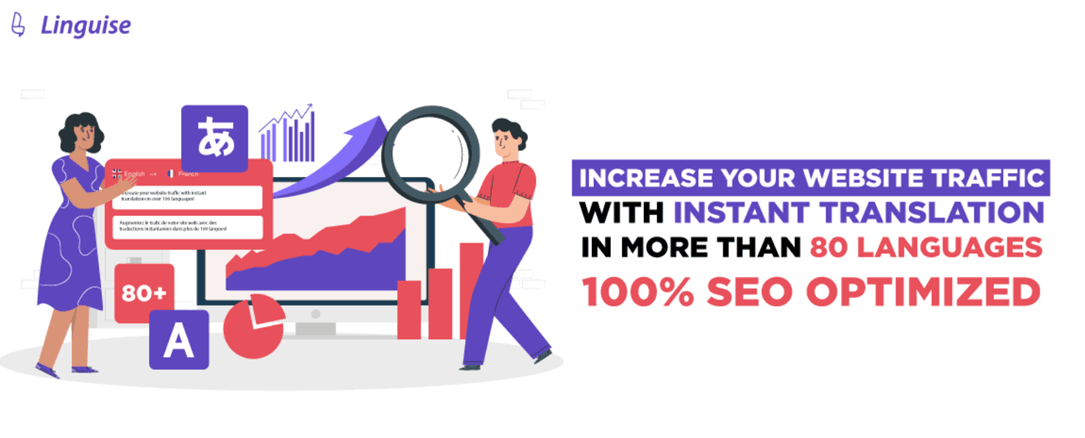
到目前为止,您已经了解了为 Laravel选择翻译服务时需要考虑的因素;上面提到的几乎所有因素在 Linguise 翻译服务中都有体现。.
Linguise是一款网站翻译服务,它利用云端 AI 翻译技术生成内容翻译。对于Laravel框架的网站而言,Linguise 可能是最佳的翻译解决方案。为什么呢?因为Linguise解决了上述问题。
- Linguise拥有完美的翻译质量。虽然准确率会因语言对的不同而有所差异,但Linguise准确率接近97%,与人工翻译相近。
- Linguise还与 40 多个 CMS 和网站构建器集成,并且Laravel等基于 PHP 的网站集成。
- 尽管 Linguise 提供自动翻译功能,但它也配备了实时编辑器,可用于编辑翻译结果。这样,就可以根据业务需求调整翻译内容。.
- 多语言页面的加载时间仅比原始语言页面长 5%。.
- 我们的服务提供三种套餐,价格从每月 15 美元到 45 美元不等。虽然是付费服务,但我们也提供 30 天的免费试用期,翻译字数上限为 60 万字。.
- 最后, Linguise 支持所有形式的客户帮助,包括指南文章、文档、产品新闻、YouTube 视频教程和 24/7 全天候支持聊天。.
综上所述, Linguise 可以成为 Laravel的云端 AI 翻译技术解决方案。.
结论
在本文中,我们探讨了在 Laravel Web 应用程序中实现 Google Cloud AI API 翻译和 Google 翻译之间的主要区别。.
Google Cloud AI API 翻译在准确性方面表现出色,能够满足对高精度翻译的需求。然而,这项服务需要更复杂的配置,而且比 Google 翻译更昂贵。另一方面,Google 翻译虽然易于集成,但在准确性和自定义选项方面存在局限性。.
Linguise 是一款基于云端的 AI 翻译服务,与 Laravel 网站兼容,是理想的替代选择。 Linguise 拥有接近人工翻译的准确率、丰富的翻译编辑选项、快速的加载速度和全面的客户支持,是您 Laravel 网站的绝佳翻译解决方案。.
如果您想试用Linguise ,可以注册一个免费账户,享受 30 天的免费试用期,翻译字数上限为 60 万字。访问linguise了解更多信息!