
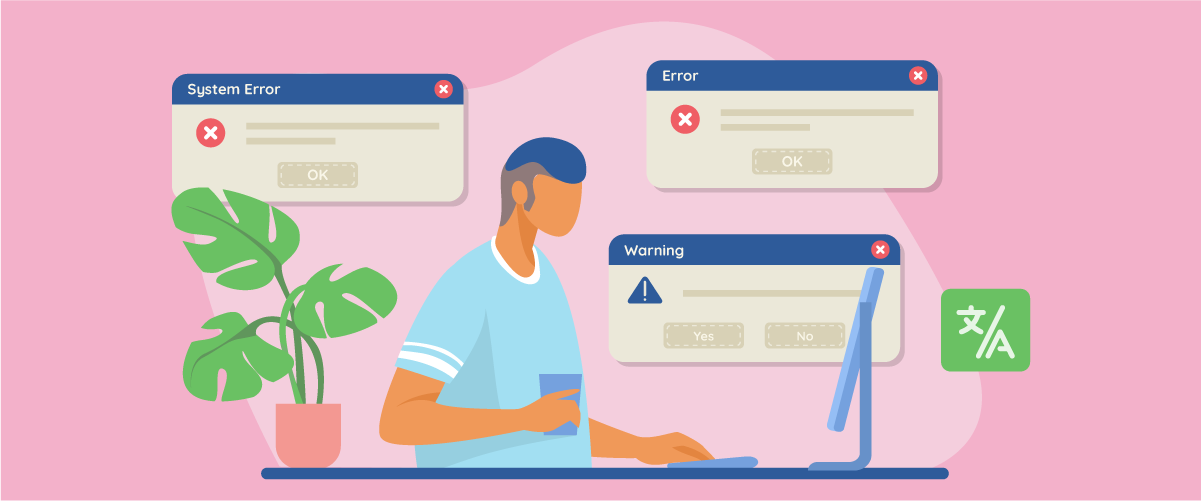
Localizar mensajes de error sin romper la experiencia de usuario en cualquier idioma es un desafío que muchos productos globales subestiman hasta que los usuarios comienzan a abandonar. Un mensaje de error puede parecer un pequeño detalle, pero cuando no está claro, es demasiado duro o está mal traducido, puede romper la confianza al instante. Imagina a un usuario enfrentando un error de pago o una página 404 en un idioma extranjero, la confusión se convierte rápidamente en frustración, incluso si el producto en sí funciona perfectamente.
Desde las diferencias culturales en la cortesía hasta las variables dinámicas y los códigos de error, cada detalle afecta cómo los usuarios perciben y se recuperan de los errores. En esta guía, desglosaremos cómo localizar mensajes de error correctamente —sin romper la experiencia del usuario— para que su producto siga siendo usable, humano y confiable en cualquier idioma.
Puntos clave: Localización de mensajes de error
Aclarar el problema + corregir la estructura
Cree mensajes que identifiquen el problema, expliquen la causa de forma sencilla y ofrezcan pasos prácticos, localizados de forma natural para reducir la confusión en cualquier idioma.
Adaptación del tono cultural
Adapte la cortesía, la franqueza y la redacción a las normas locales, por ejemplo, disculpándose en Japón, directo en Alemania, evitando culpar mientras se adapta a la cultura.
Robustez técnica
Utilice marcos que admitan marcadores de posición, plurales y RTL; pruebe dinámicamente para evitar interrupciones de diseño o errores gramaticales durante el tiempo de ejecución.
¿Por qué la localización de mensajes de error afecta la experiencia del usuario?

Imagine a un usuario que ha completado una compra y ha hecho clic en «Pagar», solo para ver un mensaje de error en un idioma desconocido o una frase técnica fría. El problema real no es solo el error, es la incertidumbre. Los usuarios no saben qué ha pasado, si su pago está seguro o qué hacer a continuación.
Es por esto que la localización del mensaje de error afecta directamente a la UX. Los mensajes de error aparecen en los momentos más sensibles de un viaje del usuario, y cuando se sienten poco claros o culturalmente inapropiados, la frustración aumenta rápidamente. Los usuarios pueden abandonar la página, volver a intentar acciones innecesariamente o dejar el producto por completo—no porque el problema sea grave, sino porque el mensaje no logra comunicarse con claridad.
Los mensajes de error bien localizados hacen lo contrario. Reducen la ansiedad, utilizan un lenguaje y tono familiares, y guían a los usuarios hacia el siguiente paso. Cuando los usuarios se sienten comprendidos y apoyados durante los estados de error, la confianza permanece intacta, y la experiencia general del usuario sigue siendo fluida, incluso cuando algo sale mal.
Anatomía de un mensaje de error localizado

Un mensaje de error bien localizado es una forma de comunicación estructurada. En su mejor forma, ayuda a los usuarios a entender rápidamente qué salió mal, por qué sucedió y qué pueden hacer a continuación, todo en un lenguaje que se siente natural en su cultura.
Identificación del problema de error
El primer trabajo de un mensaje de error es indicar claramente que algo salió mal, sin abrumar al usuario. Esto no significa usar términos técnicos o códigos de error; significa explicar el problema en un lenguaje simple y familiar. Los usuarios deben reconocer inmediatamente qué acción falló, como un pago, envío de formulario o carga de página.
Cuando esta parte se localiza correctamente, los usuarios no se sienten culpados o confundidos. En lugar de mensajes vagos como “Ocurrió un error,” un mensaje localizado da contexto, ayudando a los usuarios a mantenerse orientados en lugar de frustrados.
Causa de error localizada
Después de identificar el problema, los usuarios quieren saber por qué sucedió. Esta explicación debe adaptarse a cómo las personas en ese mercado esperan que se expliquen los problemas. Algunas culturas prefieren explicaciones directas, mientras que otras responden mejor a una redacción más suave y tranquilizadora.
La clave es la claridad sin detalles excesivamente técnicos. Una causa localizada tranquiliza a los usuarios de que el problema se entiende y, a menudo, es temporal, lo que reduce la ansiedad y evita reintentos innecesarios o abandono.
Para mantener las acciones de recuperación consistentes en todos los idiomas, los equipos necesitan un flujo de trabajo de localización que preserve la claridad, el tono y la intención. Las herramientas de traducción Linguise ayudan a garantizar que los mensajes de recuperación sigan siendo precisos y fáciles de usar en cada idioma, de modo que los usuarios siempre sepan qué hacer a continuación, sin importar dónde se encuentren.
Acciones de recuperación localizadas
Finalmente, un buen mensaje de error guía a los usuarios hacia una solución. Ya sea que se trate de reintentar un pago, verificar un campo o contactar con el soporte, los pasos de recuperación deben ser específicos y fáciles de seguir en el idioma local.
Las acciones localizadas claras dan a los usuarios una sensación de control. En lugar de dejarlos atascados, el mensaje se convierte en una guía útil, convirtiendo un estado de error en un momento recuperable en lugar de un callejón sin salida.
Siguiendo las mejores prácticas para microcopy UX multilingüe en formularios, mensajes de error y pago ayuda a garantizar que cada paso de recuperación respalde la claridad y la conversión.
Tono cultural en mensajes de error
Incluso cuando un mensaje de error es técnicamente correcto, su tono aún puede sentirse equivocado para los usuarios. La cultura moldea cómo las personas interpretan la cortesía, la responsabilidad y la orientación, especialmente en momentos de estrés. Es por eso que el tono juega un papel crucial en cómo se reciben los mensajes de error localizados.
Cortesía y franqueza en diferentes culturas
En algunas culturas, los usuarios esperan que los mensajes de error sean educados e indirectos. Un tono más suave se siente respetuoso y ayuda a reducir la tensión cuando algo sale mal. Por ejemplo, una explicación suave junto con una redacción educada puede hacer que los usuarios sean más pacientes, incluso durante errores repetidos.
En otras culturas, se valora la franqueza. Los usuarios quieren saber exactamente qué falló y qué hacer a continuación, sin un lenguaje adicional suavizante. Si un mensaje parece demasiado indirecto o excesivamente apologético, puede resultar vago o ineficiente.
Un mensaje de error bien localizado equilibra la claridad con las expectativas culturales. Al ajustar el nivel de cortesía y franqueza a las normas locales, el mensaje se siente natural en lugar de incómodo o frustrante.
Disculpa frente a mensajes con instrucciones primero
Algunos mensajes de error comienzan con una disculpa, mientras que otros saltan directamente a las instrucciones. Ninguno de los dos enfoques es universalmente mejor; depende del contexto cultural y las expectativas del usuario.
En culturas donde la empatía del servicio es importante, una disculpa breve puede humanizar la experiencia y reducir la frustración. Los usuarios se sienten reconocidos antes de que se les diga qué hacer a continuación. Sin embargo, si la disculpa es demasiado larga o se repite con frecuencia, puede parecer insincera.
En culturas más orientadas a tareas, los usuarios prefieren mensajes con instrucciones primero. Quieren soluciones de inmediato, no un marco emocional. La localización de mensajes de error significa elegir qué enfoque viene primero — disculpa o acción — según lo que los usuarios encuentren más útil en ese contexto.
Evitar la culpa en la copia localizada
La culpa es una de las formas más rápidas de dañar la confianza del usuario. Frases que implican la culpa del usuario, como «Ha introducido información incorrecta», pueden parecer duras o vergonzosas cuando se traducen directamente.
En muchas culturas, se prefiere el lenguaje indirecto para preservar la dignidad. Desplazar el enfoque del usuario al sistema —como «No se pudo verificar la información»— resulta más respetuoso y de apoyo.
Al evitar culpar y elegir una redacción neutral y centrada en el sistema, los mensajes de error localizados ayudan a los usuarios a mantenerse tranquilos y comprometidos. El objetivo no es asignar culpa, sino guiar a los usuarios hacia adelante sin hacerles sentir responsables del fallo.
Localizar escenarios de error comunes
No todos los errores son percibidos por los usuarios como problemas técnicos. Desde la perspectiva de un usuario, los errores son momentos emocionales —confusos, frustrantes o incluso que rompen la confianza—. Por eso es esencial localizar escenarios de error comunes, asegurando que los mensajes no solo sean lingüísticamente precisos, sino también contextualmente relevantes y genuinamente útiles para guiar a los usuarios fuera del problema.
A continuación se presentan algunos de los escenarios de error más comunes encontrados en productos digitales, junto con enfoques de localización efectivos y fáciles de seguir.
Mensajes de página rota y 404
Los errores 404 suelen ser el primer punto de frustración de un usuario, especialmente cuando llegan a través de resultados de búsqueda o enlaces externos. Muchos sitios web todavía se basan en mensajes genéricos y fríos. Cuando se localiza correctamente, un mensaje 404 debe hacer más que indicar que no se puede encontrar una página: debe alinearse con las expectativas culturales y la mentalidad del usuario.
La solución más efectiva combina empatía con una dirección clara. En lugar de mostrar solo "Página no encontrada", una versión localizada puede incluir una breve disculpa seguida de caminos accionables, como enlaces a la página de inicio, funcionalidad de búsqueda o categorías populares. En algunas culturas, el humor ligero puede ser aceptable, mientras que en otras un tono educado y neutral es más seguro.
Además, términos técnicos como "enlace roto" y "URL" deben traducirse o simplificarse para usuarios no técnicos. Los mensajes 404 bien localizados ayudan a reducir las tasas de rebote y mantener la confianza del usuario en la marca.
Fallos de pago y transacción
Los errores relacionados con el pago se encuentran entre los escenarios más delicados porque involucran dinero y seguridad del usuario. Los mensajes demasiado técnicos o vagos pueden causar rápidamente pánico y vacilación. En los mensajes de error de pago localizados, la claridad y la tranquilidad son fundamentales.
Un enfoque efectivo es explicar brevemente la razón del fallo sin culpar al usuario, seguido inmediatamente por claros pasos siguientes. Esto podría incluir intentar otro método de pago, verificar el saldo de la cuenta o esperar unos minutos antes de volver a intentarlo. El orden importa: los usuarios deben sentirse guiados, no acusados.
Más allá del idioma, el contexto local juega un papel importante. Hacer referencia a métodos de pago populares en la región, como las billeteras electrónicas locales o las transferencias bancarias, hace que el mensaje se sienta más relevante y útil, lo que aumenta la probabilidad de que los usuarios completen la transacción.
Estados vacíos, errores de carga y tiempos de espera de API
Los estados vacíos y los errores de carga a menudo se subestiman, pero son momentos críticos para mantener el compromiso del usuario. Sin una explicación adecuada, los usuarios pueden asumir que la aplicación está rota o que faltan datos. La localización aquí ayuda a tranquilizar a los usuarios manteniendo las expectativas realistas.
La estrategia más efectiva es explicar claramente lo que está sucediendo utilizando un lenguaje simple y no técnico. Ya sea que los datos no estén disponibles, todavía se estén cargando o se hayan interrumpido temporalmente, los usuarios deben entender inmediatamente la situación sin necesidad de conocimientos técnicos.
Como solución, incluya siempre una acción de seguimiento clara, como un botón de actualización, una sugerencia para intentarlo de nuevo más tarde o un contacto de soporte. Esto garantiza que los estados vacíos y los errores técnicos no sean callejones sin salida, sino parte de una experiencia controlada y fácil de usar en diferentes idiomas y culturas.
Desafíos técnicos en la localización de errores

Detrás de cada oración corta que ven los usuarios, hay limitaciones técnicas que pueden romper fácilmente la claridad, el tono o incluso el diseño si no se manejan con cuidado. Estos desafíos a menudo se encuentran en la intersección de redacción UX, localización e ingeniería, y requieren una planificación deliberada para evitar dañar la experiencia del usuario.
Variables dinámicas y marcadores de posición
Muchos mensajes de error dependen de variables dinámicas, como nombres de usuario, fechas, números o valores generados por el sistema. Aunque estos marcadores funcionan sin problemas en un idioma, pueden volverse confusos o gramaticalmente incorrectos cuando la estructura de la oración cambia en otro. Un mensaje que se lee de forma natural en inglés puede sonar roto cuando las variables se reordenan en un orden lingüístico diferente.
Para resolver esto, los marcadores deben ser flexibles en lugar de estar codificados. Permitir a los traductores reposicionar variables dentro de la oración y previsualizar su contexto. La documentación clara y los ejemplos ayudan a garantizar que el contenido dinámico se sienta natural y legible en cada idioma, en lugar de robótico o fragmentado.
Reglas de pluralización y gramática
La pluralización es uno de los escollos técnicos más comunes en la localización. El inglés a menudo utiliza formas singulares y plurales simples, pero muchos idiomas tienen múltiples reglas de pluralización dependiendo de los números, el género o el contexto. Si se maneja incorrectamente, los mensajes de error pueden sonar torpes o incluso engañosos.
La solución es utilizar marcos de localización que admitan reglas de pluralización avanzadas en lugar de codificar manualmente cadenas de texto. Al permitir que el sistema elija automáticamente la forma gramatical correcta, los mensajes de error permanecen precisos y profesionales, sin importar cuán complejas sean las reglas del idioma.
Problemas de diseño de derecha a izquierda (RTL)
Idiomas como el árabe y el hebreo introducen desafíos de diseño porque se leen de derecha a izquierda. Los mensajes de error que se ven bien en idiomas de izquierda a derecha pueden romperse visualmente en contextos RTL, especialmente cuando se mezclan con números, iconos o marcadores de posición.
Para evitar esto, los mensajes de error deben probarse en entornos RTL reales, no solo traducirse. Los componentes de la interfaz de usuario, como iconos, flechas y alineación, deben adaptarse al texto. Cuando se planifica el soporte RTL con anticipación, los mensajes de error se sienten intencionales en lugar de estar parcheados.
Códigos de error fáciles de usar
Los códigos de error son útiles para los desarrolladores y equipos de soporte, pero a menudo confunden a los usuarios cuando se muestran sin explicación. Un código sin procesar como «Error 503» no proporciona ninguna tranquilidad emocional ni orientación, especialmente en diferentes idiomas.
El mejor enfoque es combinar los códigos de error con explicaciones claras y localizadas escritas en lenguaje humano. El código puede permanecer visible para la solución de problemas, pero el mensaje debe centrarse en lo que sucedió y en lo que el usuario puede hacer a continuación. Este equilibrio mantiene el manejo de errores eficiente para los equipos y sigue siendo empático y comprensible para los usuarios.
Conclusión
Localizar mensajes de error sin romper la experiencia del usuario en ningún idioma es una parte fundamental para generar confianza en productos globales. Desde el tono cultural y las acciones de recuperación claras hasta detalles técnicos como la pluralización, los marcadores de posición y los diseños RTL, cada elección moldea cómo se sienten los usuarios durante los momentos de fricción. Cuando los mensajes de error se localizan cuidadosamente, convierten la confusión en claridad, reducen las pérdidas y ayudan a los usuarios a mantenerse seguros incluso cuando algo sale mal.
Si tu producto atiende a usuarios en diferentes idiomas, invertir en la localización adecuada de los mensajes de error es una victoria a largo plazo en UX. Si deseas simplificar la localización mientras mantienes los mensajes de error humanos y fáciles de usar, regístrate con Linguise para empezar a optimizar tu UX multilingüe.