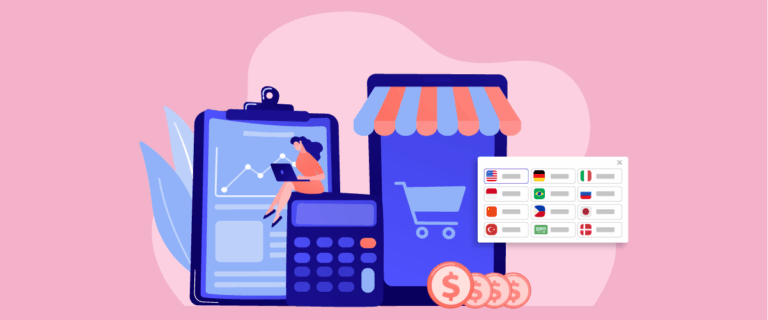

The multilingual, mobile-first mandate is becoming increasingly important as 62% of international web traffic now comes from mobile devices. Users around the world rely on their phones to browse, shop, and look for information, and they expect a website that loads fast, displays clearly, and supports their preferred language, without the friction often caused by desktop-first layouts.
This guide will walk you through the core challenges of delivering a smooth multilingual experience on mobile, along with practical strategies to improve usability, navigation, and technical performance.
Key mobile challenges in multilingual UX

Designing a multilingual experience for mobile users comes with unique challenges that don’t always appear on desktop. Limited screen space, different language lengths, and varied user behaviors across regions all require careful attention to ensure the experience remains smooth and intuitive.
Screen space & text expansion
Mobile screens offer minimal space to display content, making it even more challenging when switching between languages. Some languages, such as German or French, naturally produce longer words and phrases that can easily break layouts, push elements off-screen, or require excessive scrolling. Without proper handling, the interface can feel cramped and overwhelming for users.
At the same time, languages like Chinese or Japanese often take less space but may require larger font sizes for readability. This creates inconsistency if the layout is not prepared to adapt. A well-designed multilingual mobile interface must anticipate these differences and provide flexible components that resize smoothly across languages.
Ineffective language switchers

Many websites still use desktop-style language switchers—usually hidden in the footer or buried inside menus—which are difficult for mobile users to find. When a user cannot easily switch languages, frustration rises quickly and often leads to immediate drop-offs. On a small screen, placement and visibility become critical.
Additionally, some switchers fail to maintain the same page when switching languages, forcing users back to the homepage. This disrupts the browsing flow and gives the impression that the site is not user-friendly. A strong multilingual mobile UX ensures the language switcher is prominent, easy to tap, and always preserves the user’s position.
To simplify this process, tools like Linguise offer auto-generated, SEO-friendly language switchers that are optimized for mobile layouts—ensuring users can switch languages instantly without losing their place.
Mobile payment barriers
International mobile users expect familiar, convenient payment methods, yet many multilingual websites offer limited or region-specific options. For example, users in Southeast Asia may prefer e-wallets, while European users might rely on bank transfers or local payment gateways. If these options are missing, the checkout process becomes a major conversion blocker.
On mobile, payment friction is even more noticeable due to small screens and slower interactions. If forms are long, fields are unclear, or the payment system does not support local languages, users are more likely to abandon their purchase. Localizing mobile payment experiences is essential to earning trust and completing transactions.
Complex multilingual navigation

Navigation is already challenging on mobile due to limited space, but managing multiple languages adds another layer of complexity. Menu labels may expand or shrink depending on language, which can easily break layouts or create inconsistent patterns that confuse users. If the menu becomes too long, users may struggle to find what they need.
Furthermore, switching languages should not reset the navigation structure or lead to mismatched pages. Users expect consistent paths regardless of the language they choose. Ensuring smooth, predictable multilingual navigation on mobile helps users feel more in control of their browsing experience—making the site easier to explore and far more user-friendly.
Mobile-first multilingual strategies

This section explores practical strategies to help your multilingual site perform smoothly on mobile devices. Each approach focuses on reducing friction, improving usability, and creating an experience that feels natural for users across different languages and regions.
Mobile-ready language switcher
A mobile-ready language switcher should be easy to find, easy to tap, and accessible from every page. The most effective placements are usually the top-right corner, inside a clearly labeled header menu, or as a persistent icon. Prioritizing visibility ensures that users can switch languages without scrolling or guessing.
A good switcher should also preserve the user’s position. When someone reads a product page or article and switches to another language, they expect to remain on the same page. To support this, make sure your site uses language-specific URLs and a consistent structure. Best practices include:
- Using simple icons or flags paired with clear language labels
- Keeping tap targets large for mobile
- Avoiding deep dropdowns that are hard to navigate
Managing text expansion

To manage text expansion, you need design elements that adapt to languages with longer words and sentences. Flexible containers, auto-wrapping text, and responsive typography help prevent layouts from breaking. Avoid fixed-width buttons or labels, as these often fail when translated into languages like German or French.
Beyond layout flexibility, it’s also helpful to test content across languages early in the design process. Create mockups that simulate long and short translations, and check how they behave on small screens. You can also:
- Use scalable UI components
- Set minimum and maximum font sizes
- Allow elements to stack naturally rather than force them into a single line
Localized mobile payments
Localized mobile payments ensure users can complete transactions using methods they already trust. This can include e-wallets, bank transfers, cash on delivery, or local gateways, depending on the target region. When users see familiar options, they’re far more likely to feel confident during checkout.
On mobile, payment flows should be short, simple, and fully translated. Long forms, unclear instructions, or unsupported currencies create instant friction. To optimize the experience:
- Support region-specific payment options
- Use autofill and field validation
- Ensure currency and address formats match local standards
App-like navigation
App-like navigation makes your mobile site feel smoother and more intuitive, especially for multilingual users. This often includes sticky headers, bottom navigation bars, simple menus, and transitions that mimic the flow of a mobile app. These patterns help users move between sections without confusion.
For multilingual sites, app-like navigation also stabilizes the structure across languages. This means menu items remain in the same order, icons stay consistent, and layouts don’t shift dramatically when text expands or contracts. Strong patterns include:
- Fixed navigation elements
- Clear iconography supplemented by labels
- Predictable menu structure across all languages
Consistent cross-language UX

Consistency across languages ensures that every user, regardless of their chosen language, gets the same high-quality experience. This includes consistent layout, identical button placement, and equal access to features. Even minor inconsistencies can confuse users and make the site feel less professional.
Maintaining this consistency requires synchronized content and design standards. When updating one language, ensure the changes appear in all versions. Helpful practices include:
- Centralized content management
- Shared design components
- Regular testing across language variants
Technical tips for mobile multilingual sites

Next are the technical foundations you need to help your multilingual website run smoothly on mobile devices. These tips focus on structure, speed, and accuracy—three factors that directly shape how users experience your site in every language.
Responsive multilingual layouts
Responsive layouts allow your design to adapt naturally to different screen sizes and language lengths. Instead of using fixed sizes, prioritize flexible grids, fluid containers, and scalable typography that adjusts as text length changes. This keeps buttons, headings, and menus readable across languages without breaking the layout.
It’s also essential to design with language variations in mind from the very beginning. Test UI components with sample translations, especially in languages known for long words, like German or Finnish, to ensure they scale well on mobile. This helps you avoid overflowing text, cramped elements, or broken buttons after localization.
Mobile performance for translated pages
Translated pages often load more slowly than their original versions because they may contain larger text files, additional scripts, or heavier assets. To keep performance strong, compress images, minimize JavaScript, and use lazy loading so only necessary elements load first. Fast mobile performance keeps users engaged regardless of language.
Caching can also help speed up translated content. By storing language-specific page versions, you reduce server load and deliver content to returning users faster. The goal is simple, every language should load equally fast so no user feels disadvantaged based on their region or device.
Hreflang for mobile indexing
Hreflang tags help search engines understand which language version of a page should be shown to which user. When implemented correctly, they ensure mobile users land on the correct version of your content—whether it’s English, Spanish, Japanese, or any other language. This prevents confusion and improves search visibility.
For mobile-first indexing, consistency is key. Make sure each language version links back to its counterparts with correct hreflang attributes, and confirm there are no mismatches in URL formats. This makes your multilingual structure clearer to Google and helps deliver the most relevant version of each page to users worldwide.
Platforms Linguise automatically generates and maintains hreflang tags for every language, reducing the risk of indexing errors that can affect your mobile SEO.
Testing on real devices
Testing on real devices is essential because mobile emulators can’t fully replicate real-world behavior. Different phones, screen sizes, and operating systems may change how text wraps, how menus behave, or how quickly pages load. Real testing ensures your site works well for actual users—not just in theory.
During testing, check how each language behaves in navigation, content display, and checkout flows. Simple actions like switching languages, scrolling through translated text, or completing a form can reveal usability issues you might otherwise miss. Real-device testing is one of the most reliable ways to ensure a smooth multilingual mobile experience.
Conclusion
The multilingual, mobile-first mandate underscores the importance of delivering a smooth, fast, and accessible experience on mobile devices. By understanding the unique challenges of multilingual UX, from text expansion to payment localization, businesses can create interfaces that truly match user expectations across different languages and regions.
To fully optimize this experience, automation and smart translation workflows can make a significant difference. Tools like Linguise help you deliver accurate, SEO-friendly translations while keeping your mobile performance fast and consistent across every language. Try Linguise and see how effortless multilingual optimization can be. With the right mobile-first strategy and the right technology, your website can reach international audiences more effectively and convert mobile users with far less friction.