Keeping your translated website content in sync when the source changes is essential for maintaining a consistent user experience, protecting your SEO performance, and ensuring every visitor receives accurate information regardless of language. However, as websites evolve with new products, updated documentation, or refreshed marketing copy, it’s easy for translated pages to fall behind the original content—a common issue known as content drift.
In this guide, you’ll learn how content drift happens, how to categorize different types of content changes, build an automated translation workflow, and apply best practices to keep every translated page up to date. Let’s get started.
Key points: Keeping translated website content in sync with source changes
Keep translated content synchronized
Learn how to prevent content drift by keeping every language version aligned with the latest source content.
Build an efficient translation update workflow
Discover how to classify content changes, automate translation updates, and resolve version conflicts across languages.
Maintain translation quality over time
Explore best practices for auditing translation freshness, combining AI with human review, and keeping multilingual content accurate as your website evolves.
How content drift happens
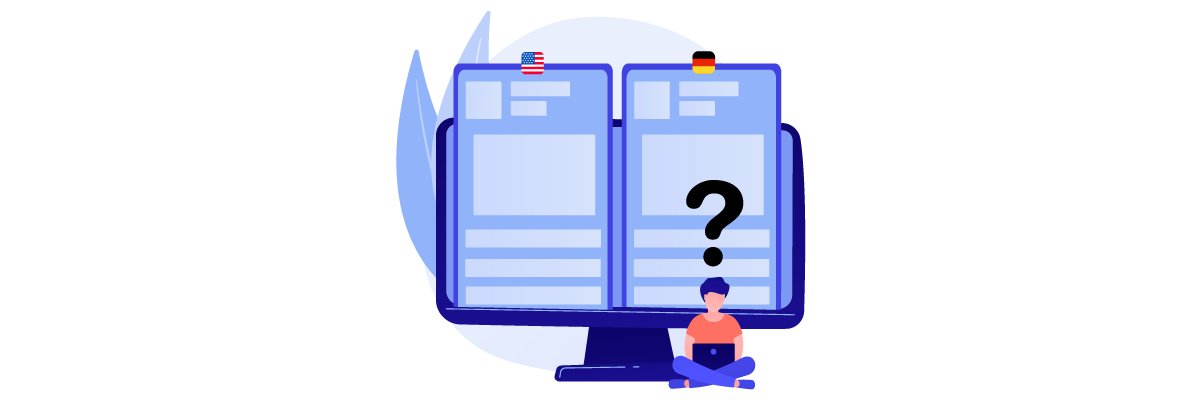
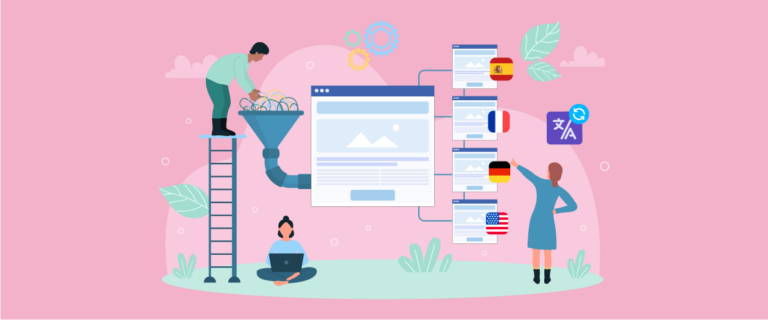
Content drift is a situation in which translated content gradually diverges from its original source because the source has been updated while the translations have not. Instead of all language versions displaying the same information, each one begins to reflect a different version of the content. This creates inconsistencies that can confuse users and make your multilingual website less reliable.
Content drift rarely results from a single major update. Instead, it develops gradually as the source content changes over time while translated versions remain unchanged. For example, an English product page may be updated with new features, pricing, or SEO improvements, but if these changes aren’t reflected in other languages, the gap between the source and translated content continues to grow.
This issue is particularly common on multilingual websites because content is constantly evolving. Businesses regularly update pages to reflect new products, feature releases, company announcements, policy changes, seasonal campaigns, or search engine optimization improvements. Keeping every language version synchronized becomes increasingly difficult without a structured process, especially when multiple teams are involved in publishing content. Several factors make multilingual websites more susceptible to content drift, including:
- Frequent updates to the source content
- Managing multiple language versions simultaneously
- Manual translation and publishing workflows
- No automated system to detect source content changes
- Limited visibility into which translated pages are outdated
The impact of content drift goes beyond outdated translations. It can create inconsistent user experiences, weaken multilingual SEO, increase customer support requests, and reduce trust in your brand. In some cases, outdated legal or policy content may even lead to compliance issues.
Preventing content drift requires more than simply translating new content. It also means having a structured process to keep every language version synchronized whenever the source changes. One effective way to do this is to create a content change taxonomy, ensuring that each type of update is handled appropriately.
Create a content change taxonomy

Not every content update should follow the same translation process. Fixing a typo doesn’t require the same effort as rewriting an entire product page or updating a legal policy. That’s why creating a content change taxonomy is essential—it helps you categorize updates based on their impact and determine the most appropriate translation workflow for each one.
Classify content changes
The first step is to classify every content update into different categories. This allows your team to quickly identify which changes require immediate translation, which can be automated, and which may not require any action at all. A simple classification system usually consists of three levels:
- Minor changes – Small edits that don’t affect the meaning of the content, such as correcting spelling mistakes, adjusting punctuation, updating image alt text, or changing formatting.
- Moderate changes – Updates that add or modify information without changing the overall structure of the page. Examples include updating product specifications, adding a new feature, revising pricing details, or refreshing statistics.
- Major changes – Significant revisions that change the page’s message, structure, or purpose. This includes rewriting landing pages, introducing new product positioning, updating legal policies, or restructuring documentation.
For example, imagine your company launches a new software feature. If you simply correct a typo in the feature description, that’s a minor change. If you add a section explaining how the feature works, it’s a moderate change. However, if you redesign the entire landing page with new messaging and customer benefits, it’s considered a major update that requires a complete review of every translated version.
By classifying changes first, your team avoids treating every update as equally urgent, making the translation process more efficient.
Define update rules
After categorizing content changes, the next step is deciding how each category should be handled. Without clear update rules, every content change becomes a manual decision, slowing down the publishing process and increasing the risk of inconsistent translations. A practical approach is to assign a workflow for each type of update:
- Minor changes – can often be synchronized automatically or bundled together for future updates.
- Moderate changes – should trigger an automatic translation update followed by a quick review to ensure terminology and context remain accurate.
- Major changes – usually require a complete retranslation, editorial review, and approval before publication.
Not every website update requires the same level of effort. A spelling correction can often be handled automatically, while a product page rewrite or policy update requires a full translation review. Defining clear update rules helps your team choose the right workflow for each type of change, improving efficiency without compromising translation quality.
These rules also make collaboration easier because content creators, translators, and reviewers all understand what actions to take whenever the source content changes.
Prioritize critical updates
Not every page on your website has the same business impact. If resources are limited, it’s important to prioritize updates that directly affect customers, conversions, or compliance before focusing on less critical content. Pages that usually deserve the highest priority include:
- Product and service pages
- Pricing pages
- Checkout or conversion pages
- Legal policies and compliance documents
- Help center articles for recently updated features
For example, if your website contains hundreds of blog articles, you don’t necessarily need to update every translated post immediately after making small edits to the source content. However, if you change the pricing on your subscription page or update your refund policy, those translations should be synchronized as soon as possible because visitors rely on that information to make purchasing decisions.
By prioritizing high-impact content, your team can focus time and resources where they matter most while reducing the risk of important pages falling behind. This approach also creates a more scalable translation workflow as your multilingual website continues to grow.
Build an automated translation workflow

Once you’ve defined how different types of content changes should be handled, the next step is automating the workflow. Instead of relying on someone to manually check every page for updates, an automated translation workflow ensures changes to the source content are detected, translated, and tracked efficiently. This not only saves time but also significantly reduces the risk of content drift.
Detect source changes
The first step in any automated workflow is knowing when the source content has changed. Without a reliable way to detect updates, translated pages can remain outdated simply because no one realized the original content had been modified.
An effective translation workflow monitors changes to the source language and flags pages that need attention. These changes can range from adding a new product feature to updating pricing, editing a help article, or revising legal information. Once a change is detected, the system can notify translators or automatically trigger the next step in the workflow.
For example, imagine your marketing team updates an English landing page with a new section highlighting an upcoming feature. Instead of asking someone to manually compare every translated page, the system immediately detects when the source page has changed and flags all related translations for an update. This ensures no language version is accidentally overlooked.
After detecting a change, the next goal is to reduce manual work by automating the translation process wherever possible. Rather than exporting content, sending files to translators, and importing them back into your CMS, modern translation workflows can automatically generate updated translations as soon as new content is published. Automation is especially useful for recurring website updates, such as:
- Product description changes
- New blog articles
- Documentation updates
- Feature announcements
- Landing page revisions
For example, when your software company releases a new feature, updated documentation can automatically trigger translations for every supported language. Translators only need to review the changed sections instead of retranslating the entire document.
Translation solutions such as Linguise simplify this workflow through direct CMS integration, automatically translating new or updated content while reducing repetitive manual tasks. This helps keep every language version synchronized with the latest source content.
Resolve version conflicts
One challenge many multilingual websites face is version conflicts. This happens when different language versions are based on different revisions of the source content, making it difficult to determine which translation is the most up to date.
For example, the English page may already be on version 3, while the Spanish page is still based on version 2, and the German page has only partially incorporated the latest updates. Without proper version tracking, teams can accidentally overwrite newer translations or publish outdated information.
To avoid this, every translated page should be linked to a specific version of the source content. When the source changes, the workflow should clearly indicate:
- Which pages are fully synchronized
- Which pages require updates
- Which pages are currently under review
Having this visibility makes it much easier to coordinate work across multiple languages and prevents confusion when several people are updating content simultaneously.
Handle translation exceptions
Not every content change should automatically trigger a new translation. Some updates have little or no impact on the translated content, while others require additional review before publication. Identifying these exceptions helps avoid unnecessary translation work and allows teams to focus on updates that truly matter. Common translation exceptions include:
- Formatting or layout changes
- Image replacements without text changes
- Internal links or navigation updates
- Brand names, product names, or technical terms that remain the same across languages
- Content requiring legal, medical, or technical review before translation
For instance, replacing a product screenshot with a newer image usually doesn’t require retranslating the accompanying text. Likewise, changing a company logo or updating page spacing has no effect on the translation itself. On the other hand, updating a legal disclaimer or modifying technical documentation should never bypass human review, even if AI translation is used.
By defining these exceptions in advance, your workflow becomes more efficient, reducing unnecessary translation costs while ensuring critical content still receives the level of review it requires.
Best practices for keeping translations in sync

Building an automated workflow is a great start, but maintaining synchronized translations requires ongoing management. As your website continues to grow and content changes become more frequent, following a few best practices can help prevent content drift and ensure every language version stays accurate over time.
Audit content regularly
Regular content audits help you identify translated pages that may no longer match the source content. Instead of waiting for customers to report outdated information, schedule periodic reviews to compare important pages across all supported languages and verify that the latest updates have been applied.
You don’t have to audit your entire website at once. Start by reviewing high-priority pages such as product pages, pricing, documentation, and legal policies, then expand to blog posts or less frequently updated content. A consistent audit schedule makes it easier to catch discrepancies before they become larger problems.
Monitor translation freshness
Keeping track of translation freshness helps you measure how closely each translated page matches the latest source version. This is especially important for websites that publish new content or update existing pages frequently, as outdated translations can quickly lead to content drift and inconsistent user experiences.
Many translation management tools provide indicators such as up-to-date, needs review, or outdated, along with version tracking and update timestamps. Monitoring these statuses helps your team prioritize critical updates, identify pages that are falling behind, and ensure visitors always receive the most accurate information in every supported language.
Combine AI with human review
AI translation has made it much faster to keep multilingual websites up to date, especially when content changes frequently. It can quickly translate new or revised content, reducing manual work and helping teams maintain synchronization across multiple languages.
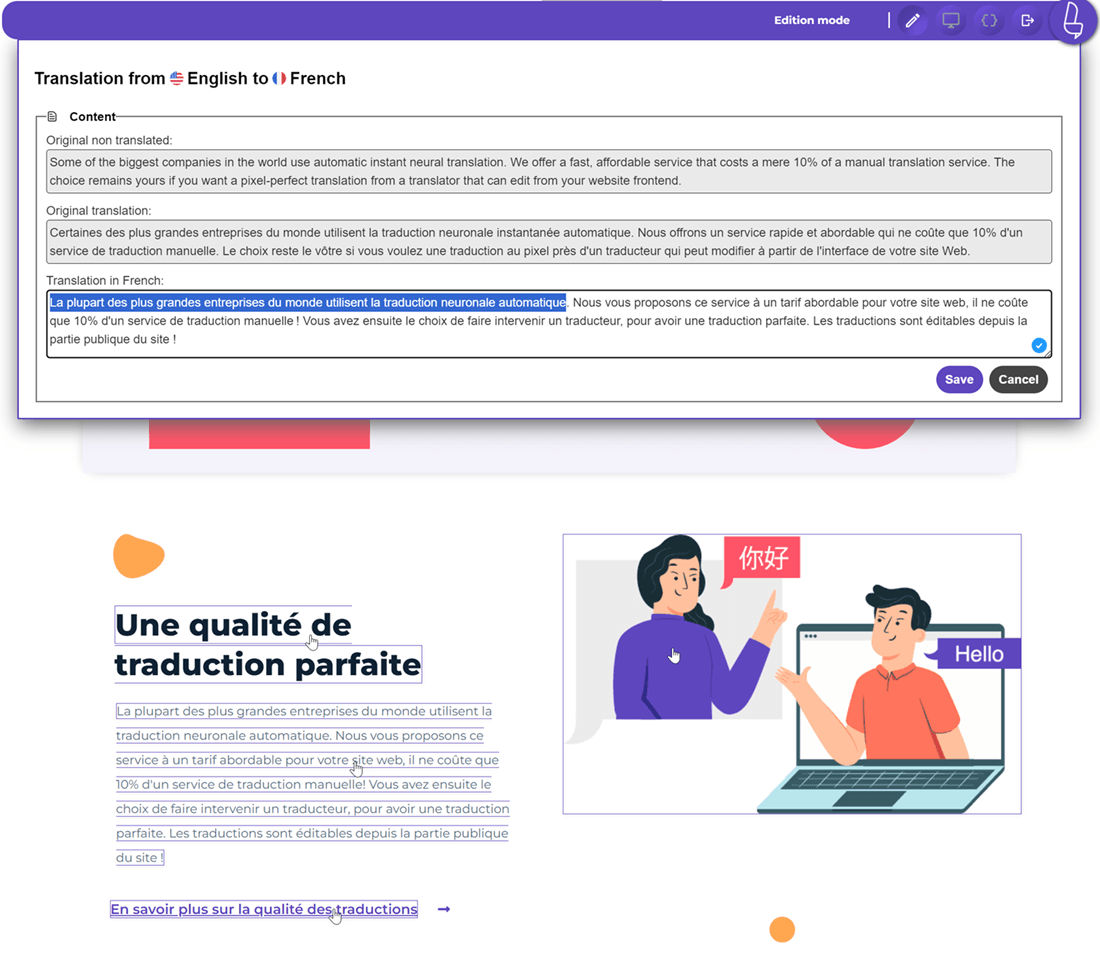
However, AI works best when combined with human review. While AI handles speed and consistency, human reviewers ensure translations reflect the correct context, tone, terminology, and cultural nuances. With tools such as Linguise’s live editor, teams can easily review, edit, and approve AI-generated translations in context, making it easier to maintain both translation quality and consistency as source content evolves.
Conclusion
Keeping your translated website content in sync when the source changes requires more than translating new content—it demands a structured process for detecting updates, prioritizing changes, automating translation workflows, and regularly auditing multilingual pages. By reducing content drift, you can deliver a consistent user experience, improve multilingual SEO, and ensure every visitor receives accurate information regardless of the language they choose.
If you’re looking for an easier way to manage multilingual content, start with Linguise. Its AI-powered translation, automatic content synchronization, and seamless CMS integration help keep every language version aligned with your latest source content, allowing you to scale your multilingual website with less manual effort and greater confidence.