
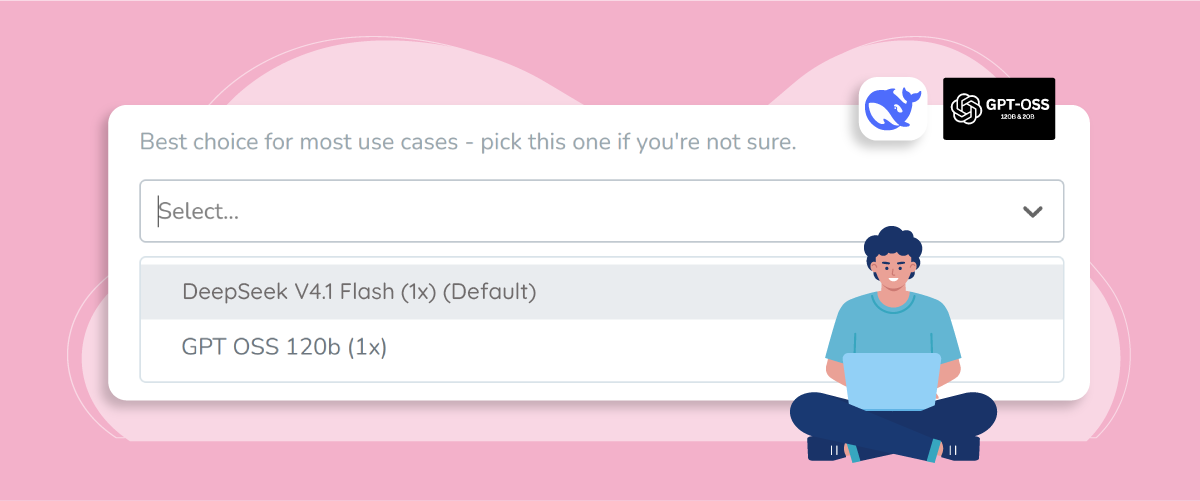
AI translation model choice is now in your hands with Linguise. Instead of relying on a single AI model for every website, you can now choose between DeepSeek-V4.1-Flash and GPT-OSS-120b to translate your content. This gives you more flexibility to match your translation approach with the type of content, tone, and requirements of each website.
But what makes these two models different, and which one should you choose? In this update, we’ll walk you through the new AI model selection feature, explain what happens when you switch models, compare the available translation options, and show you exactly where to find the setting in your Linguise dashboard. Keep reading to find the best fit for your multilingual website.
Key points: Select between DeepSeek and GPT-OSS for your translations
More control over AI translation
Linguise now lets you choose which AI model translates your website, giving you more flexibility to match your translation needs.
Safe AI model switching
Changing your AI model only affects new translation requests. Existing translations remain unchanged, so you can switch models without disrupting your multilingual content.
Two AI models to choose from
Choose DeepSeek v4.1 Flash for the recommended high-quality translation experience or GPT-OSS-120b for a more straightforward and literal approach.
What you should know before switching AI models

Previously, Linguise used a single AI translation model for all customers, with no option to change it. With this update, you can now select the model that handles new translations for each domain, giving you more flexibility over how your content is translated.
Before choosing a new AI translation model, there are a few things to know about how the setting works in Linguise. The new feature is designed to give you more control without disrupting translations that are already live on your website. Your model selection applies to new translation requests, while content translated previously remains unchanged. Here are the key points to keep in mind:
- The setting is per domain: Each domain can have its own AI translation model. For example, you can use DeepSeek v4.1 Flash for a content-heavy blog while selecting GPT-OSS-120b for another website with simpler content.
- Switching models won’t change existing translations: Translations that were completed before you changed the model will remain exactly as they are. You don’t need to worry about your existing multilingual content being automatically retranslated.
- New translations use your selected model: After you switch models, subsequent translation requests for that domain will use the newly selected option.
- Your selection is saved: Once you choose a model, Linguise keeps that selection for the domain, so you don’t need to select it again for every translation request.
This means you can switch between models without affecting your existing translations, giving you more flexibility to adjust your translation setup as your content needs evolve.
Choose the AI model that fits your website
With Linguise’s new AI model selection feature, you can choose the translation model that best matches your website’s content and translation needs. For now, Linguise offers two options, DeepSeek v4.1 Flash, the recommended model for most use cases, and GPT-OSS-120b, an alternative for users who prefer a more straightforward translation approach.
DeepSeek v4.1 Flash (Recommended)
DeepSeek v4.1 Flash is Linguise’s recommended AI translation model and the best starting point for most websites. Compared to our previous model, it delivers around 10% higher translation quality while processing content roughly 2x faster, so you get better results without waiting longer for translations to complete. It focuses on delivering high-quality translations with natural phrasing, accurate tone, and consistent terminology across your content. It is particularly suitable for websites with diverse content, such as blog articles, landing pages, product pages, and marketing copy. Choose DeepSeek v4.1 Flash if you are looking for:
- High translation quality across your website content.
- Natural phrasing that reads smoothly in the target language.
- Accurate tone that preserves the intent of your original content.
- Consistent terminology across different pages and content types.
- Faster processing speed without compromising on quality.
- A recommended default if you’re not sure which AI model to select.
GPT-OSS-120b (Alternative)
GPT-OSS-120b is the alternative AI translation model in Linguise, offering a more straightforward and literal translation approach. It can be useful for simple or standard website content where staying closer to the original wording is preferred. It also gives you an alternative to try when you want a different translation style for specific content. Choose GPT-OSS-120b if you are looking for:
- Straightforward translations that stay closer to the original wording.
- A more literal approach for simple or standard content.
- Specific phrasing needs where direct wording is preferred.
- An alternative option when DeepSeek doesn’t produce the expected phrasing.
Compare AI model candidates for translation

To evaluate translation performance, Linguise tested DeepSeek v4.1 Flash using real website content. The test provides a practical look at processing time, token usage, cost, and error rate across different target languages.
Testing translation performance on a real website
The test used an article from Hammer Distribution titled “Accelerating Smart Manufacturing in Europe with Cornelis and Hammer.” The content was translated into French, Indonesian, and Vietnamese using DeepSeek v4.1 Flash. The test measured several aspects of the translation process, including:
- Response time: how long the model took to complete each translation.
- Translation cost: the cost of processing the content for each target language.
- Error rate: whether any errors occurred during the translation process.
DeepSeek v4.1 Flash results
The test shows how DeepSeek v4.1 Flash handled the same article across three target languages: French, Indonesian, and Vietnamese. For each translation, Linguise measured the response time, processing cost, and error rate to give a clearer picture of the model’s performance when translating real website content.
Target Language | Response Time | Cost | Error rate |
French | 13.879s | $0.014559 | 0% |
Indonesian | 9.891s | $0.014448 | 0% |
Vietnamese | 7.968s | $0.015393 | 0% |
The results show a 0% error rate across all three languages, meaning no translation errors were recorded during the test. Response times ranged from 7.968 to 13.879 seconds, while the cost remained below $0.016 per language for this test. These results provide a practical example of how DeepSeek v4.1 Flash performs when processing real multilingual website content.
How to choose your AI translation model in Linguise
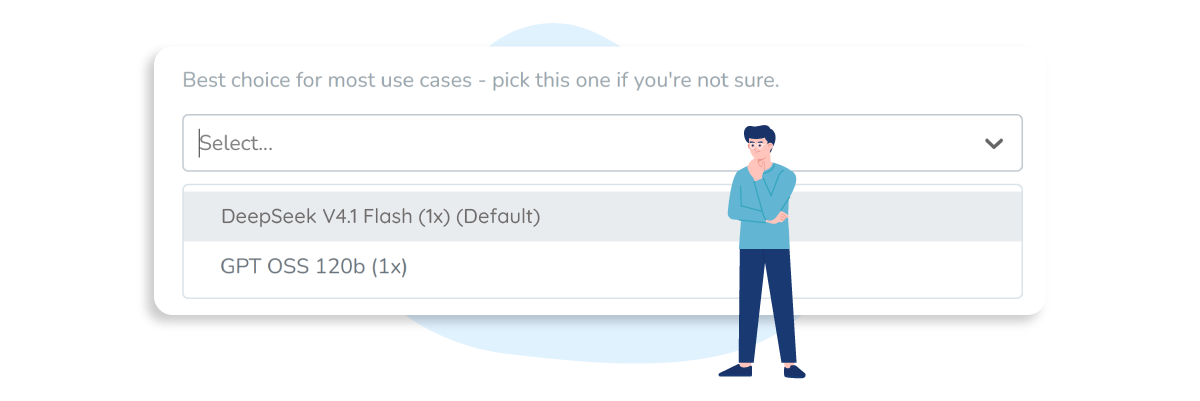
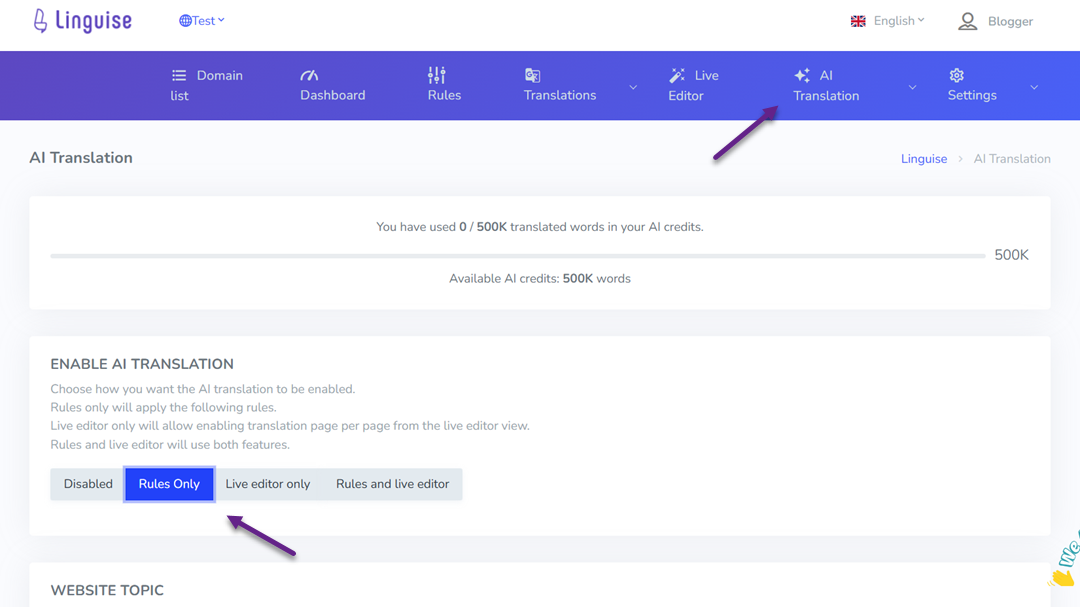
Choosing your preferred AI translation model in Linguise is simple. Start by opening your Linguise dashboard and selecting the domain where you want to configure the model. Since the setting is applied per domain, you can choose a different AI model for each website you manage.
From your selected domain, go to AI Translation, then click the Rules Only tab.
Then, below Website Topic, click the Show button.
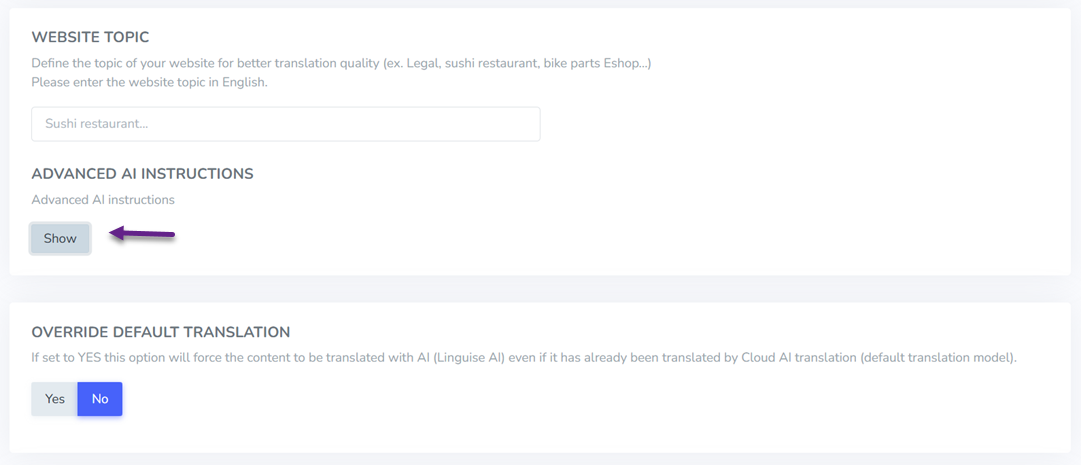
There, you’ll find the AI model dropdown with the two available options, DeepSeek v4.1 Flash (Recommended) and GPT-OSS-120b (Alternative). Select the model that best matches your website’s translation needs, click Save, and your choice will be used for subsequent translation requests on that domain.
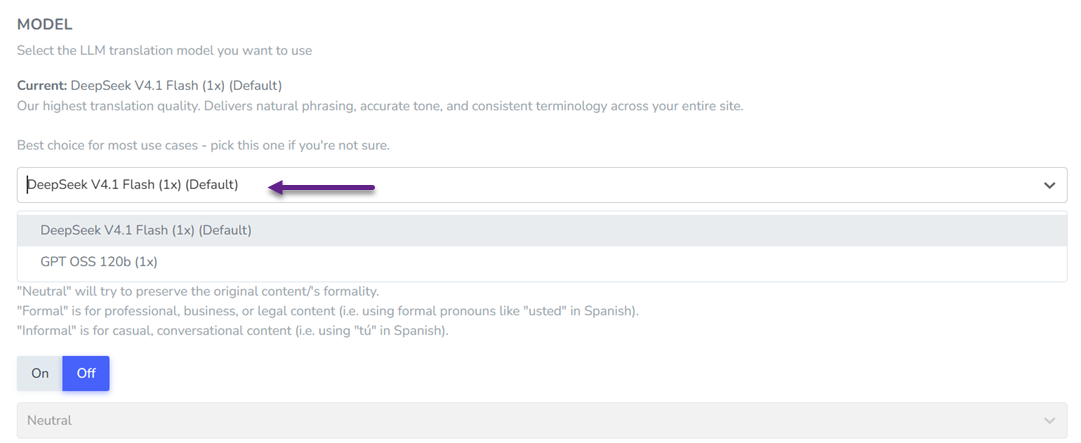
If you switch to another model later, your existing translations will remain unchanged. This section also includes additional translation controls, such as Formality, Sentence Structure, Content Purpose, and URL-specific settings.
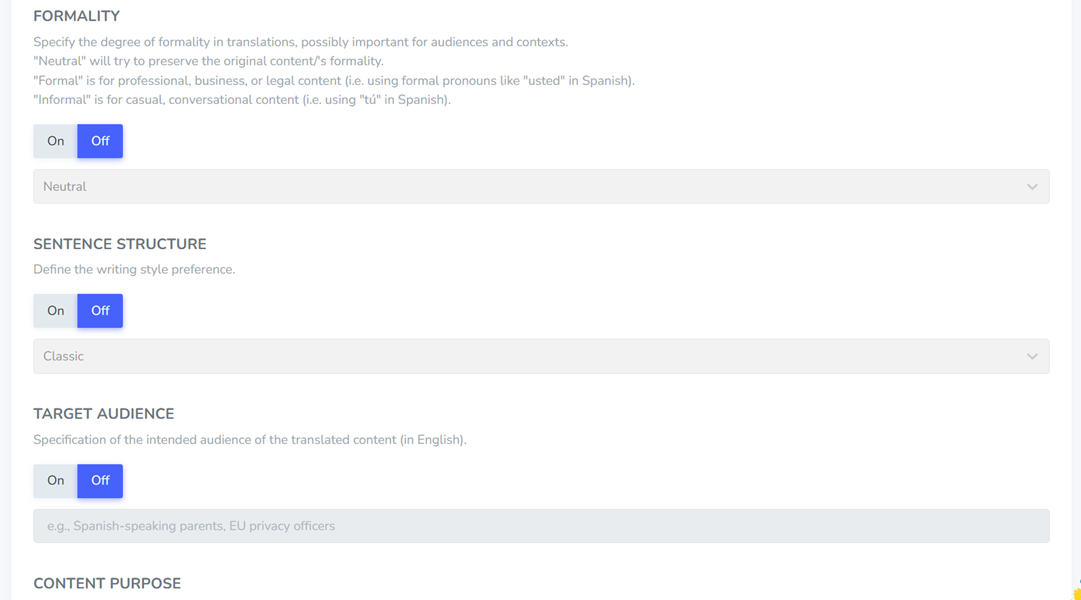
Only new content translated after the switch will use the newly selected AI model, giving you the flexibility to adjust your translation setup without affecting content that has already been translated.
Conclusion
Linguise’s new AI model selection gives you more flexibility over how new content is translated. You can now choose DeepSeek v4.1 Flash, the recommended option for most websites, or GPT-OSS-120b as an alternative for more straightforward translation needs. Because the setting is configured per domain, you can choose the model that best fits each website you manage.
Ready to choose your preferred AI translation model? Register for Linguise and start exploring the new model selection feature for your multilingual website.