

Finding the right products can be challenging for customers when a WooCommerce store has a large catalog. The best WooCommerce search & filter plugins can make product discovery easier by helping shoppers quickly find relevant products using search, categories, attributes, prices, and other filters.
In this guide, we’ll compare five popular WooCommerce search and filter plugins, including their key features, pros and cons, pricing, and ideal use cases. We’ll also cover how to translate search and filter results for multilingual stores, so read until the end to find the right solution for your store.
Key points: Best WooCommerce plugins for search and product filtering
Compare five WooCommerce search and filter plugins
Explore Searchanise, FiboSearch, FacetWP, Ajax Search Lite, and YITH WooCommerce Ajax Search / Product Filter to find the right solution for your product catalog.
Consider features, pricing, and compatibility
Compare each plugin’s search and filtering capabilities, free or premium options, and compatibility with your WooCommerce store, theme, and product data.
Translate your WooCommerce search and filters
Linguise provides automatic website translation to help translate search fields, filter labels, product attributes, and dynamic results for a consistent multilingual shopping experience.
How to choose a WooCommerce search and filter plugin

Choosing a WooCommerce search and filter plugin is not only about the number of features it offers. The right option should make it easier for customers to find products while fitting your store’s setup, design, performance needs, and target audience.
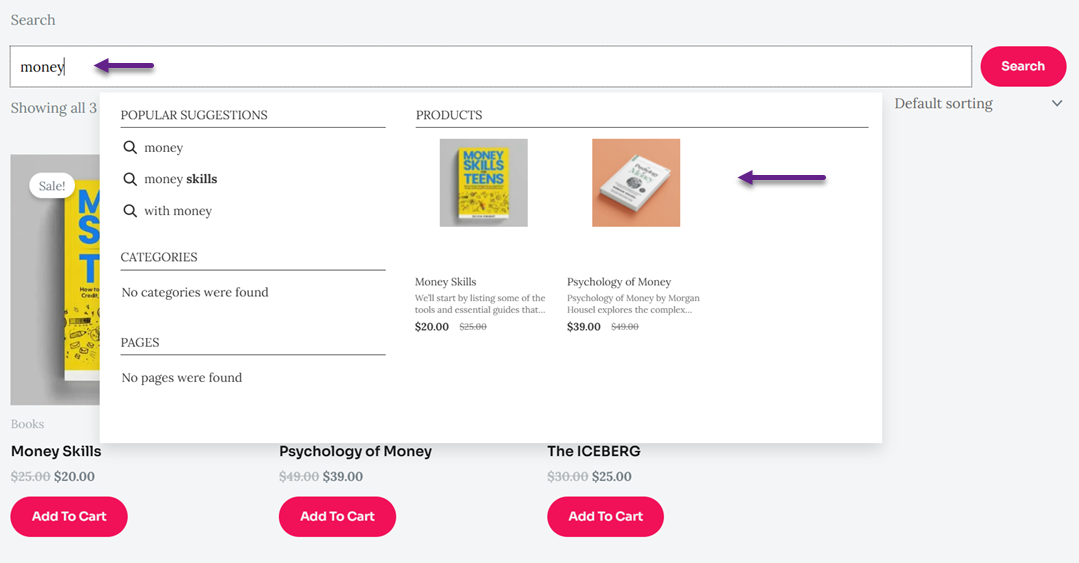
Before comparing individual plugins, consider these five factors to determine which solution is the best fit for your WooCommerce store
Search and filtering features
A good plugin should make it easy for shoppers to find the products they need. Look for features such as live search, autocomplete, product suggestions, category filters, product attributes, price ranges, tags, and SKU search. AJAX functionality is also useful because it can update search results or filters without requiring the entire page to reload.
The right features depend on the size and type of your product catalog. A store with hundreds or thousands of products may need more advanced filtering options, while a smaller store may only need basic category, price, and attribute filters. Make sure the plugin supports the search and filtering methods your customers are most likely to use.
WooCommerce compatibility
The plugin should work smoothly with WooCommerce and the way your store is configured. Check whether it supports important WooCommerce elements such as product categories, attributes, tags, variations, SKUs, and custom product data. Compatibility with your theme and other WooCommerce extensions is also important, especially if your store uses several plugins.
It is also worth checking how the plugin handles product updates and different catalog structures. A search or filter tool that works well with standard products may behave differently with variable products or custom taxonomies. Choosing a plugin designed specifically for WooCommerce can help reduce compatibility issues and keep product discovery working as your catalog grows.
Customization options
Search bars and filters should fit naturally into your store’s design. Look for plugins that let you customize elements such as the search bar, filter widgets, buttons, labels, colors, layouts, and result displays. Some plugins also provide different layouts or settings for placing filters on product pages, sidebars, or other areas of the store.
Customization is also useful for adapting the search experience to your product catalog. For example, a clothing store may want filters for size, color, and brand, while an electronics store may need filters for storage, screen size, or connectivity. Flexible customization allows you to show the most relevant options without making the interface unnecessarily complicated.
Performance and responsiveness
Search and filtering should be fast, particularly for stores with large product catalogs. Features such as Ajax search and filtering can update results without a full page reload, creating a smoother browsing experience. However, the plugin should still be able to handle your catalog size without noticeably slowing down search or product pages.
The interface should also work well across different devices. Customers may search and filter products from desktops, tablets, or smartphones, so controls need to remain easy to use on smaller screens. Before choosing a plugin, test its search and filter experience on both desktop and mobile devices and check how it affects your store’s overall performance.
Multilingual support
If your WooCommerce store serves customers who speak different languages, check whether the search and filter plugin works correctly with translated product content. Product names, categories, attributes, tags, and other searchable information may need to appear in the visitor’s selected language.
Dynamic search and filtering can make multilingual stores more challenging because results may be loaded after the page initially opens. Make sure your translation solution can handle dynamically generated content so that translated search results and filter options remain consistent with the language selected by the customer.
5 best WooCommerce search & filter plugins compared

WooCommerce search and filter plugins can improve product discovery by helping shoppers find relevant products faster. However, each plugin approaches search and filtering differently. Some focus on advanced product search, while others are designed primarily for faceted filtering or lightweight live search.
Below are five popular options to consider, covering their main features, advantages, limitations, and the types of WooCommerce stores they may suit best.
Searchanise
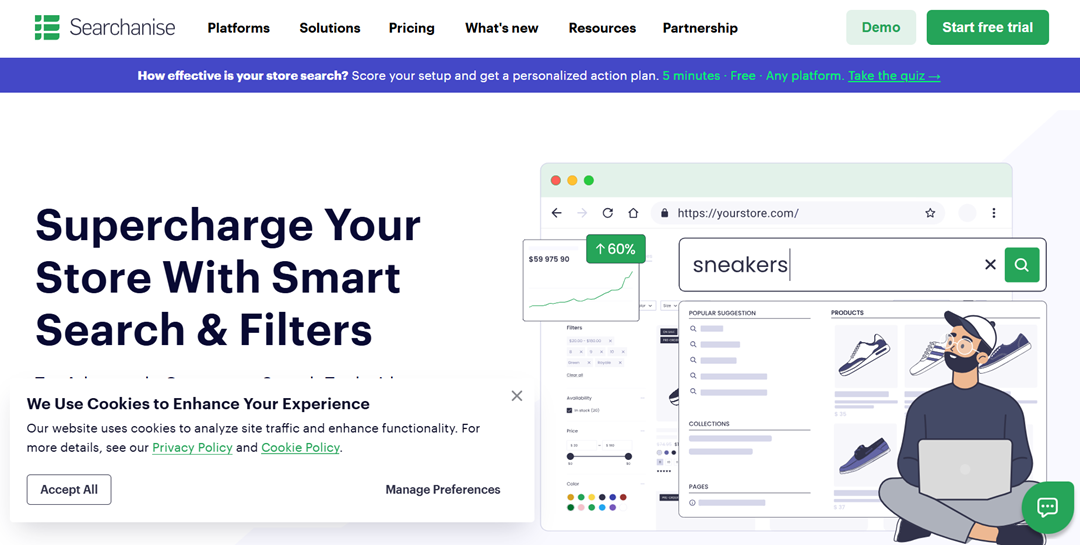
Searchanise is an e-commerce search and product discovery solution that provides both search and filtering features for WooCommerce. It focuses on helping shoppers find products through instant search, search suggestions, filters, and merchandising tools. It also includes features such as spell correction, synonyms, redirects, and product recommendations.
Its filtering system can help shoppers narrow down search results using different criteria, while merchandising tools allow store owners to control product visibility in search results. This makes it particularly relevant for stores with larger catalogs where product discovery is an important part of the shopping experience.
Pricing: Searchanise offers plans starting at $9.90/month, with annual billing available from $8.30/month. Plans scale based on the number of products, and a 14-day free trial is available.
Key features:
- Instant and full-text product search
- Search suggestions and autocomplete
- Product filters on search results
- Spell correction, synonyms, and stop words
- Product merchandising and recommendations
- Search analytics
Pros:
- Combines search, filtering, and merchandising in one solution
- Supports advanced search features for larger product catalogs
- Provides tools for improving product discovery
Cons:
- Advanced features may be more than a small store needs
- The number of features can require more configuration compared with a basic search plugin
Best for: WooCommerce stores that need advanced search, filtering, and product discovery features.
FiboSearch

FiboSearch is a WooCommerce-focused product search plugin built around Ajax autocomplete and fast product discovery. It can display product information such as images, prices, and SKUs directly in search suggestions. Its search engine can also work with product descriptions, categories, tags, attributes, and other data depending on the configuration and plan.
For stores where customers frequently search for specific products or SKUs, FiboSearch provides several useful search options. Its Pro features also include fuzzy search and synonyms, which can help handle typos and different terms that customers may use for the same product.
Pricing: FiboSearch has a free version, while Pro plans start at $59 for the first year for one site and up to 10,000 products. Higher plans are available for multiple sites and larger catalogs.
Key features:
- Ajax autocomplete search
- Product images, prices, and SKU information in suggestions
- Search by product title, description, short description, and SKU
- Fuzzy search for common typing errors
- Synonyms
- Search by attributes, categories, tags, and custom fields in Pro
Pros:
- Designed specifically for WooCommerce product search
- Provides detailed product information in live search results
- Includes advanced options for improving search relevance
Cons:
- Some advanced search capabilities require Pro
- Primarily focused on search rather than being a complete faceted filtering solution
Best for: WooCommerce stores looking for a fast, product-focused Ajax search experience.
FacetWP
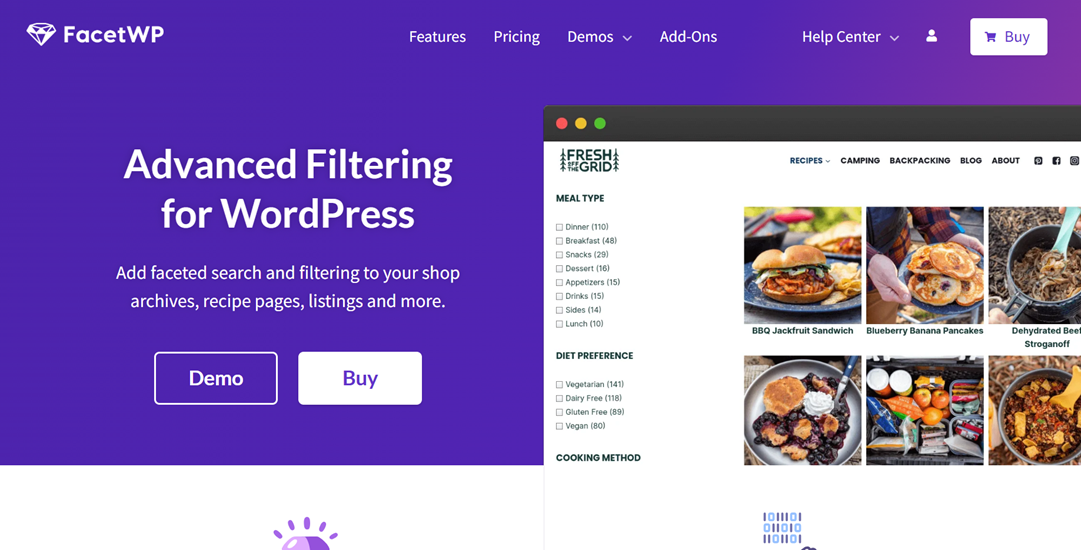
FacetWP is primarily a faceted filtering plugin that dynamically updates listings based on the filters selected by visitors. It uses Ajax, so customers can refine results without refreshing the entire page. It also supports different facet types, including checkboxes, dropdowns, and sliders.
For WooCommerce stores, FacetWP can use product data such as prices, ratings, stock status, product types, categories, tags, and attributes as filtering sources. It also supports variable products, making it suitable for catalogs where customers need to narrow products using multiple attributes.
Pricing: FacetWP plans start at $99/year for 1–3 websites. Professional, Agency, and Enterprise plans cost $249, $349, and $499 per year, respectively.
Key features:
- AJAX-based faceted filtering
- Multiple facet types
- Filters based on WooCommerce product data
- Support for product attributes and variable products
- Custom fields and taxonomies
- Shortcodes and developer hooks for customization
Pros:
- Highly flexible filtering system
- Works with custom fields and taxonomies
- Suitable for complex product catalogs
- Filtering updates without full page refreshes
Cons:
- More focused on filtering than traditional product search
- Advanced configurations may require more technical knowledge
- Requires a listing template for facets to work
Best for: WooCommerce stores that need advanced and highly customizable product filtering.
Ajax Search Lite
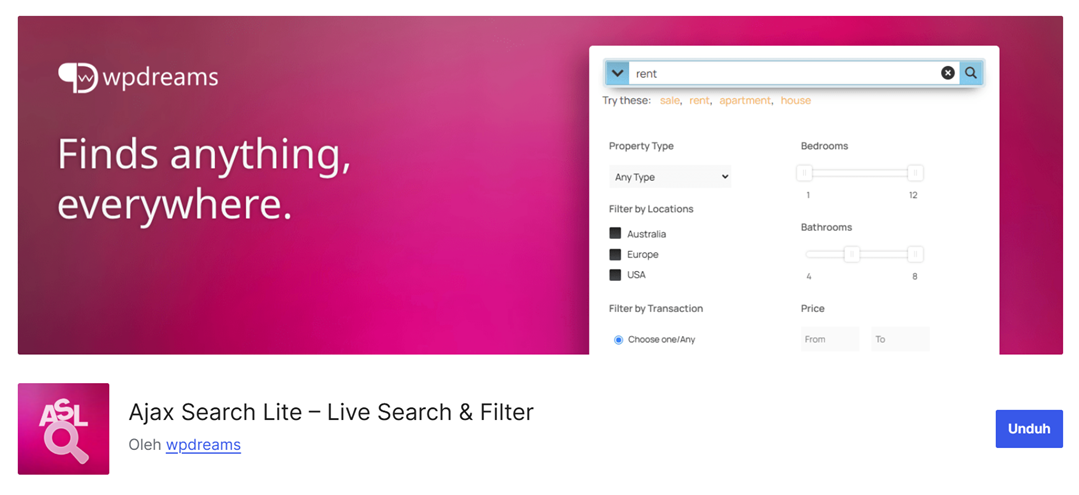
Ajax Search Lite is a live search plugin for WordPress that can also search WooCommerce products. It provides Ajax-powered search results and supports searches across product titles, descriptions, categories, tags, and custom fields. It also includes filter boxes and options for customizing the search interface.
The plugin is also designed to work with translation plugins. Its free version provides a range of search and performance features, while the Pro version adds more advanced WooCommerce search and filtering options, including additional filter types and search configurations.
Pricing: Ajax Search Lite is free with no time or usage limits. The Pro version starts at €39/year, while lifetime licenses start at €99 for one site.
Key features:
- AJAX live search
- WooCommerce product search
- Search across titles, descriptions, categories, tags, and custom fields
- Category and post-type filters
- Search caching
- Responsive search interface
- Multilingual plugin compatibility
Pros:
- Provides a broad set of search features
- Supports WooCommerce products and other WordPress content
- Offers many customization and filtering options
- Does not require a monthly subscription for the plugin itself
Cons:
- The large number of settings can make configuration more complex
- Some advanced WooCommerce filtering features are available only in Pro
Best for: WooCommerce stores looking for a customizable live-search solution that can also search other WordPress content.
YITH WooCommerce Ajax Search / Product Filter
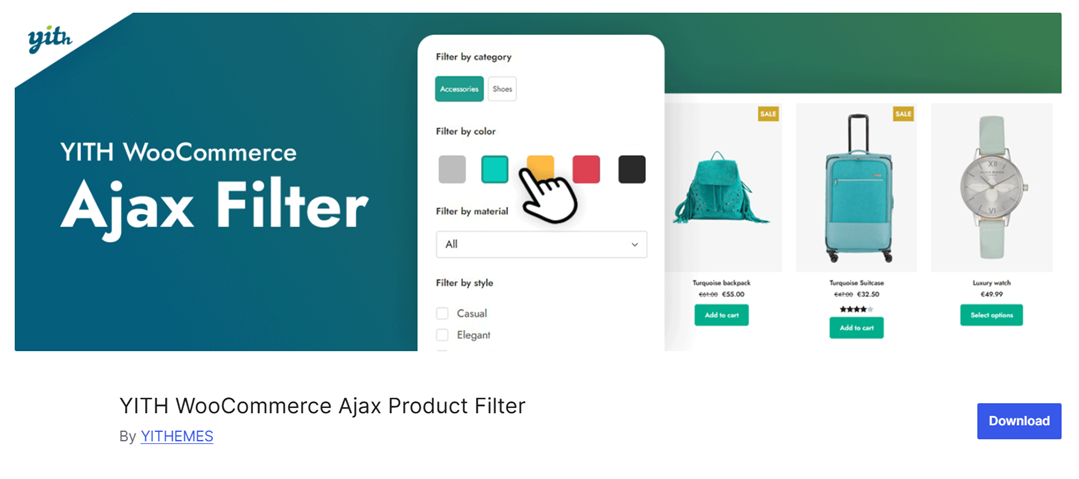
YITH provides separate plugins for Ajax product search and Ajax product filtering, allowing WooCommerce stores to add live product search and advanced filtering to their catalogs. The Ajax Search plugin lets customers find products by entering a few characters, while the Product Filter plugin provides filters for narrowing down product listings.
The Product Filter plugin supports WooCommerce attributes and other filtering criteria, with options such as multiple selections and adaptive filtering. It can also be used on standard WooCommerce shop pages and custom pages through shortcodes or Gutenberg blocks.
Pricing: YITH WooCommerce Ajax Search and YITH WooCommerce Ajax Product Filter both offer free versions, while their premium versions cost approximately $79.99/year per plugin. Premium licenses include one year of updates and support.
Key features:
- AJAX product search
- Product filtering by attributes and other criteria
- Price, size, color, tag, and category filtering
- Multiple filter selections
- Adaptive filtering
- Shortcodes and Gutenberg blocks
Pros:
- Provides both dedicated search and filtering solutions
- Supports a variety of WooCommerce product filters
- Offers flexible placement through widgets, shortcodes, and blocks
- Suitable for stores already using WooCommerce extensively
Cons:
- Search and filtering are handled through separate YITH plugins
- Advanced filtering configurations may require additional setup
Best for: WooCommerce stores that need dedicated Ajax search and flexible product filtering options
After looking at each plugin in detail, the table below summarizes their main focus, pricing, and key strengths to make it easier to compare the options at a glance.
Plugin | Primary Focus | Free Plan Available | Starting Price | Key Strengths |
Searchanise | Search & product discovery | No | $9.90/month | AI-powered search, autocomplete, filters, merchandising |
FiboSearch | WooCommerce product search | Yes | $59/year | Ajax search, autocomplete, fuzzy search, synonyms |
FacetWP | Advanced product filtering | No | $99/year | Faceted filtering, custom fields, taxonomies, Ajax |
Ajax Search Lite | Live search | Yes | Free | Ajax search, WooCommerce support, customization |
YITH WooCommerce Ajax Search / Product Filter | Search & product filtering | Yes | Free | Ajax search, product filters, attributes, adaptive filtering |
How to translate WooCommerce search and filter results

Translating a WooCommerce store also means making sure its search and filter results work correctly across languages. Product names, categories, attributes, and other filter options should remain consistent with the language selected by the visitor. This is especially important for Ajax-based search and filtering, where results are loaded dynamically without refreshing the page.
Linguise provides translation for search and filter results, helping multilingual shoppers search for products and apply filters in their selected language.
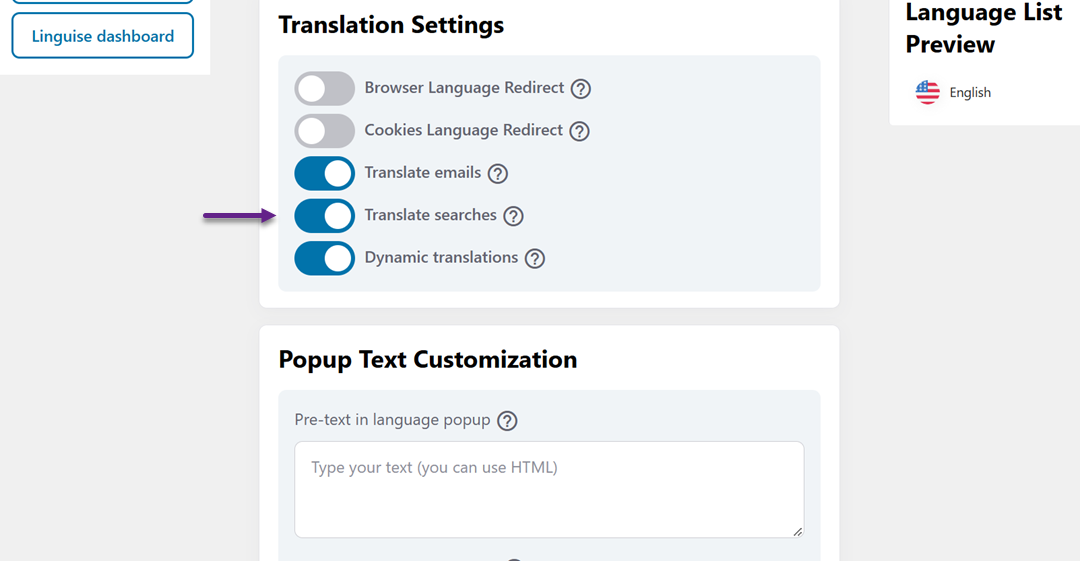
It also supports several popular WooCommerce search and filter plugins, including FacetWP, Ajax Search Lite, Searchanise, and FiboSearch. For example, Linguise supports automatic language adaptation for FacetWP filters, keeps users on the translated page after searching with Ajax Search Lite, supports Searchanise’s native autocomplete, and allows FiboSearch product searches to work on translated pages.
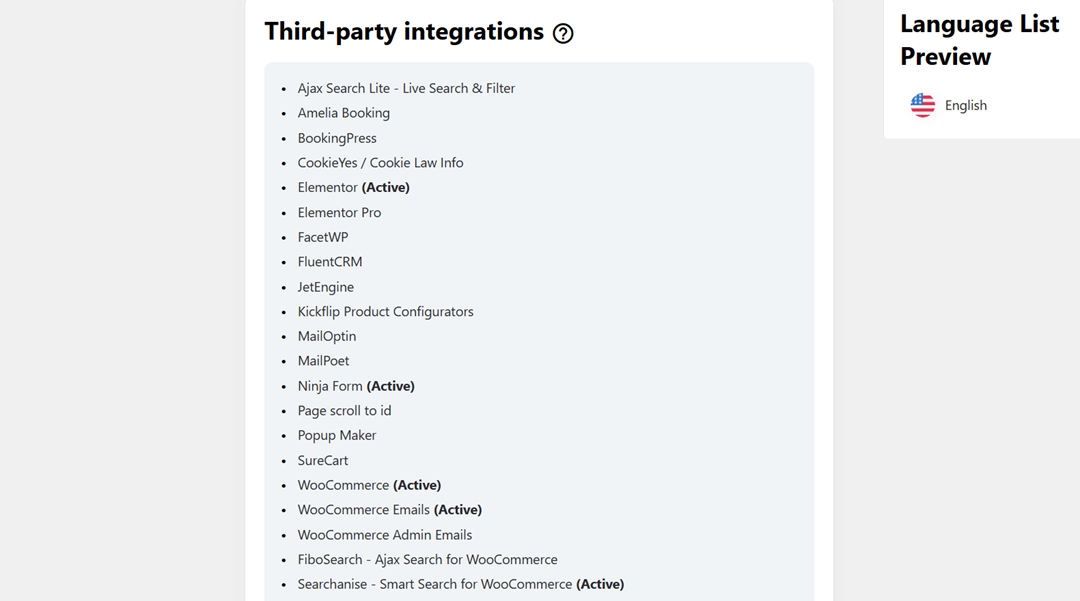
This means store owners can combine their preferred WooCommerce search or filtering plugin with Linguise while keeping dynamically loaded results aligned with the selected language. The result is a more consistent search experience for customers browsing a multilingual store.
Which WooCommerce plugin should you choose?

The right WooCommerce search and filter plugin depends on what your store needs most. Consider whether your priority is advanced search, flexible filtering, customization, or a multilingual shopping experience.
Best for advanced search
Searchanise is a suitable option for stores that want more than basic product search. It combines instant search, autocomplete, filtering, search relevance tools, and product discovery features, making it useful for stores with large or frequently updated catalogs.
FiboSearch is another option for stores that mainly need a fast, WooCommerce-focused search experience. Its Ajax search can display product details such as images, prices, and SKUs as customers type, while features such as fuzzy search and synonyms can help customers find relevant products even when their queries are not exact.
Best for product filtering
FacetWP is designed around faceted filtering, making it a strong fit for stores with complex product catalogs. It supports different filter types and can use WooCommerce attributes, categories, prices, taxonomies, and custom fields to help shoppers narrow down products.
YITH WooCommerce Ajax Product Filter is another option for stores that need common product filtering features. It supports filters such as categories, attributes, tags, colors, sizes, and prices, with options for multiple selections and adaptive filtering.
Best for customization
FacetWP offers extensive customization for stores that need control over how filters work and where they appear. Its support for custom fields, taxonomies, different facet types, shortcodes, and developer hooks gives store owners more flexibility when creating a tailored filtering experience.
Ajax Search Lite also provides a range of settings for adjusting the search interface and deciding which WordPress content should be searchable. This makes it useful for stores that want to customize their live search while also searching content beyond WooCommerce products.
Best for multilingual stores
For a multilingual WooCommerce store, the important consideration is whether the search and filtering experience continues to work on translated pages. Plugins such as Searchanise, FiboSearch, FacetWP, and Ajax Search Lite can be used with Linguise to translate dynamically loaded search and filter results.
Linguise supports these integrations so customers can search for products and use filters while browsing the store in their selected language. The specific setup can vary depending on the plugin, but the goal is the same: keep search results, filter options, and the surrounding WooCommerce experience consistent across languages.
Conclusion
WooCommerce search & filter plugins can make product discovery faster and easier, especially for stores with large or diverse product catalogs. Searchanise, FiboSearch, FacetWP, Ajax Search Lite, and YITH WooCommerce Ajax Search / Product Filter each offer different features for search, filtering, customization, and performance, so the right choice depends on your store’s specific needs.
For multilingual stores, it is also important to make sure search and filter results remain available in the visitor’s selected language, including dynamically loaded content. Try Linguise to help you translate WooCommerce search and filter results alongside supported plugins, providing a more consistent multilingual shopping experience.