
Translate invoice PDF documents automatically to provide a consistent multilingual experience throughout your WooCommerce store. While translating product pages and checkout is essential, post-purchase documents like invoices and packing slips should also match the language customers selected during their shopping journey. That’s why Linguise now supports PDF Invoices & Packing Slips for WooCommerce, making multilingual order documents easier than ever.
With this new integration, WooCommerce stores can generate translated PDF invoices directly from the WordPress admin, with no manual work. By combining Linguise with the PDF Invoices & Packing Slips for WooCommerce plugin, every generated invoice can automatically reflect the customer’s language, helping businesses deliver a more professional and localized post-purchase experience.
Key points: Translate WooCommerce PDF invoices with Linguise
Importance of PDF invoice translation
Translated PDF invoices help customers understand billing details more easily while creating a consistent multilingual post-purchase experience.
Linguise now supports PDF invoices
Linguise now supports PDF Invoices & Packing Slips for WooCommerce, automatically translating invoices based on the customer's selected language.
Easy PDF invoice translation
Install the supported plugin, enable Email Translation in Linguise, and generate translated PDF invoices directly from WooCommerce.
Why translate WooCommerce PDF invoices?

For international WooCommerce stores, translating invoices is just as important as translating the storefront itself. While customers may browse products in their native language, receiving an invoice in a different language can create confusion about purchased items, billing information, or tax details. Providing invoices in the same language helps customers understand their purchases more easily and reinforces a professional brand image.
Automating invoice translation also reduces manual work for store owners. Instead of creating separate invoice templates or editing PDFs for different markets, Linguise automatically generates invoice content in the correct language. This creates a seamless multilingual workflow across your website, emails, and downloadable documents.
How to translate WooCommerce PDF invoices with Linguise

Linguise now supports automatic translation for PDF Invoices & Packing Slips for WooCommerce, allowing translated invoices to be generated directly from your WooCommerce dashboard. Once the required plugins are installed and email translation is enabled, Linguise detects the language used during checkout and applies it when generating PDF invoices. Below is the complete setup process.
Install the required plugins
Start by installing PDF Invoices & Packing Slips for WooCommerce, along with PDF Invoices & Packing Slips for WooCommerce Professional if you use the premium features.
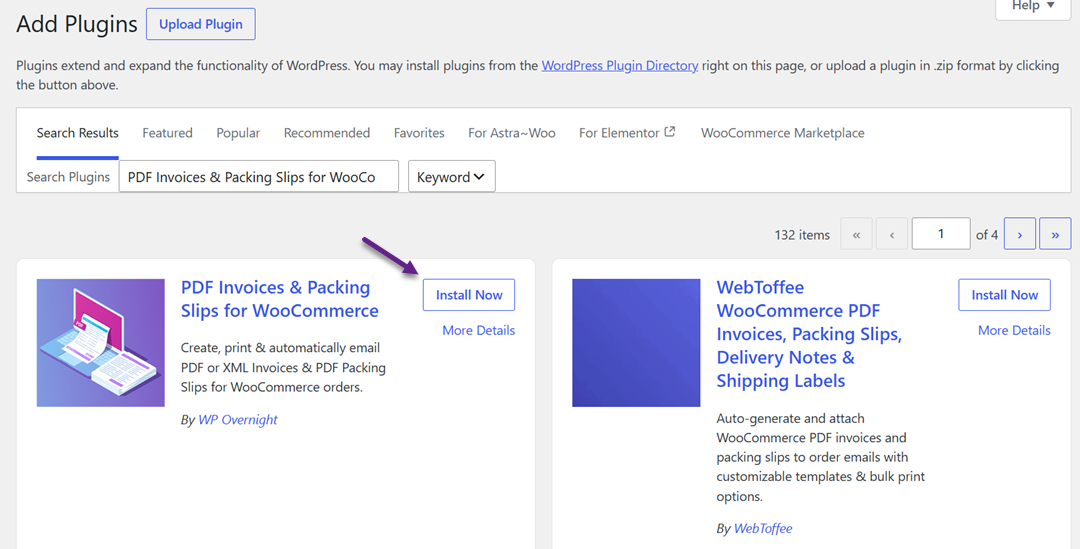
Then, update the Linguise WordPress plugin on your WooCommerce website.
After completing the installation, make sure the PDF Invoices integration is enabled in Linguise. This allows Linguise to recognize invoice generation requests and prepare translated content before the PDF is created.
Enable email translation in Linguise
To translate emails and WooCommerce PDF invoices automatically, navigate to the Linguise settings in your WordPress dashboard and enable the Email Translation feature. This feature allows Linguise to translate transactional emails and supports multilingual documents generated by a compatible WooCommerce plugin.
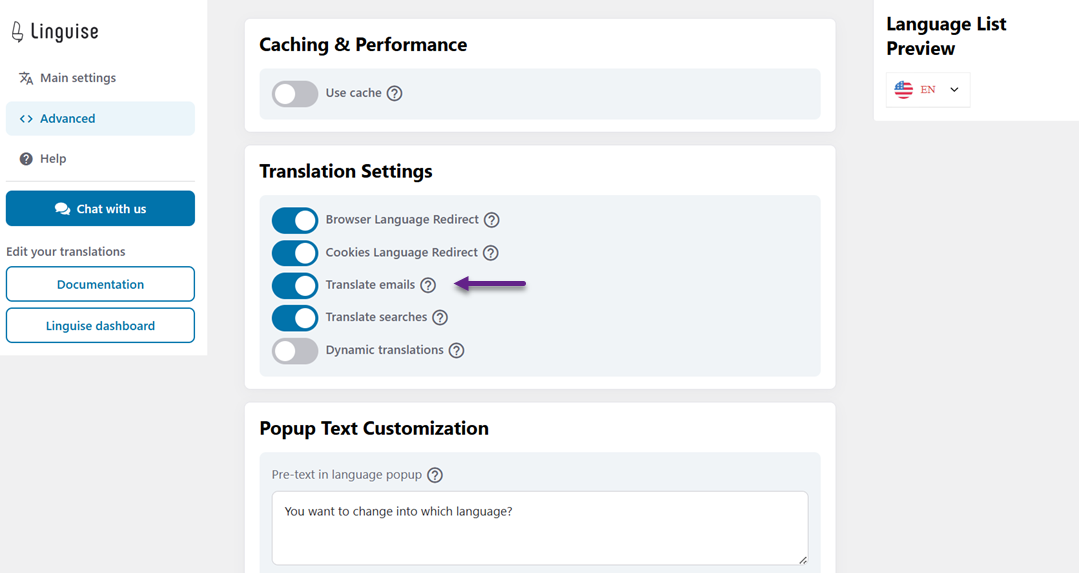
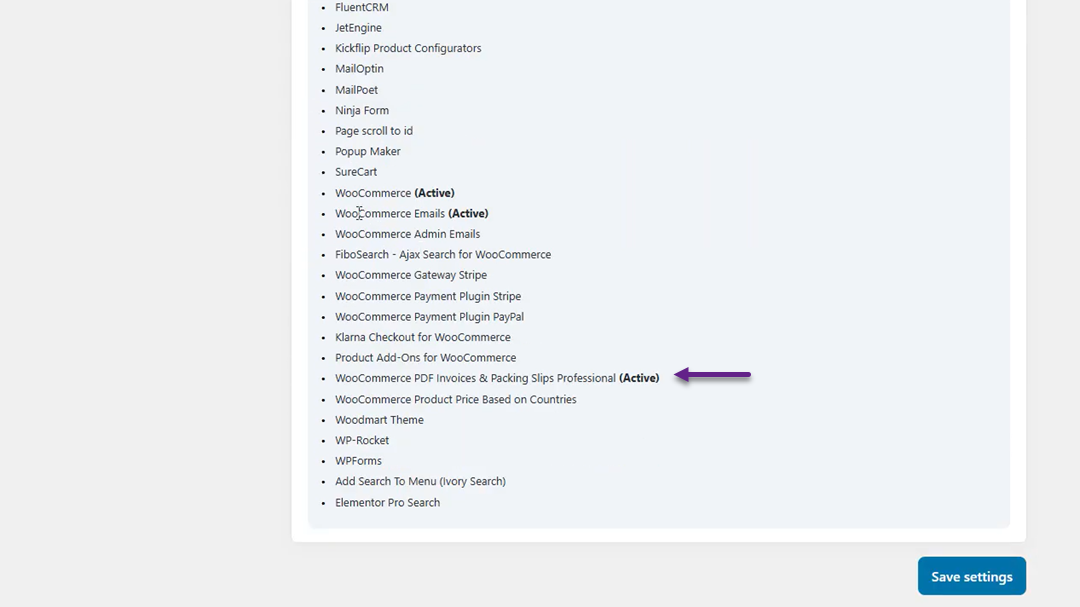
Once enabled, verify that the PDF Invoices integration is marked as Active. This confirms that Linguise is ready to translate invoice content whenever a PDF invoice is generated from WooCommerce.
Create an order in a translated language
Open your WooCommerce storefront using one of your translated languages, for example, Indonesian. Complete a new order while browsing the website in that language so Linguise can associate the order with the selected locale.
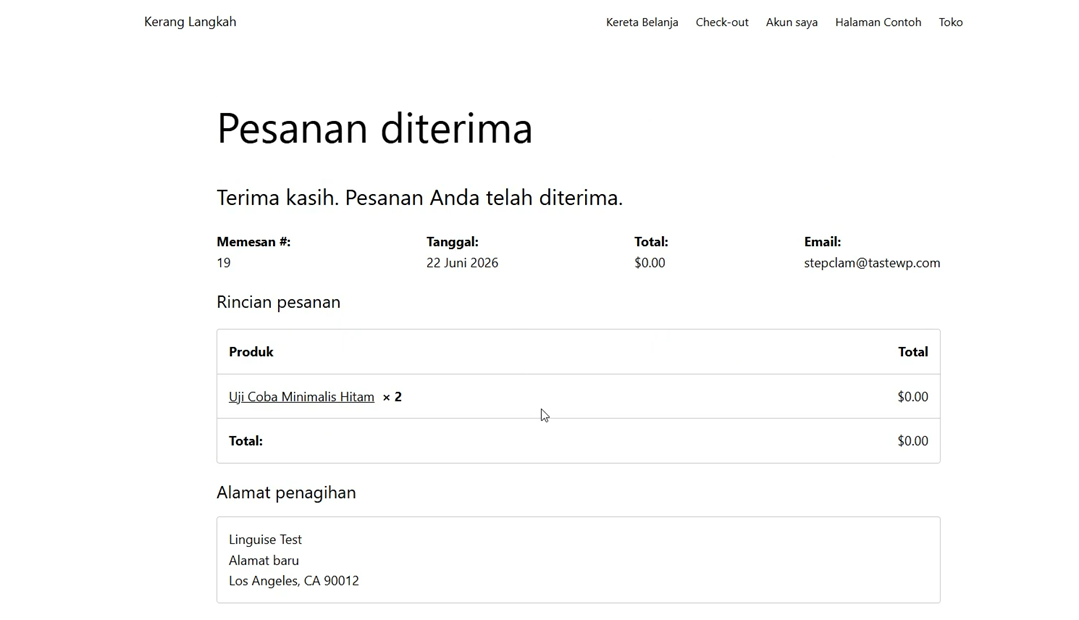
Using a translated storefront is important because Linguise uses the customer’s browsing language to determine which language to apply to the invoice. This ensures the generated PDF matches the customer’s shopping experience.
Generate the PDF invoice
After the order has been created, go to WP Admin > WooCommerce > Orders and open the corresponding order.
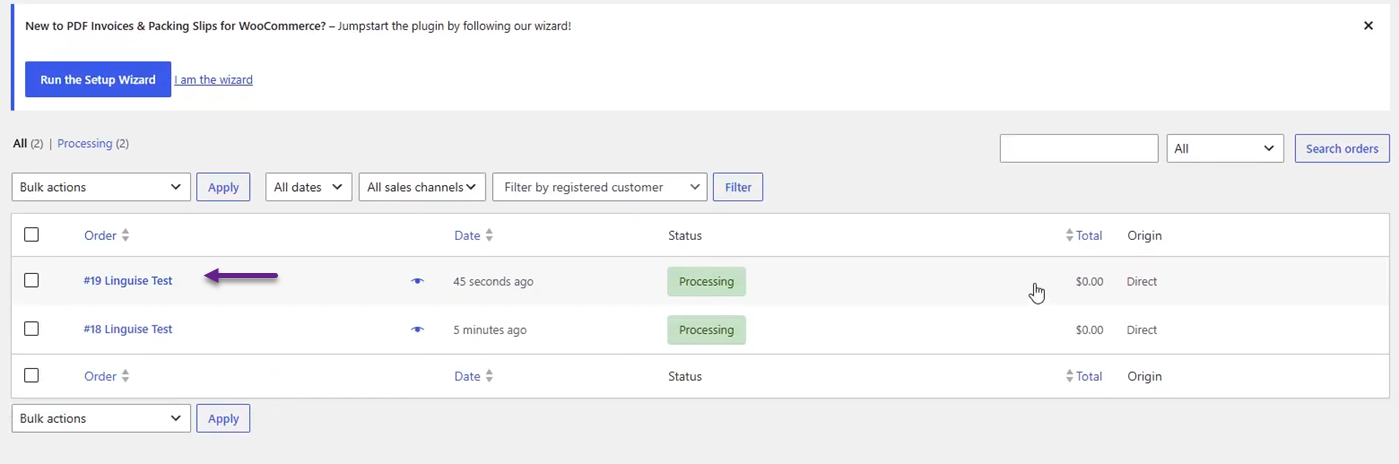
Generate the PDF invoice using the PDF Invoices & Packing Slips for WooCommerce plugin as you normally would.
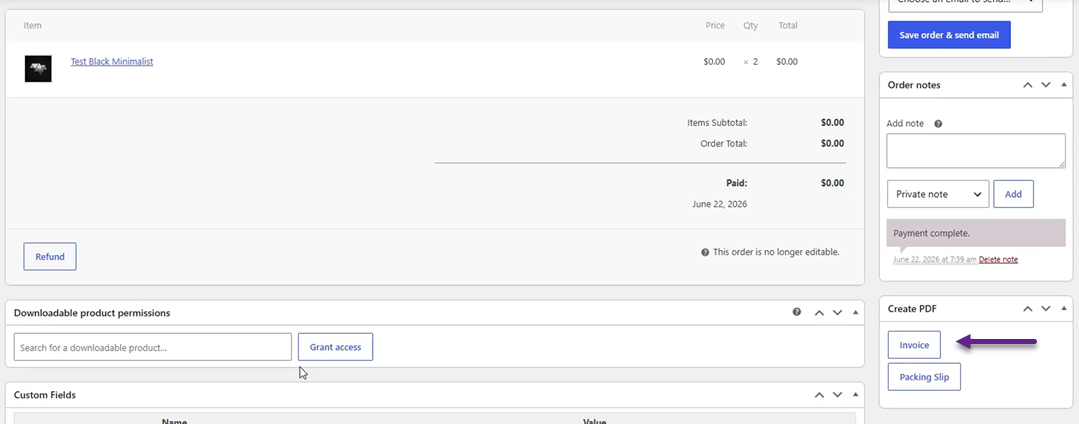
During PDF generation, Linguise automatically detects the order’s language and translates the invoice content before the PDF is produced. No additional configuration or manual translation is required.
Verify the translation
Open the generated PDF invoice and review the translated content. The invoice should display labels, customer information, order details, and other supported text in the same language used when placing the order.
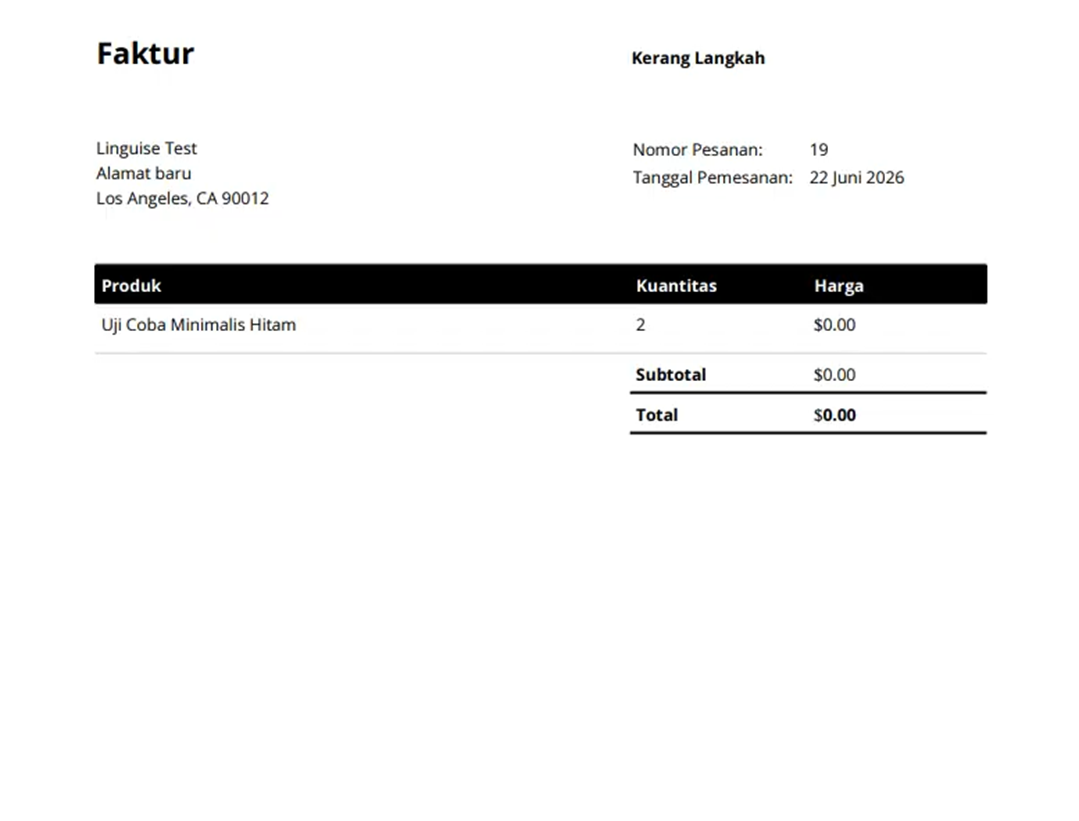
Testing confirms that the integration works as expected. All test scenarios passed successfully, and the PDF invoices generated were translated correctly without affecting the document layout or the invoice generation process.
Conclusion
Translate invoice PDF files automatically to complete the multilingual experience for your WooCommerce store. With support for PDF Invoices & Packing Slips for WooCommerce, Linguise ensures that invoices are generated in the same language customers use while browsing and purchasing, creating a more consistent and professional post-purchase journey without requiring manual translation.
Whether you run a local or international WooCommerce business, this integration streamlines multilingual document generation and reduces administrative effort. Update your Linguise WordPress plugin to the latest version to automatically translate WooCommerce PDF invoices and deliver a seamless experience from storefront to invoice.