






MODX CMF multilingual and automatic translation
Translate your MODX based website instantly with our automatic, cloud AI translation service
MODX CMF light and fast translation
Looking for an efficient and SEO-friendly multilingual solution for your MODX website? Look no further than Linguise! Our translation script is optimized to have a small impact on performance, while still providing a seamless multilingual experience for your users.
Unlike traditional systems, Linguise doesn’t store multiple copies of your website’s content in different languages, avoiding the unnecessary duplication of data in your local database. Instead, we use a remote cache system that minimizes the load on your server and improves page load times. Try Linguise today and take your MODX website to the next level!
This is as fast as your PHP CMS default multilingual system (if any) and there are many other optimizations.
How to translate a MODX website automatically with our script
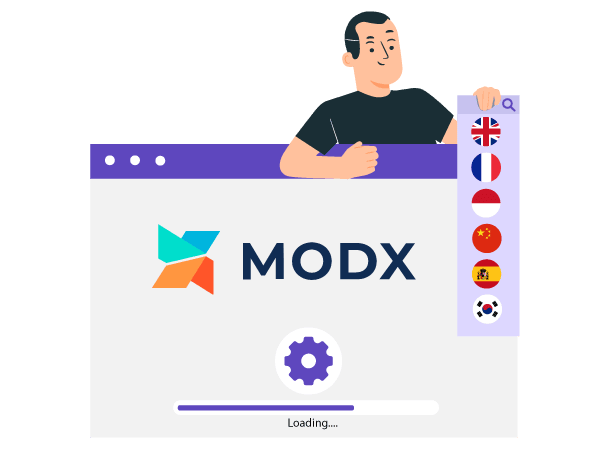
Easy to install, works on MODX + Apache, LiteSpeed, NginX, IIS
The Linguise automatic translation system is straightforward to setup and no MODX modification is required. You just need to upload the script and visually select the translation features you need to activate and the language settings. That’s it, 100% of your website is already translated into many languages.
Are you ready to rock your MODX SEO?
Say goodbye to the hassle of manually creating and updating content in multiple languages. With Linguise, you can effortlessly translate your website’s pages, including menus, content widgets, footers, and more, into 20 languages. That’s 200 new indexed pages, all instantly updated and fully indexed, complete with translated URLs and alternate links.
Our script is designed with SEO in mind, ensuring that your multilingual content is optimized for search engines. You’ll have peace of mind knowing that important SEO features like meta translation and alternate URLs are covered, regardless of your MODX configuration. Plus, Linguise is compatible with all 3rd party dynamic scripts, including forums, image galleries, and more.
A flexible language switcher with visual configuration
Once your website translation is activated, you’ll need to display a language switcher with flags and language names. Our PHP and JS automatic translation script offers various integration designs. Depending on your language requirements, the front-end language switcher can be displayed as a pop-up, drop-down, or as a side-by-side.
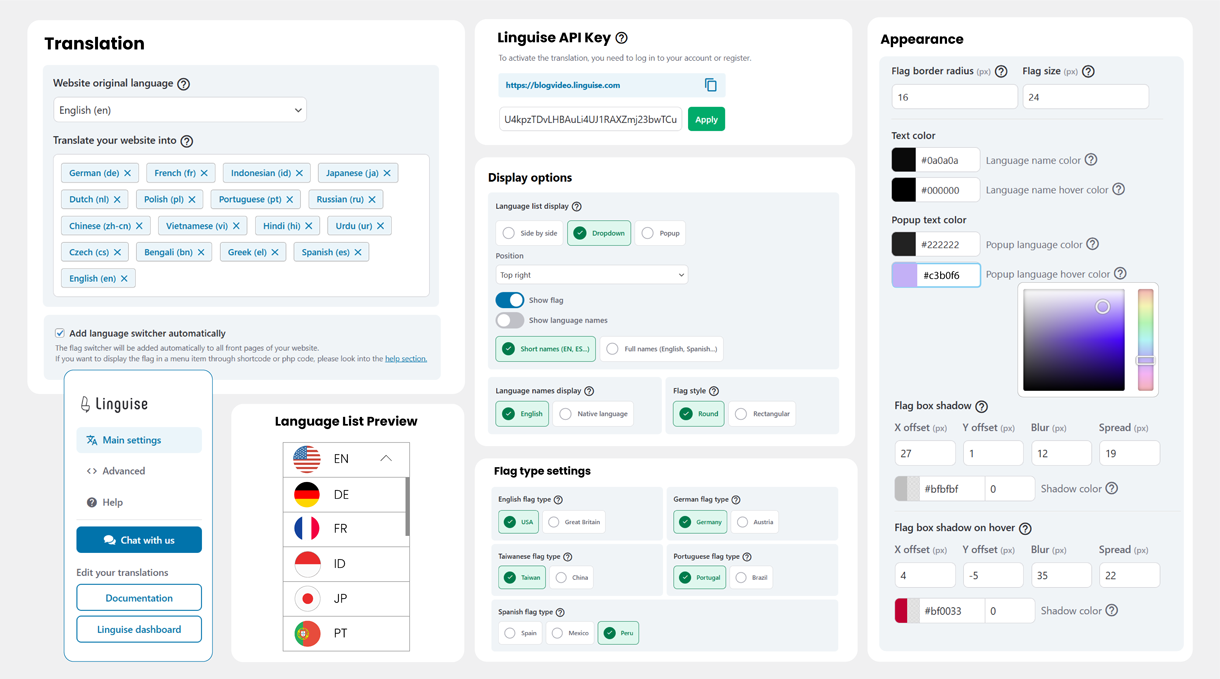
But also very advanced features for a better website integration
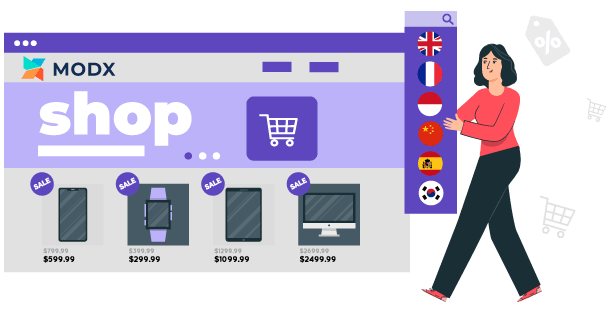
MODX Extra eCommerce translation
The automatic translations are powered by Google Cloud Translation AI and support over 85 languages. Many MODX-based eCommerce sites worldwide already use these translation extras to effortlessly maintain up-to-date product content in multiple languages.
Linguise translation for MODX takes the headache out of managing multilingual eCommerce content. Products can be updated in one language, and MODX handles translating and publishing the changes across all languages. This keeps translated product pages in sync, improving SEO and the user experience.

Cloud AI translation or Linguise AI model for MODX
Linguise enhances its MODX automatic translation capabilities with the launch of Linguise AI Translation—a powerful new solution powered by advanced AI LLMs (Large Language Models) optimized for high-quality translations.
This innovation gives MODX website owners, developers, and web agencies access to an even higher tier of translation quality for sites where accuracy is critical. Linguise AI Translation integrates seamlessly with the existing Google Cloud AI translation in the MODX extra, offering you more flexibility and precision for multilingual MODX projects.
Translate MODX Extras features
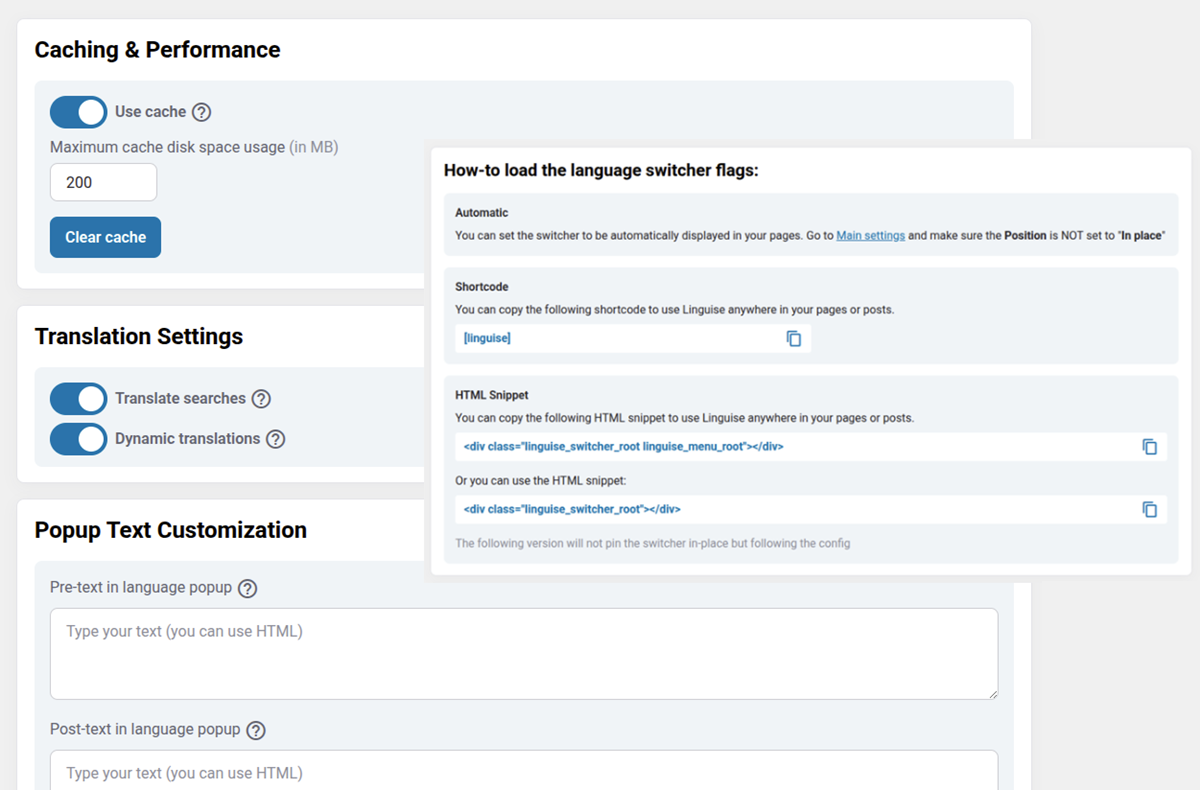
When it comes to online translations, there are many elements to translate, such as the page blocks, headers, menus and footers. Linguise’s MODX automatic translation handles all these elements in one action, which means you don’t need to open them one by one in your CMS admin.
Furthermore, if you are already using another translation system, let’s say for one language, you can add Linguise over it temporarily without any conflict.
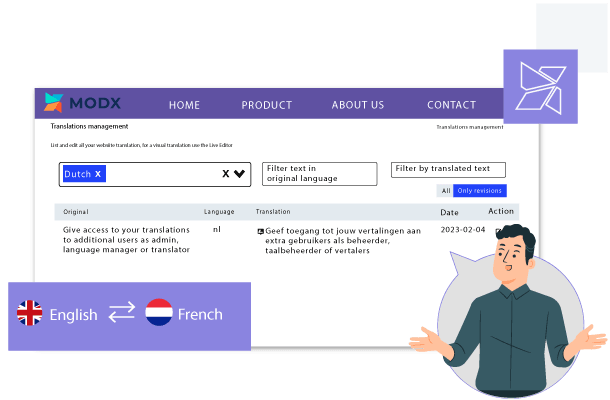
Editable by human translators from the MODX frontend
While Linguise provides automated neural machine translations, a human touch can perfect the results. Experts recommend having a professional translator review 10% of translated content for maximum accuracy.
Linguise simplifies this process. Built-in translation exclusion and replacement rules let you refine translations globally. The user-friendly front-end translation editor makes on-site edits easy. Select any text and edit it with a click.
Combining Linguise’s AI translations with targeted professional review achieves natural, nuanced translations.
Dynamic translation for MODX CMS
When building a multilingual website with MODX CMS, it’s important to consider that your content will need to be translated into multiple languages.
Linguise is a powerful translation plugin for MODX CMS that enables dynamic content translation, such as AJAX for your multilingual website. With Linguise, you can seamlessly integrate translation functionality into your MODX CMS application, allowing your users to access your content in their preferred language.
Large MODX website translations, with no limits
The automatic translation for MODX can be used with a large amount of content and many languages. We have a membership plan that offers unlimited translations for all your website pages in all languages, and because we have a large volume of usage, it’s the most affordable on the market.
Other features of the MODX automatic translation management system
AMP multilingual pages
Content search engine
Fast pages loading time
XML sitemap translation
Inline content translation
We install it on your website for you
FAQ about the MODX CMF translation integration
Installation is straightforward and requires no MODX core modifications. You upload the linguise folder to your MODX root directory, add the Linguise rewrite rules to your .htaccess file to handle language subdirectories, and paste the Linguise JS script link into your BaseTemplate head code via MODX Manager > Elements > BaseTemplate. The entire setup takes under 10 minutes and works on Apache, LiteSpeed, Nginx, and IIS servers.
Yes, Linguise is fully compatible with both MODX 2.x and MODX 3.x. Unlike legacy MODX multilingual extras such as Lingua or MigxMultilang that face compatibility issues on MODX 3, Linguise works independently of the MODX package system as a PHP script overlay. This makes it the most reliable multilingual solution for sites upgrading to MODX 3.
Absolutely. Linguise is designed with SEO as a priority. It generates dedicated URLs per language, translates all metadata (page titles and descriptions), creates multilingual XML sitemaps, and adds hreflang alternate links to your HTML headers automatically. This ensures search engines fully index your translated pages, giving you up to 85x more indexed content for international rankings.
Yes, Linguise translates all content rendered on your site, including MODX eCommerce Extras, product descriptions, and third-party add-ons like forums or image galleries. It supports real-time dynamic translation of AJAX-loaded content, meaning any element that appears on the page after initial load—such as search results or filterable product listings—is translated instantly.
Yes, you have full control. The “Live Editor” lets you select any text element directly on your live MODX site and edit the translation with a single click. You can also set global replacement rules in the Linguise dashboard to refine specific terms or exclude brand names and technical strings from translation across the entire site.
Pricing is based on the number of translated words, starting at $15 per month (or $165/year) for up to 200,000 words. All plans include unlimited languages, unlimited page views, and access to both Google Cloud AI Translation and the Linguise AI LLM model for higher translation quality. A one-month free trial is available to test the integration on your MODX project.