







Automatic multilingual translation extension for Moodle LMS
Instantly translate your Moodle learning management system (LMS) content using our automatic, cloud-based AI translation service
Translate instantly your Moodle courses
Maintaining a multilingual Moodle website is challenging, especially with frequent courses content updates. No need to worry, now our translation plugin is designed to handle the translation automatically once published. Each translated course page, equipped with unique URLs and language tags, is SEO-friendly and updated in real-time, in all languages.

How to translate a Moodle website automatically with our script

All Moodle translations in a single place
Linguise simplifies multilingual website management for Moodle. It translates your site into over 85+ languages, including menus, modules, and footers… while keeping all translated in a centralized place. It means that your Moodle admin will remain clean, and you’ll find all the translation on your Linguise dashboard. Furthermore, it’s also possible to edit all translation from Moodle with just a click and edit (more info below).
Are you ready to rock your Moodle LMS SEO?
Here to help you translate all your pages without any hesitation. Linguise helps you easily translate your Moodle’s public pages, including elements such as menus, widgets and footers, into 20 different languages. Our extension is designed with SEO best practices in mind, so you don’t have to worry about configuring complex settings. Important features like translated meta tags and alternate URLs are handled seamlessly, regardless of your CMS.


Cloud AI translation or Linguise AI model for Moodle LMS
Linguise enhances its Moodle automatic translation capabilities with the launch of Linguise AI Translation—a powerful new solution powered by advanced AI LLMs (Large Language Models) optimized for high-quality translations.
This innovation gives Moodle website owners, developers, and web agencies access to an even higher tier of translation quality for sites where accuracy is critical. Linguise AI Translation integrates seamlessly with the existing Google Cloud AI translation in the Moodle plugin, offering you more flexibility and precision for multilingual Moodle projects.
A flexible language switcher with visual configuration
Once your website translation is activated, you’ll need to display a language switcher with flags and language names. Our PHP and JS automatic translation script offers various integration designs. Depending on your language requirements, the front-end language switcher can be displayed as a pop-up, drop-down, or as a side-by-side.
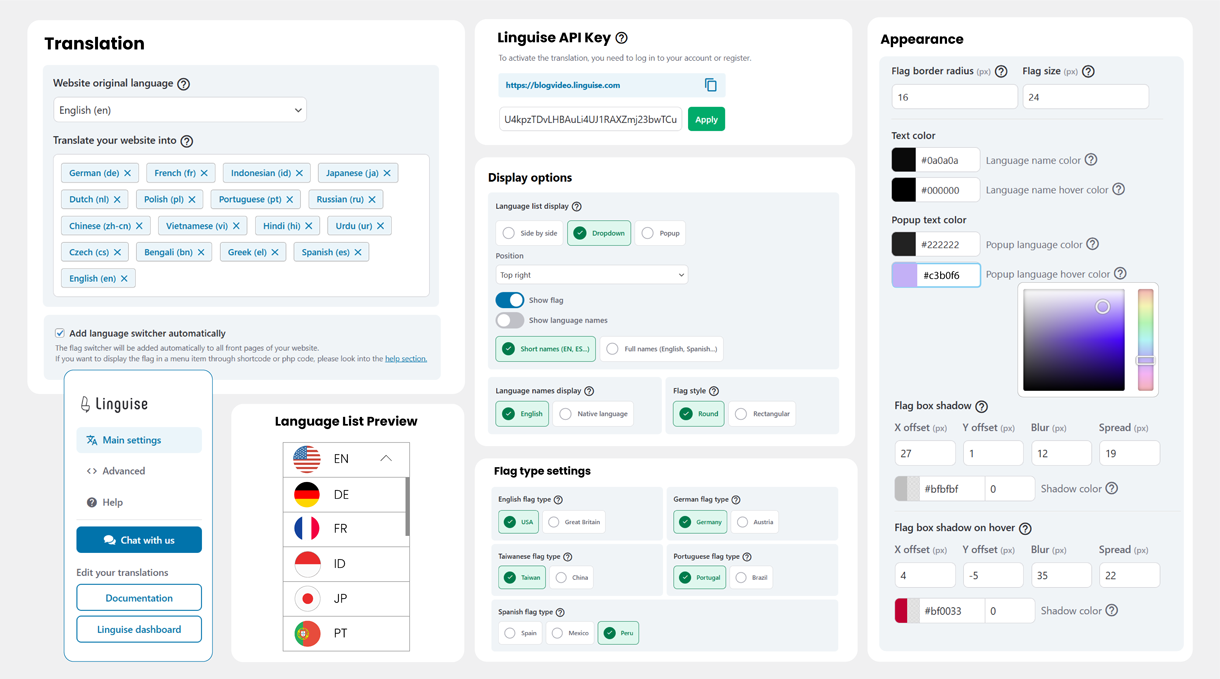
But also very advanced features for a better website integration
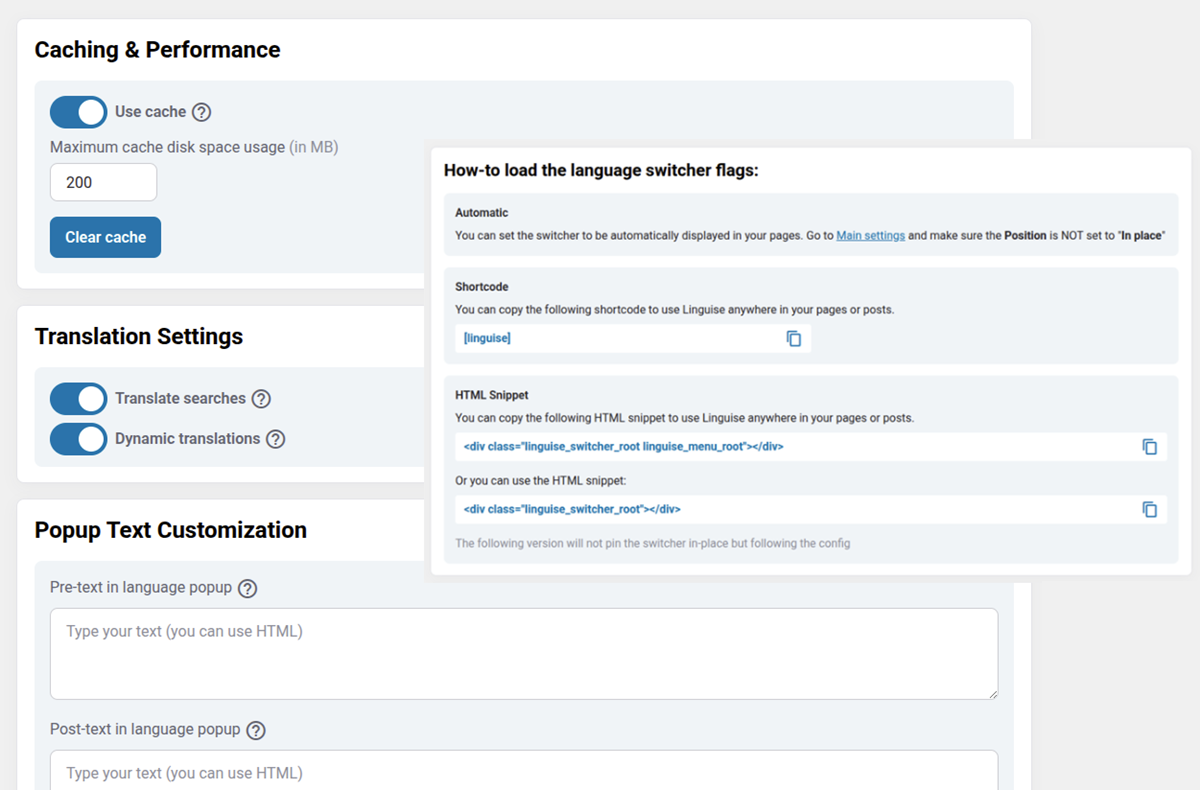
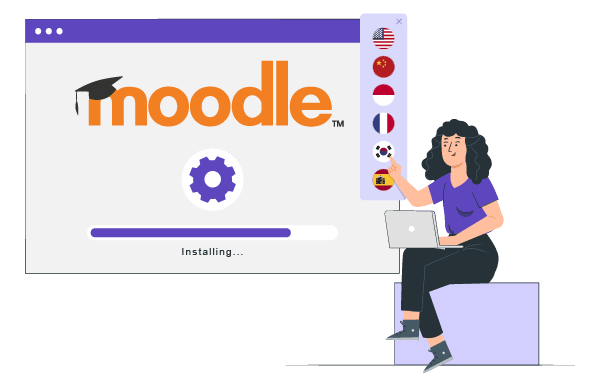
Install on Moodle with Apache, LiteSpeed, Nginx, IIS servers
Easily translate all Moodle pages. Simply upload the script, enter your API key, and visually select the translation features you need to activate and the language settings. Your entire website will then be instantly translated into multiple languages. This translation solution is fully compatible with all major web servers, including Apache, LiteSpeed, Nginx, and IIS.
Experience Dynamic Content Translation
Moodle LLM website may have a wide variety of content, including AJAX elements. Now, Linguise supports dynamic content translation such as AJAX, which can translate your page 100% without refreshing your page. The result is a better user experience, which will increase business reach.


Translate Moodle Website without Limitation
Translate entire pages of the website course effortlessly, without concern for limitations. Moodle automatic translation supports extensive content and numerous languages. Our membership plan offers unlimited translations for all your website pages in every language, and thanks to our high usage volume, it’s the most affordable option on the market.
Simple and easy editing Moodle translation from the front-end
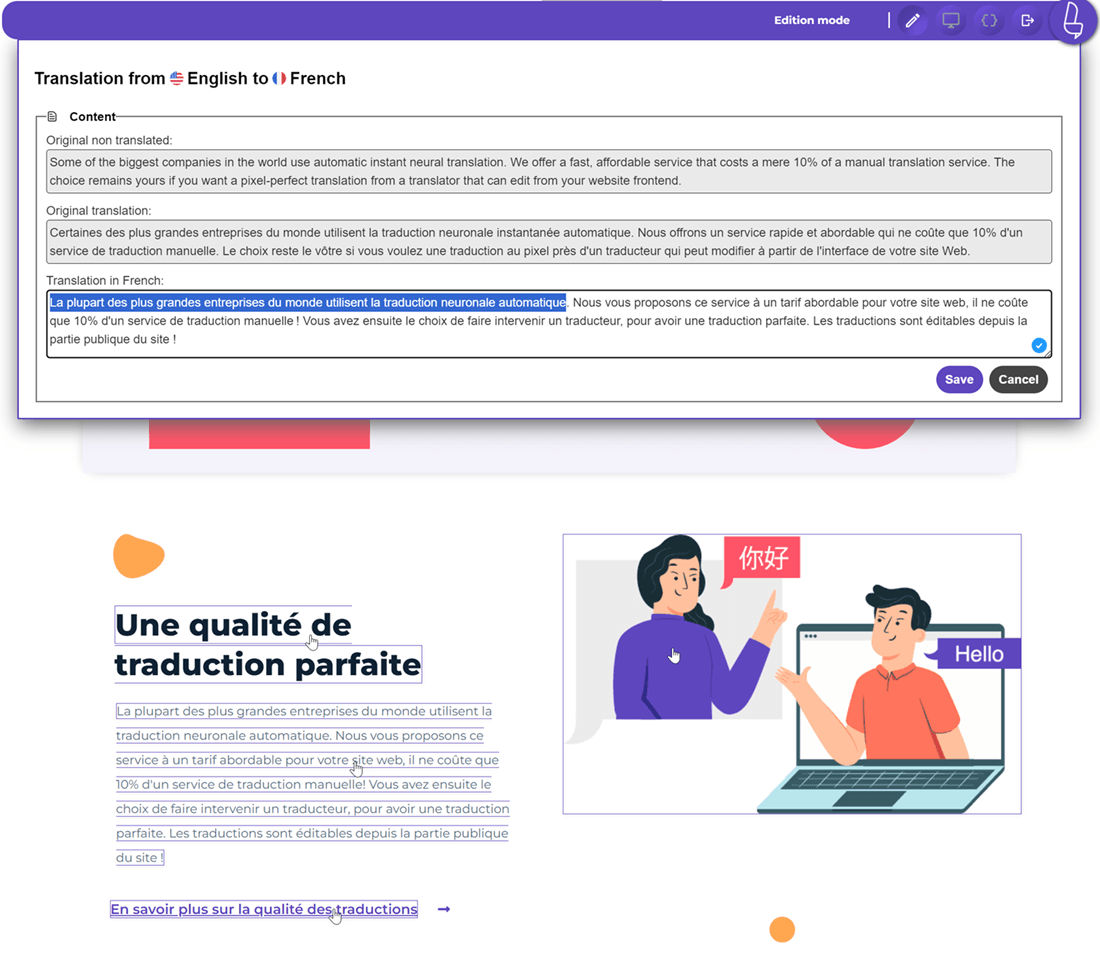
Linguise simplifies Moodle translations with a centralized dashboard, AI-powered translations, and human review for professional results. Our user-friendly front-end editor lets you edit directly on your Moodle website. Combine AI speed with human accuracy to ensure fluent and accurate translations for your Moodle content.
Discover more features of the Moodle automatic
translation management system
AMP multilingual pages
Content search engine
Fast Moodle pages loading time
Moodle sitemap translation
Inline Moodle content translation
FAQ about the Moodle LMS translation integration
To set up Linguise, you first register your Moodle domain in the Linguise dashboard to generate an API key. Then, download the Linguise script, unzip it, and upload the linguise folder to the root directory where your Moodle files are hosted. Finally, insert your API key into the Configuration.php file and add the provided JavaScript snippet to your Moodle platform via Site Administration > Appearance > Additional HTML to activate the language switcher.
Yes, Linguise is fully optimized for international SEO to increase your e-learning platform’s visibility. It automatically translates URLs and meta descriptions, generates multilingual XML sitemaps, and implements essential HTML elements like hreflang tags and canonical URLs. This ensures search engines correctly index your translated courses and serve them to international students in their preferred language.
Absolutely. Linguise features a dynamic translation toggle that accurately translates content generated or loaded via JavaScript and AJAX. This ensures that interactive Moodle elements like pop-ups, dynamic quizzes, course progress bars, and the checkout process are localized instantly without requiring a page refresh.
Yes, Linguise provides global translation exclusion rules, which are especially useful for educational platforms. From the dashboard, you can create rules to prevent specific technical terms, brand names, or inline course materials from being translated, ensuring clarity and precision across all your Moodle content.
While Linguise uses high-quality automatic AI translation, it also features an intuitive front-end Live Editor. This tool allows you—or professional translators you collaborate with—to browse your Moodle site and click on any text to make quick, contextual adjustments directly on the page, ensuring perfect cultural and technical accuracy.
Pricing is based on your translated word volume, starting at $15 per month (or $165 per year) for up to 200,000 translated words. All subscription tiers, including the Start and Pro plans, offer unlimited languages, unlimited translated page views, and access to premium Cloud AI translation. You can begin with a one-month free trial—no credit card required—to test the service on your Moodle platform.