Managing multilingual content can be challenging when your team doesn’t speak the target language. Without understanding the translated text, it can be difficult to spot inaccurate terminology, broken placeholders, tone issues, or other problems that may affect the user experience. This is where language blindness can make multilingual QA more difficult.
However, your team can still build an effective verification process without being fluent in every target language. By protecting critical strings, auditing translated pages visually, using AI for reverse validation, and conducting targeted native-language reviews, you can catch common issues before they affect users. Read to the end to learn how to manage multilingual content with a practical QA workflow.
Key points: Managing multilingual content without speaking the target language
Protect critical content
Use translation rules to protect brand names, variables, placeholders, and coupon codes. Regex and selectors can help prevent critical strings from being changed by translation engines.
Audit without knowing the language
Visually inspect translated pages for text expansion, broken buttons, clipped navigation, and layout issues. These checks help identify UI problems without requiring fluency in the target language.
Combine AI and native reviews
Use back-translation and targeted AI prompts to detect meaning, tone, idiom, and phrasing issues. For high-priority content, complement these checks with short native-language reviews of five critical checkout strings.
Why language blindness makes QA difficult
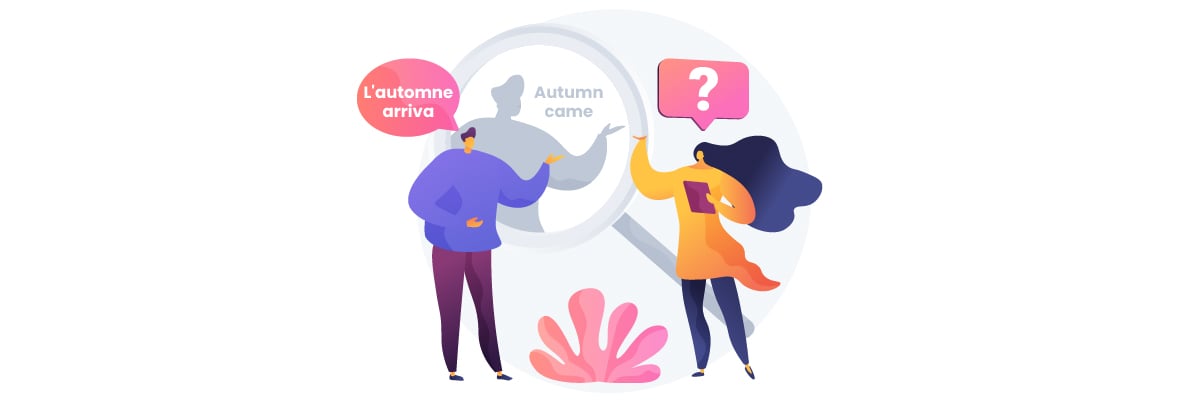
Language blindness happens when a team needs to review translated content but cannot understand the target language. While you may not be able to verify every word, you can still identify several issues through structured checks.
- Translation errors: Without understanding the target language, it can be difficult to tell whether the translation accurately conveys the original meaning, especially for technical terms, idioms, or context-specific phrases.
- Broken critical strings: Brand names, variables, placeholders, and coupon codes can be changed or translated accidentally. These changes may affect functionality even when the translated page looks correct.
- UI and layout issues: Translated text can become longer or use different writing systems, causing buttons to overflow, navigation menus to break, or text to become clipped.
- Tone and cultural issues: A translation may be grammatically correct but still sound unnatural, too formal, or inappropriate for the target audience. These issues are difficult to identify without knowing the language.
The key is to separate what your team can verify visually or technically from what requires a native-language review.
Protect critical strings from translation
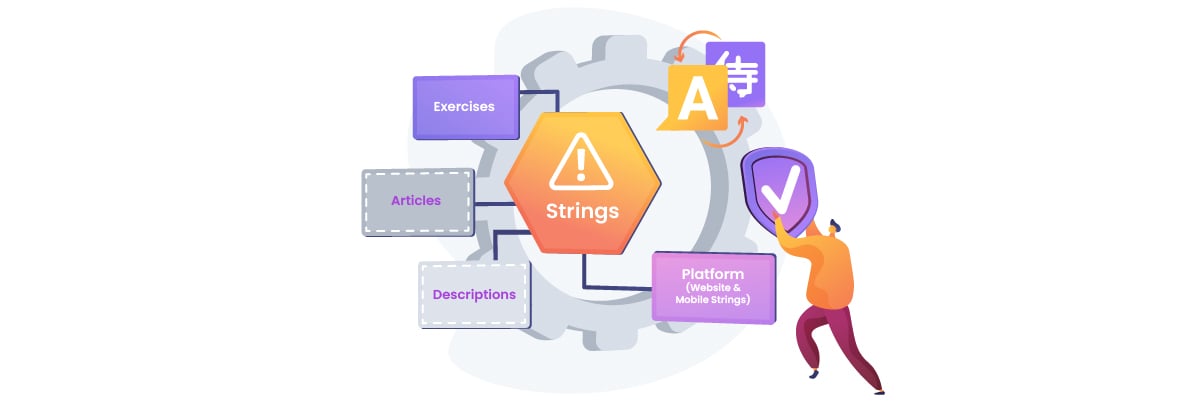
One of the safest ways to manage multilingual content without knowing the target language is to prevent critical strings from being translated in the first place. This helps keep important website elements consistent and prevents translation engines from changing text that should remain unchanged.
Protect brand names
Brand names should usually remain consistent across languages unless you have an official localized version. Translating or modifying a brand name can make it harder for customers to recognize the company, product, or service.
For example, if your website mentions Linguise, the name should remain “Linguise” in every translated version. The same approach can apply to product names, company names, plugin names, and proprietary terms. By excluding these terms from translation, your team can verify their consistency without needing to understand the target language.
Lock variables and placeholders
Variables and placeholders often contain dynamic values that should not be translated. These can include names, order numbers, dates, product values, or other technical elements that are replaced automatically when a page is displayed.
For example, a message such as “Hello, {customer_name}!” should keep {customer_name} unchanged. Translating or modifying the placeholder could prevent the website from displaying the customer’s name correctly. The same applies to technical variables such as %s, {{product_name}}, or other placeholders used by your website or plugins.
Exclude coupon codes
Coupon codes should also be protected because they are usually exact strings that customers must enter during checkout. Changing even one character can make a valid code unusable.
For example, if a store uses the coupon code SAVE20, the code should remain SAVE20 across all language versions. A translation engine should not modify, translate, or format it differently. Excluding coupon codes from translation helps ensure that customers in every market can use the same promotional codes correctly.
Use regex and selectors
Regex and CSS selectors can help create deterministic exclusion rules for content that should never be translated. In Linguise, translation rules can be used to consistently protect specific text patterns or HTML elements, reducing the risk of translation engines changing critical content.
Regex rules are useful when the content follows a predictable pattern, such as coupon codes, technical variables, or other recurring strings. CSS selectors, on the other hand, can target specific HTML elements that contain content that should remain unchanged. For example, a selector can exclude a particular class or element containing a brand name, while a regex rule can match a recurring placeholder format such as {{product_name}}.
This approach is especially useful for multilingual checkout pages, where brand names, technical variables, checkout placeholders, and coupon codes must remain exactly as intended. By defining these exclusions before translation, your team can protect critical strings automatically instead of relying on visual checks after every translation.
Audit translated pages visually
Even without understanding the target language, your team can still identify many translation-related problems through visual inspection. A quick review of the translated interface can reveal layout issues that may affect navigation, readability, and the overall user experience.
Check buttons
Buttons are one of the first UI elements to check because translated text can change their size and position. Make sure CTA buttons remain visible, aligned, and easy to click after the page is translated.
A visual audit can also reveal orphaned CTA buttons. When translated text expands, a button may be pushed away from the heading or description it belongs to, making the interface look disconnected even though the button itself still works. Compare the position of important CTAs with the original page and check whether they remain visually connected to the content they support.
For example, a short “Buy Now” button may become significantly longer in another language. If the button has a fixed width, the translated text could overflow or push other elements out of alignment. Check important CTAs such as Add to Cart, Checkout, and Submit across different language versions.
Spot text expansion
Text expansion happens when translated text takes up more space than the original text. This is common when translating between languages with different word lengths and can affect buttons, headings, menus, forms, and other UI elements.
For example, a compact navigation item such as “Pricing” may become longer in the target language and cause the navigation menu to wrap onto another line. During a visual audit, compare the translated page with the original and look for overflowing text, unexpected line breaks, clipped content, or elements that have been pushed out of position.
Check layouts
Different writing systems can introduce additional visual challenges. Some scripts may require more vertical space, while certain characters or glyph combinations may render differently and create unexpected gaps or disconnected glyphs.
Check key areas such as navigation menus, flex containers, forms, headers, and checkout sections. For example, a translated checkout page may have a broken flex layout where payment options no longer align correctly, or a navigation menu may become clipped after translation. These issues can often be identified through visual inspection without needing to understand the translated text.
Validate translations with AI
AI can add another layer of quality control when your team cannot directly review the target language. By using back-translation and targeted prompts with a secondary AI model, you can identify potential meaning, tone, and wording issues before publishing translated website content.
Run back-translation
Back-translation involves translating the target-language content back into your team’s primary language and comparing it with the original. While it cannot replace a native speaker, this process can help highlight significant differences in meaning.
For example, if the original CTA says “Start your free trial today”, back-translation can help identify whether the translated version still communicates the idea of starting a free trial today or has shifted to a different meaning. You can also use a secondary AI model to compare the original, translation, and back-translation and flag notable discrepancies.
Check tone and meaning
A translation can communicate the basic message correctly while still changing its tone or intent. Targeted AI prompts can help your team check whether the translated content remains consistent with the original in terms of meaning, formality, and messaging.
For example, a friendly sentence such as “Get started in just a few clicks” should not become overly formal or sound like a strict instruction in the target language. Ask a secondary AI model to compare the source and translated versions and identify potential tone drift or changes in meaning.
Flag idioms and offensive phrasing
Idioms and culturally specific expressions can be particularly difficult to validate without knowing the target language. A literal translation may sound unnatural or unintentionally convey an offensive or inappropriate meaning.
For example, an expression such as “Break a leg” may not have the same meaning when translated literally. A targeted AI prompt can ask a secondary model to identify missed idiomatic meaning, awkward expressions, or potentially offensive phrasing and flag them for further native-speaker review.
Use targeted native language reviews
Some translation issues cannot be reliably identified through visual checks or AI validation alone. Instead of ordering a full translation review, teams can use short, targeted checks from native speakers to review the most important content.
Review five checkout strings
Focus the native-language review on five critical checkout strings that directly affect the customer experience. These can include the Add to Cart, Checkout, Payment, Coupon, and error or validation messages.
For example, instead of asking a native speaker to review an entire translated checkout page, you can send five strings such as “Apply Coupon,” “Proceed to Checkout,” and “Your payment could not be processed.” Ask them to check whether the wording is accurate, natural, and appropriate for the target audience.
Create a 15-minute brief
A clear briefing makes it easier to commission a quick review without requiring the freelancer to understand the entire website. Include the source text, translated version, page context, and specific aspects they need to check.
For example, your brief could say: “Please review these five checkout strings for accuracy, natural wording, tone, and cultural appropriateness. Mark each string as Pass or Needs Revision and briefly explain any issue.” Keeping the task focused makes a 15-minute review more practical and cost-effective than requesting a full-page translation review.
Run native spot-checks
Native spot-checks can be commissioned through freelancer platforms when your team needs a quick linguistic review. The goal is not to rewrite the entire website but to validate the strings most likely to affect conversions or user interactions.
For example, after translating an e-commerce checkout into Japanese, you could send the five selected strings to a Japanese-speaking freelancer for a short review. If they flag an unnatural payment instruction or confusing coupon message, your team can correct that specific content without paying for a complete review of the translated page.
Conclusion
Learning how to manage multilingual content without speaking the target language starts with building a practical verification process. Protect critical strings with translation rules, audit translated pages visually, use AI for reverse validation, and rely on targeted native-language reviews for content that requires linguistic expertise. This layered approach helps your team catch technical, visual, and linguistic issues without requiring full-page reviews for every translation.
If you want a more controlled way to manage translations and protect important website content, consider using Linguise to apply translation rules and manage multilingual content more efficiently.